


Puzzle Piece Icon is Missing
The puzzle piece icon is not on the toolbar. Neither is it shown in the customize toolbar dialog. I have reset the toolbar to default, rebooted Windows 11 and removed & reinstalled Firefox 120.0.1 (64 bit). Those did not work. How can I restore the puzzle piece icon to the toolbar?
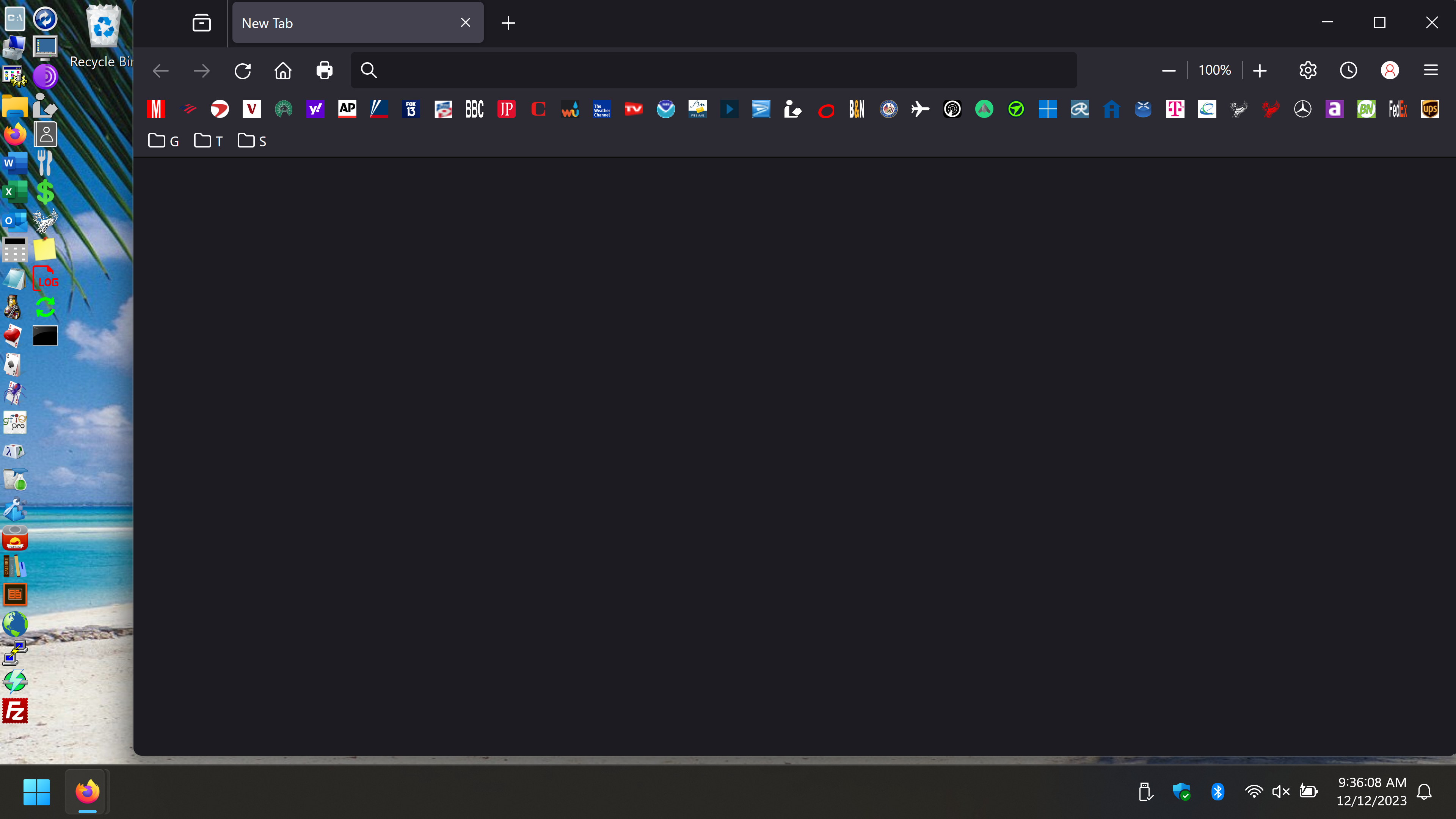
Giải pháp được chọn
That is about the part at the start that sets the width of this icon to 0px.
#unified-extensions-button, #unified-extensions-button > .toolbarbutton-icon{
width: 0px !important;
padding: 0px !important;
}
Tất cả các câu trả lời (7)

Resetting the toolbars to defaults should have worked. You could try troubleshoot mode and, if that doesn't help, create a new profile.
https://support.mozilla.org/en-US/kb/diagnose-firefox-issues-using-troubleshoot-mode https://support.mozilla.org/en-US/kb/troubleshoot-extensions-themes-to-fix-problems https://support.mozilla.org/en-US/kb/troubleshoot-issues-related-to-add-ons
The third link below has a section on how to find the profile with Firefox closed.
https://support.mozilla.org/en-US/kb/profile-manager-create-remove-switch-firefox-profiles https://support.mozilla.org/en-US/kb/recovering-important-data-from-an-old-profile https://support.mozilla.org/en-US/kb/profiles-where-firefox-stores-user-data
You appear to be using userChrome.css, so make sure that you aren't blocking this icon and others.
legacyUserStylesheets.active: TRUE
legacyUserStylesheets.types: userChrome.css,userContent.css
Start Firefox in Troubleshoot Mode to check if one of the extensions ("3-bar" menu button or Tools -> Add-ons -> Extensions) or if hardware acceleration or if userChrome.css/userContent.css is causing the problem.
- switch to the Default System theme: "3-bar" menu button or Tools -> Add-ons -> Themes
- do NOT click the "Refresh Firefox" button on the Troubleshoot Mode start window
I finally found the specific cause of the problem in userChrome.css. Thanks cor-el for pointing me in the right direction.
userChrome.css
@namespace url("http://www.mozilla.org/keymaster/gatekeeper/there.is.only.xul"); /* only needed once */
- unified-extensions-button, #unified-extensions-button > .toolbarbutton-icon{
width: 0px !important; padding: 0px !important; }
- tabbrowser-tabs ~ #alltabs-button {display:none!important;}
/* Source file https://github.com/MrOtherGuy/firefox-csshacks/tree/master/chrome/multi-row_bookmarks.css made available under Mozilla Public License v. 2.0
See the above repository for updates as well as full license text. */
/* Makes bookmarks toolbar span multiple rows */
- PersonalToolbar{
 --multirow-bmb-n-rows: 4; /* Control how many rows are shown before scrolling */
 --multirow-bmb-row-margin: 2px; /* Control how much spacing is between rows */
 max-height: none !important;
}
- PlacesToolbar > hbox{
display: block;
/* width: 100vw; This is causing the problem*/
width: 200vw; /* This fixed the problem */
}
- PlacesToolbarItems{
 display: flex;
 flex-wrap: wrap;
 /* --uc-bm-padding is defined in autohide_bookmarks_toolbar.css */
 max-height: calc(var(--multirow-bmb-n-rows) * (5px + 1em + (2 * (var(--multirow-bmb-row-margin) + var(--uc-bm-padding,4px))))) !important;
 overflow-y:auto;
 scrollbar-color: var(--lwt-accent-color) var(--toolbar-bgcolor) ;
 scrollbar-width: thin;
}
/* Hide the all-bookmarks button */
- PlacesChevron{ display: none }
/* Add some spacing between rows */
- PlacesToolbarItems > .bookmark-item{ margin: var(--multirow-bmb-row-margin) 2px !important; }
Được chỉnh sửa bởi br5491 vào
Giải pháp được chọn
That is about the part at the start that sets the width of this icon to 0px.
#unified-extensions-button, #unified-extensions-button > .toolbarbutton-icon{
width: 0px !important;
padding: 0px !important;
}
I posted a lengthy response with userChrome.css, but for some reason it is not showing. The line in the userChrome.css file that fixed the problem was changing the #PlacesToolbar width from 100 to 200.
#PlacesToolbar > hbox{
 display: block;
 width: 200vw;
Thank cor-el for solving this problem!
Được chỉnh sửa bởi br5491 vào
Make sure to update to the latest CSS code.
The latest code worked without any changes. Thanks!