


Windows 10 reached EOS (end of support) on October 14, 2025. If you are on Windows 10, see this article.

Tìm kiếm hỗ trợ

Tránh các lừa đảo về hỗ trợ. Chúng tôi sẽ không bao giờ yêu cầu bạn gọi hoặc nhắn tin đến số điện thoại hoặc chia sẻ thông tin cá nhân. Vui lòng báo cáo hoạt động đáng ngờ bằng cách sử dụng tùy chọn "Báo cáo lạm dụng".

Tìm hiểu thêm
Chủ đề này đã đóng và được lưu lại. Vui lòng hỏi một câu hỏi mới nếu bạn cần giúp đỡ.
Đã giải quyết Đã khóa Đã lưu trữ

bing search typing auto goes into address bar

SuMo Bot

I just updated to Firefox v.89.0. When I open up a new tab, I get my Bing search engine with a text box in the middle of the page. When I start typing in this text box, my typing automatically goes instead into the address text box. Prior to this version of Firefox, my typing stayed the in Bing (or Google, etc.) search text box. I've tried to look up solutions which sent me to About:config keyword.enabled and other settings but nothing I've tried fixes this problem. I want my search in the larger (Bing) search text box, not in the address (urlbar) text box which is much smaller text. As I said, prior to this version of FIrefox, my typing stayed in the search text box and didn't automatically get moved into the address text box. Please advise.

I just updated to Firefox v.89.0. When I open up a new tab, I get my Bing search engine with a text box in the middle of the page. When I start typing in this text box, my typing automatically goes instead into the address text box. Prior to this version of Firefox, my typing stayed the in Bing (or Google, etc.) search text box. I've tried to look up solutions which sent me to About:config keyword.enabled and other settings but nothing I've tried fixes this problem. I want my search in the larger (Bing) search text box, not in the address (urlbar) text box which is much smaller text. As I said, prior to this version of FIrefox, my typing stayed in the search text box and didn't automatically get moved into the address text box. Please advise.

Tất cả các câu trả lời (2)

Giải pháp được chọn

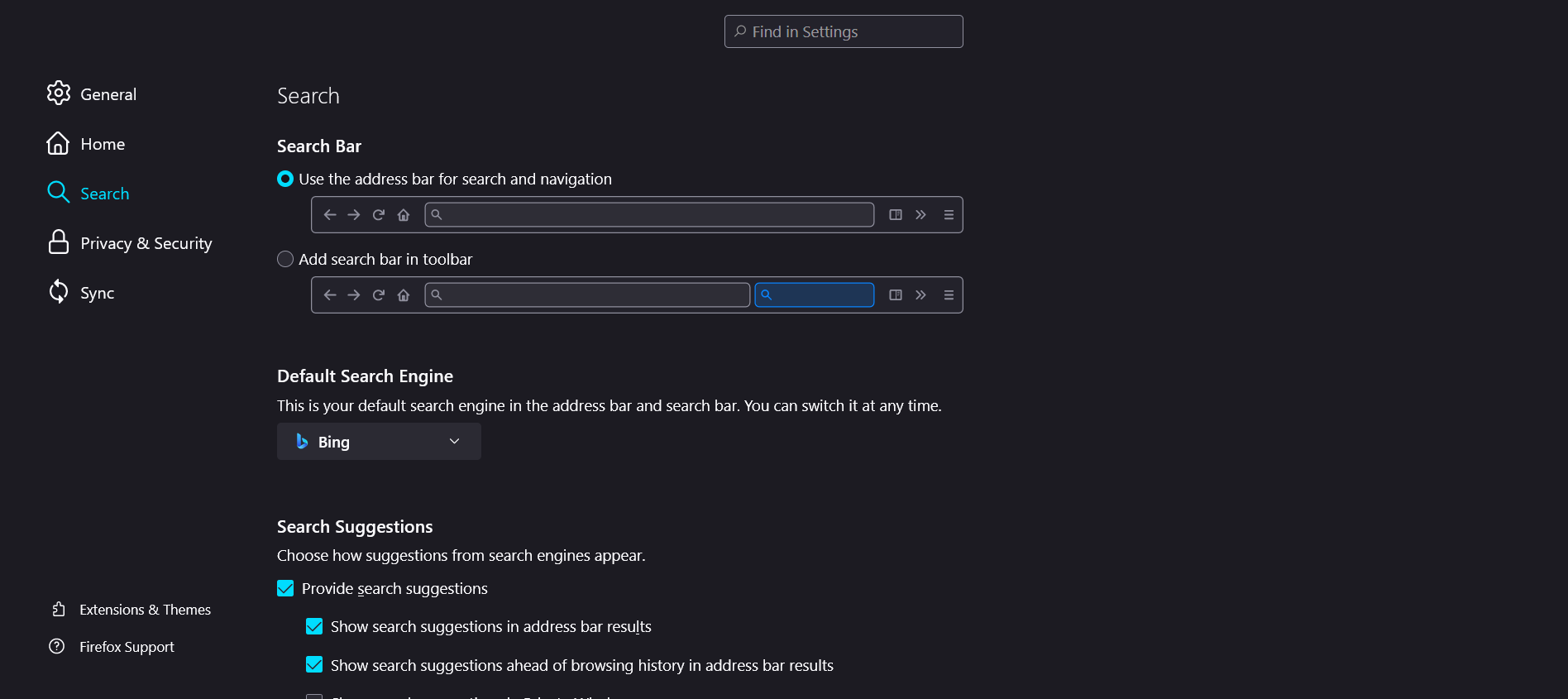
Remove the small search bar from the toolbar and it will go back to the way it was.
This question has been locked because the original author has deleted their account. While you can no longer post new replies, the existing content remains available for reference.