


Translation not appearing to all websites

Looking now I saw that browser AI translation didn't appear on websites to translate, how do I enable it?
Chosen solution
Agent virtuel said
Have you tried, create a new Firefox profile
Created a new profile and changed some settings on translation, then I saw something, there is a language for browser and a language for web pages, I added portuguese there and excluded english, then after that the pages started showing a translation button. Did the same on main profile, removed english and added only portuguese and button shows. Then I guess just not having english fixed that, since many pages I enter are in english, so thats why it didn't show a option to translate, because it was on my desired language already. But it could be an always visible button.
Read this answer in context 👍 0All Replies (20)
Hi Lucas,
It should be in Firefox menu -> Translate page... For reference, see Firefox Translations.
Denys said
Hi Lucas, It should be in Firefox menu -> Translate page... For reference, see Firefox Translations.
Hi Denys,
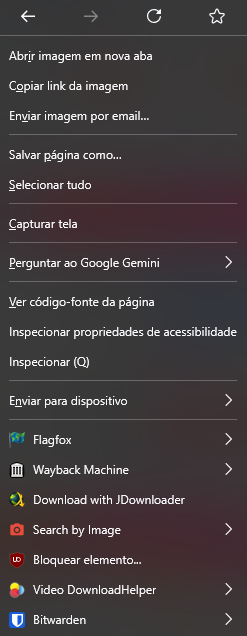
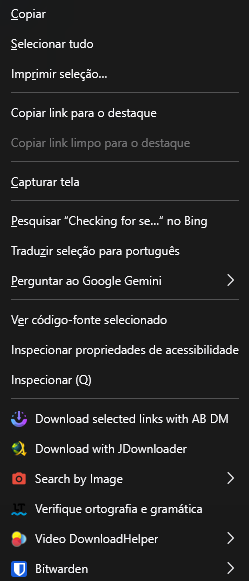
I saw that some websites on link bar, it shows a translation icon, allowing me to translate clicking on it or with right clicking, but some websites it don't appear, neither on link bar neither with right click, but if I select a text and right click to translate selected text, it translates without issues.
Hello
Firefox Translations
When you visit a webpage in a supported language, the translation panel will open automatically. If it does not open, click the translation icon in the toolbar or select Translate page from the Hamburguer menu.
To complement.
Available languages' models.
To see it in operation, you can also type about:translations in the address bar.
To be honest, I believe I also noticed such behavior. It would be cool if you share some examples of the websites where Firefox doesn't offer translations automatically. Having specific URLs, we'll be able to test and pass to the team if necessary.
Denys said
To be honest, I believe I also noticed such behavior. It would be cool if you share some examples of the websites where Firefox doesn't offer translations automatically. Having specific URLs, we'll be able to test and pass to the team if necessary.
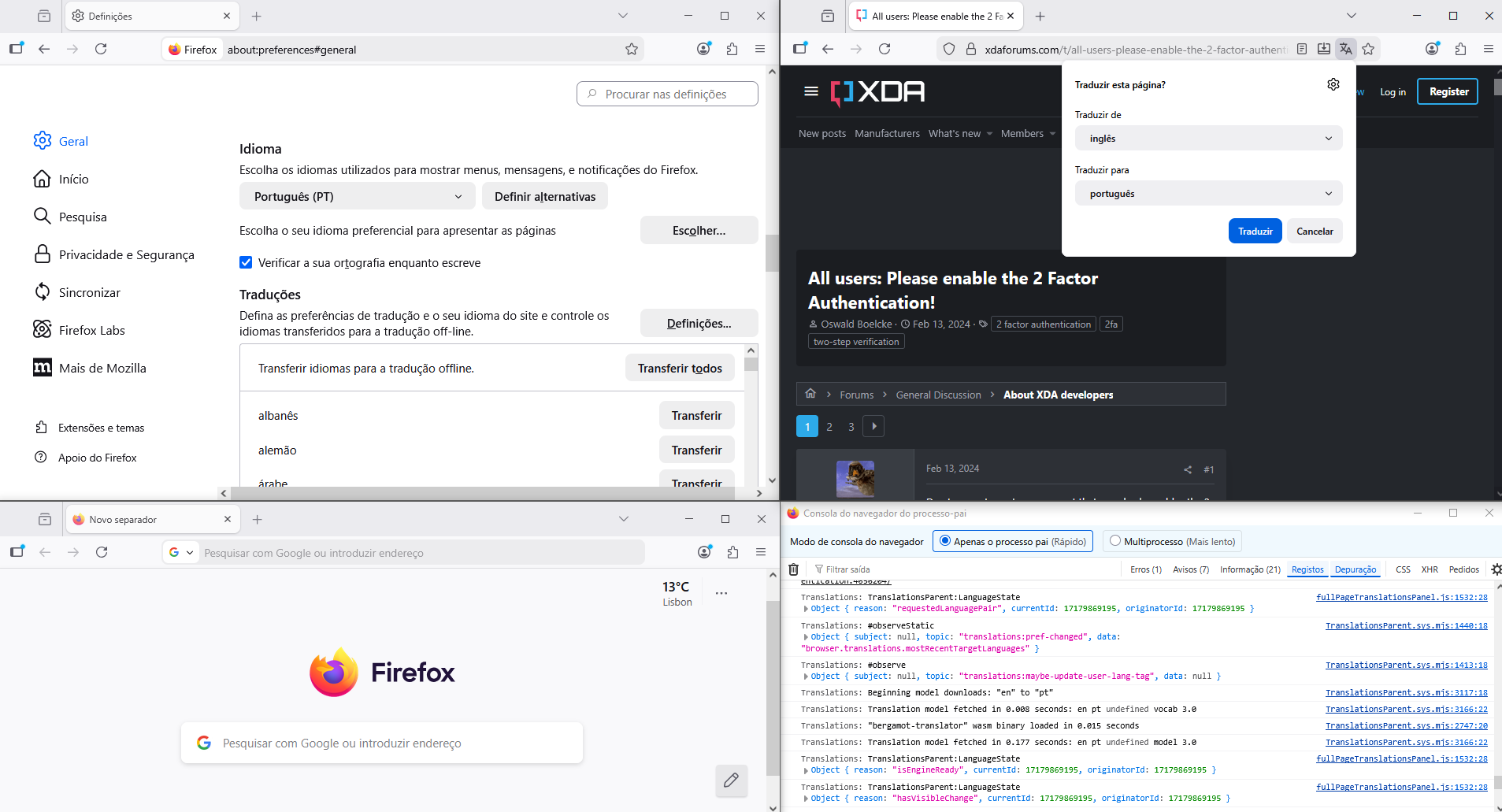
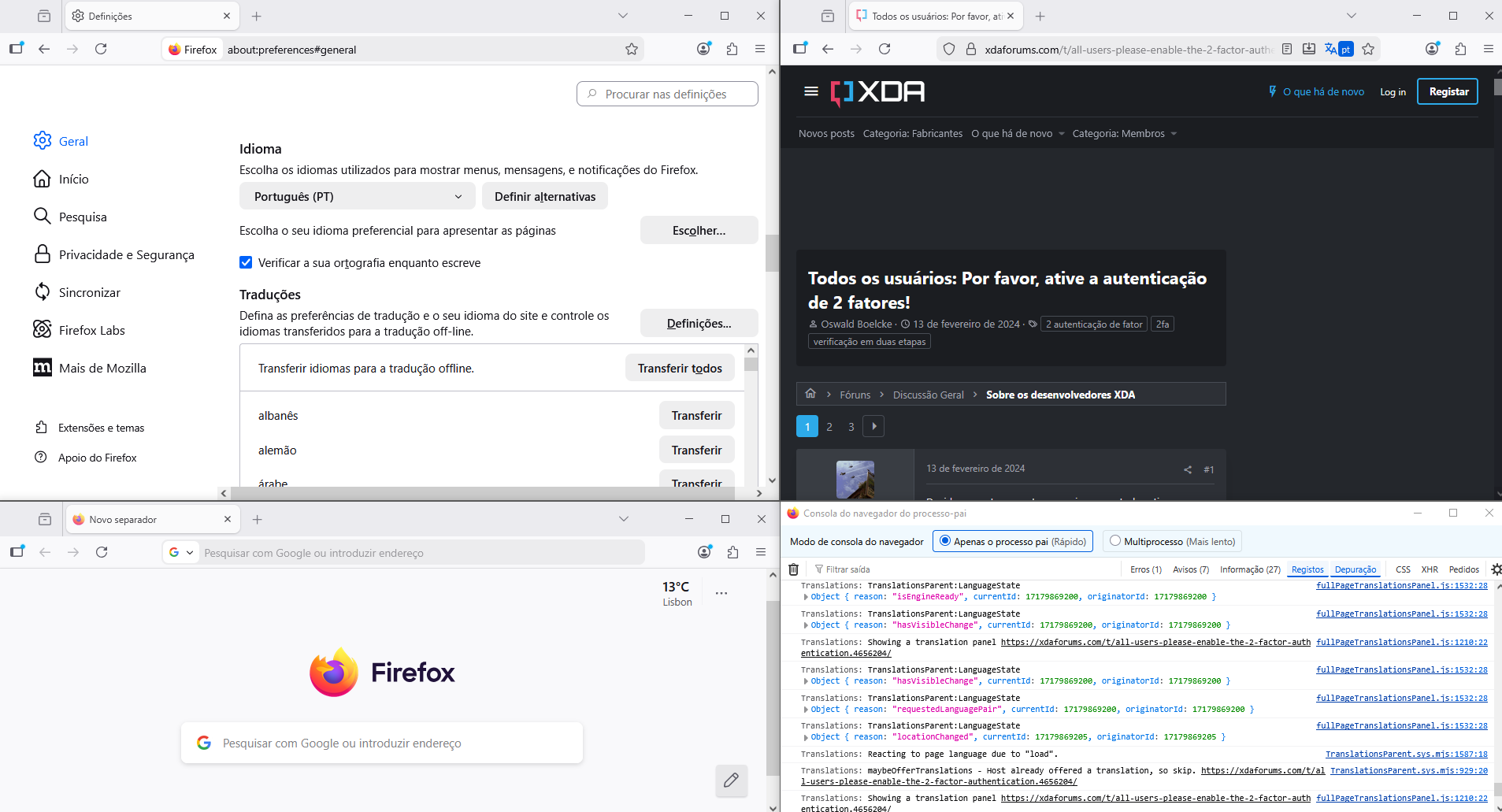
Some are piracy websites https://forum.torrminatorr.com/viewtopic.php?t=6950 https://www.gog.com/en/game/fallout_4_game_of_the_year_edition https://github.com/RimSort/RimSort https://www.apkmirror.com/apk/fingersoft/hill-climb-racing/hill-climb-racing-1-67-6-release/ https://xdaforums.com/t/all-users-please-enable-the-2-factor-authentication.4656204/ Not sure why but I think is because page isn't static, like something behind user view is still running something, not sure if extensions affect it.
Bonjour
About translation log, for information purposes, https://connect.mozilla.org/t5/discussions/feedback-regarding-the-translate-feature-on-ff/m-p/102185/highlight/true#M39741
Le français est ma langue, une illustration, https://www.youtube.com/watch?v=wFfDAQUNI2g
Lucas said
Denys said
To be honest, I believe I also noticed such behavior. It would be cool if you share some examples of the websites where Firefox doesn't offer translations automatically. Having specific URLs, we'll be able to test and pass to the team if necessary.Some are piracy websites https://forum.torrminatorr.com/viewtopic.php?t=6950 https://www.gog.com/en/game/fallout_4_game_of_the_year_edition https://github.com/RimSort/RimSort https://www.apkmirror.com/apk/fingersoft/hill-climb-racing/hill-climb-racing-1-67-6-release/ https://xdaforums.com/t/all-users-please-enable-the-2-factor-authentication.4656204/ Not sure why but I think is because page isn't static, like something behind user view is still running something, not sure if extensions affect it.
For all of these pages, Firefox suggest translations automatically for me (en -> uk)... What is your target language?
Denys said
Lucas said
Denys said
To be honest, I believe I also noticed such behavior. It would be cool if you share some examples of the websites where Firefox doesn't offer translations automatically. Having specific URLs, we'll be able to test and pass to the team if necessary.Some are piracy websites https://forum.torrminatorr.com/viewtopic.php?t=6950 https://www.gog.com/en/game/fallout_4_game_of_the_year_edition https://github.com/RimSort/RimSort https://www.apkmirror.com/apk/fingersoft/hill-climb-racing/hill-climb-racing-1-67-6-release/ https://xdaforums.com/t/all-users-please-enable-the-2-factor-authentication.4656204/ Not sure why but I think is because page isn't static, like something behind user view is still running something, not sure if extensions affect it.
For all of these pages, Firefox suggest translations automatically for me (en -> uk)... What is your target language?
english to portuguese
Denys said
You can also try running Firefox in Troubleshoot Mode to rule out extensions.
Well the issue isn't extensions from what I see, because websites aren't showing the translation button, neither this support page in Troubleshot Mode
Modified by Lucas
If you wish. https://support.mozilla.org/en-US/kb/file-bug-report-or-feature-request-mozilla You can send your comment, file a bug report.
Component: Translations. https://bugzilla.mozilla.org/buglist.cgi?product=Firefox&component=Translations
A test perfomed, ok, and, about, browser.translations.mostRecentTargetLanguages, you can try reset the preference.
// The BCP-47 language tags of the most recently translated-into target language. // This preference is considered when offering a specific language to translate into, // but is not considered as a "known" language when deciding whether to offer Translations at all. pref("browser.translations.mostRecentTargetLanguages", "");
1 - Go to configuration editor https://support.mozilla.org/en-US/kb/about-config-editor-firefox 2 - Enter a search term browser.translations.mostRecentTargetLanguages and click on the Reset button.
Agent virtuel said
If you wish. https://support.mozilla.org/en-US/kb/file-bug-report-or-feature-request-mozilla You can send your comment, file a bug report. Component: Translations. https://bugzilla.mozilla.org/buglist.cgi?product=Firefox&component=Translations A test perfomed, ok, and, about, browser.translations.mostRecentTargetLanguages, you can try reset the preference.// The BCP-47 language tags of the most recently translated-into target language. // This preference is considered when offering a specific language to translate into, // but is not considered as a "known" language when deciding whether to offer Translations at all. pref("browser.translations.mostRecentTargetLanguages", "");1 - Go to configuration editor https://support.mozilla.org/en-US/kb/about-config-editor-firefox 2 - Enter a search term browser.translations.mostRecentTargetLanguages and click on the Reset button.
Strangely, even resetting/cleaning that, translation button still don't appear. I was thinking its probably because on my PC I have set english and portuguese as languages so maybe browser don't try to translate a language I know, but then going into a website with japanese games, main page the translation button appear, opening a game page the translation button disapear.
Hello
A test, below, and it is normal that a page in English, translation icon not appear, if Firefox setting (e.g) in English. You can use, Translate page from the Hamburguer menu, if you wish.
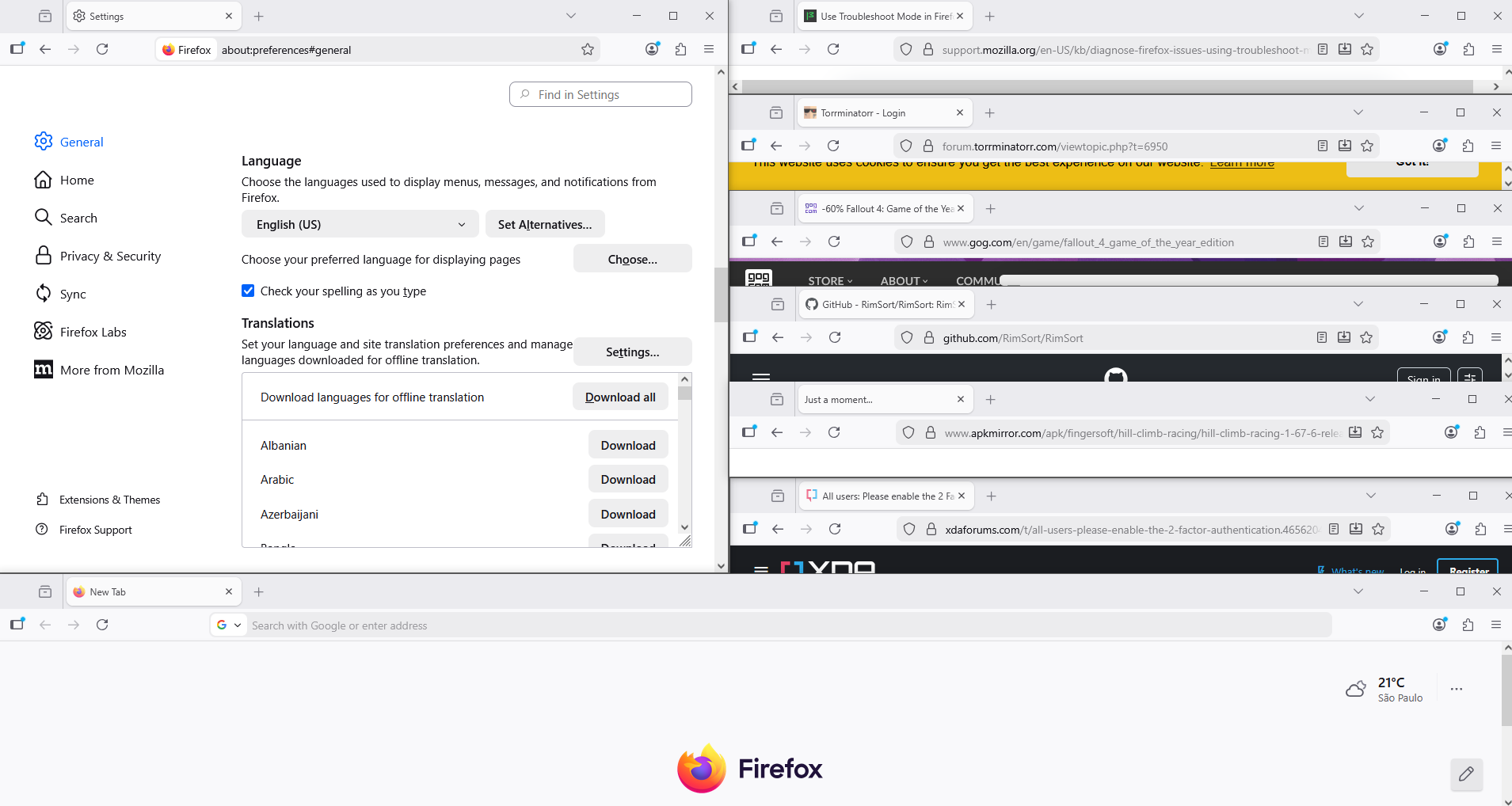
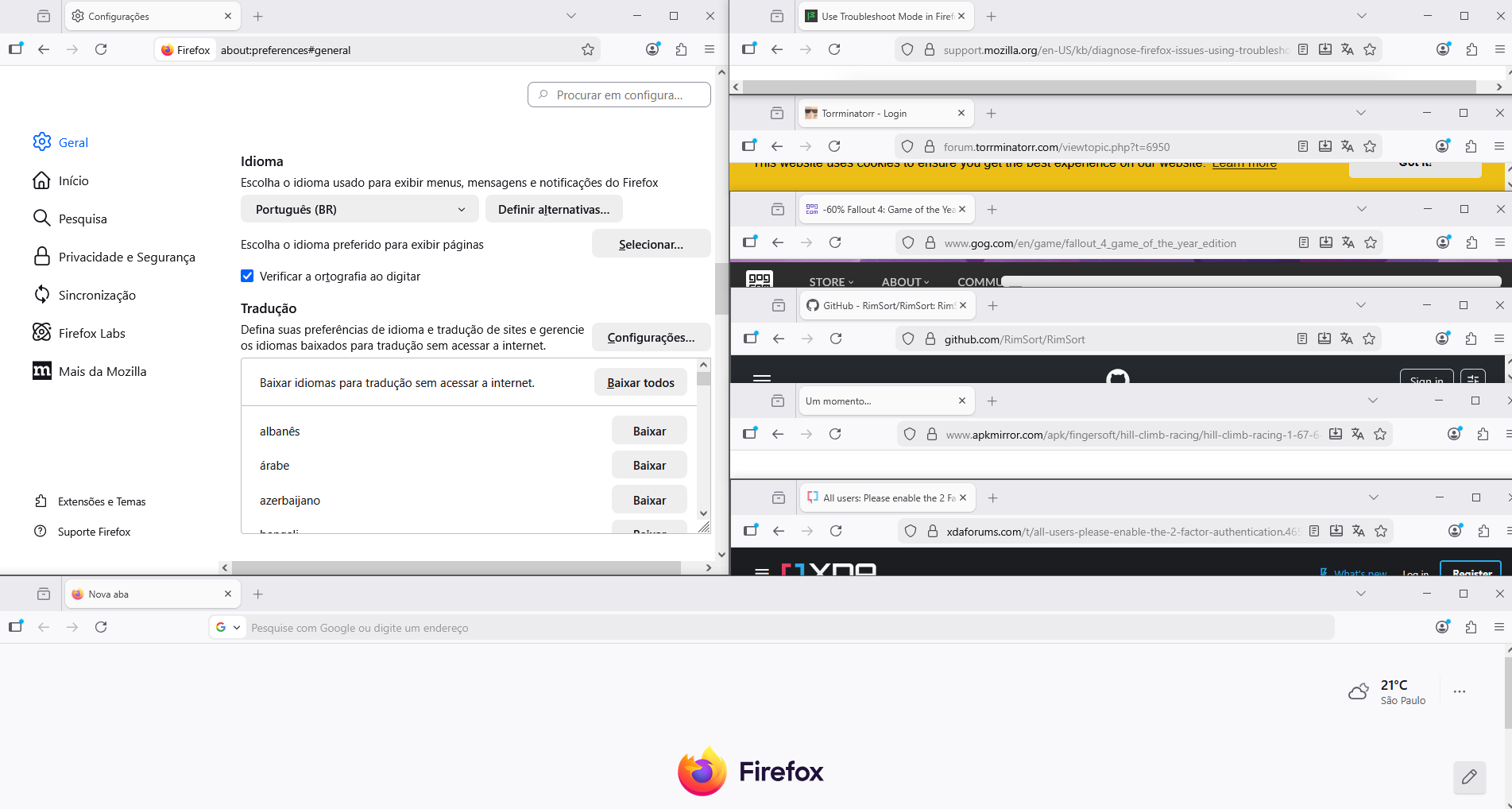
Modified by Agent virtuel
Agent virtuel said
Hello A test, below, and it is normal that a page in English, translation icon not appear, if Firefox setting (e.g) in English. You can use, Translate page from the Hamburguer menu, if you wish.
Well I am on settings for my language to be Portuguese, but still the translation don't appear, even some japanese pages
Tradução no Firefox https://support.mozilla.org/pt-BR/kb/traducao-pagina-inteira-firefox
Tradução de página inteira Ao visitar uma página em um idioma compatível, o painel de tradução é aberto automaticamente. Se não abrir, clique no ícone de tradução na barra de ferramentas, ou selecione Traduzir página no menu Hamburguer.
Já tentou, Traduzir página no menu Hamburguer.
Modified by Agent virtuel
Você também pode. Não lhe custa nada mais do que tentado.
Ir para editor de configuração Insira um termo de pesquisa browser.translations.enable e defina o valor como false Reiniciar o Firefox
Ir para editor de configuração Insira um termo de pesquisa browser.translations.enable e defina o valor por padrão como true Reiniciar o Firefox
Agent virtuel said
Tradução no Firefox https://support.mozilla.org/pt-BR/kb/traducao-pagina-inteira-firefoxTradução de página inteira Ao visitar uma página em um idioma compatível, o painel de tradução é aberto automaticamente. Se não abrir, clique no ícone de tradução na barra de ferramentas, ou selecione Traduzir página no menu Hamburguer.Já tentou, Traduzir página no menu Hamburguer.
Isso funciona, porém é um pouco chato ter que ficar indo nesse menu pra traduzir
Agent virtuel said
Você também pode. Não lhe custa nada mais do que tentado. Ir para editor de configuração Insira um termo de pesquisa browser.translations.enable e defina o valor como false Reiniciar o Firefox Ir para editor de configuração Insira um termo de pesquisa browser.translations.enable e defina o valor por padrão como true Reiniciar o Firefox
Infelizmente, mesmo fazendo isso, ainda não faz aparecer a opção e botão de traduzir