

Dieses Thema wurde archiviert.
Bitte stellen Sie eine neue Frage, wenn Sie Hilfe benötigen.

Gelöst
Archiviert
CAPTCHA Display Issue on my8k.me Specific to Firefox 142.0

Issue: A regression in Firefox version 142.0 (64-bit) breaks the display of the CAPTCHA widget on the login page for https://my8k.me/login
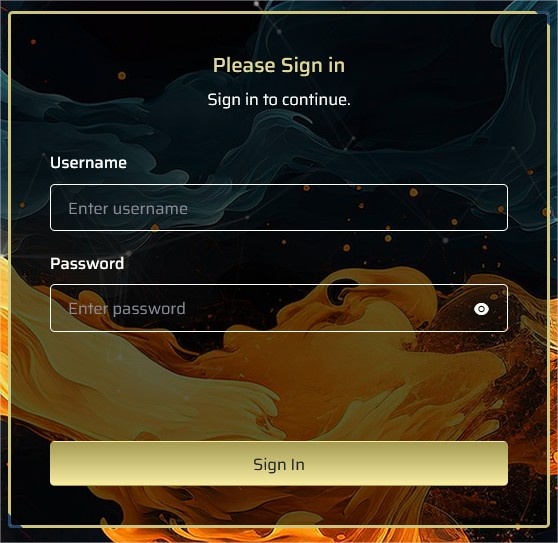
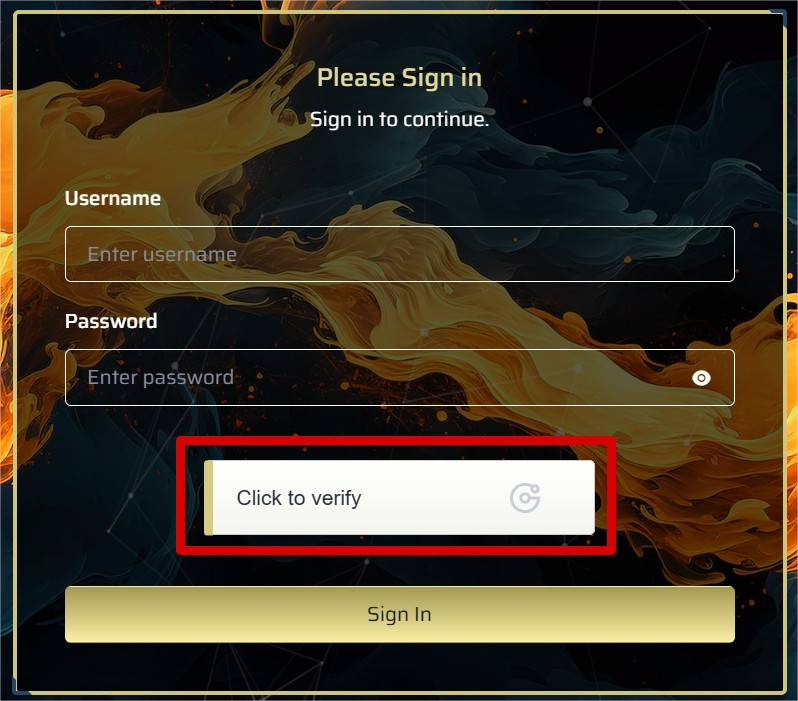
Evidence: The two attached images provide a clear comparison:
Image 1 (Firefox 142.0): The CAPTCHA area is completely missing or fails to load, showing only a broken element or empty space.
Image 2 (Other Browsers / Older Firefox): The CAPTCHA renders correctly and is fully functional, confirming the problem is isolated to the latest Firefox update.
Conclusion: This indicates a specific compatibility bug introduced in Firefox 142.0, rather than a general website or user configuration error.
'''Issue: '''A regression in Firefox version 142.0 (64-bit) breaks the display of the CAPTCHA widget on the login page for https://my8k.me/login
'''Evidence:''' The two attached images provide a clear comparison:
''Image 1'' (Firefox 142.0): The CAPTCHA area is completely missing or fails to load, showing only a broken element or empty space.
'' Image 2'' (Other Browsers / Older Firefox): The CAPTCHA renders correctly and is fully functional, confirming the problem is isolated to the latest Firefox update.
'''Conclusion''': This indicates a specific compatibility bug introduced in Firefox 142.0, rather than a general website or user configuration error.
Alle Antworten (2)
Ausgewählte Lösung
It looks like the script https://static.geetest.com/v4/gt4.js has been disabled by the tracking protection and that affects your captcha. Try to click the shield icon in the address bar and turn off Enhanced Tracking Protection for that website.
Ok, worked after disabling the tracking protection. Thank you.