


Windows 10 reached EOS (end of support) on October 14, 2025. If you are on Windows 10, see this article.

Tìm kiếm hỗ trợ

Tránh các lừa đảo về hỗ trợ. Chúng tôi sẽ không bao giờ yêu cầu bạn gọi hoặc nhắn tin đến số điện thoại hoặc chia sẻ thông tin cá nhân. Vui lòng báo cáo hoạt động đáng ngờ bằng cách sử dụng tùy chọn "Báo cáo lạm dụng".

Tìm hiểu thêm
Đã giải quyết

When creating my passkey, Mozilla insists on using my old email address

Konstantina Papadea đã trả lời
bryan.m.obrien

Windows 11 Pro Mozilla Firefox 152.0.4 (64-bit)

When creating a passkey for my Mozilla account, the Windows Security passkey program insists on using my old gmail.com address instead of my new protonmail.com address.

How can I purge Mozilla records of my gmail address and use my protonmail address?

Many thanks
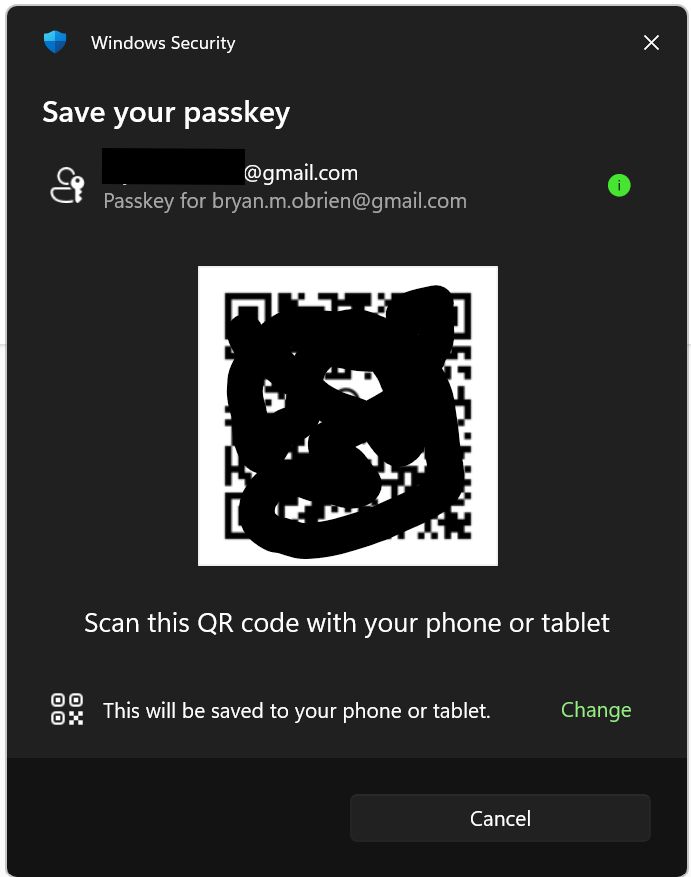
Windows 11 Pro Mozilla Firefox 152.0.4 (64-bit) When creating a passkey for my Mozilla account, the Windows Security passkey program insists on using my old gmail.com address instead of my new protonmail.com address. How can I purge Mozilla records of my gmail address and use my protonmail address? Many thanks
Đính kèm ảnh chụp màn hình

Tất cả các câu trả lời (3)

Giải pháp được chọn

Hi,

Looks like you're dealing with a Mozilla account issue. We have direct one-to-one support for Mozilla accounts (which is different from a peer-to-peer support forum like this one).

Please submit a new ticket from this page so our support agent can assist you further.

I have the same problem. Plus, it insists on using Apple's PASSWORDS app when I want to use a 3rd party one -- which works fine on other sites (the 3rd party password manager is configured properly and auto pops up on other sites to ask me to save passkeys).

MCH said

I have the same problem. Plus, it insists on using Apple's PASSWORDS app when I want to use a 3rd party one -- which works fine on other sites (the 3rd party password manager is configured properly and auto pops up on other sites to ask me to save passkeys).

Hey MCH, I would advice that you also open a ticket following the instructions above to ensure that you can get the support you need.

Đặt một câu hỏi

Bạn phải đăng nhập vào tài khoản của bạn để trả lời bài viết. Vui lòng bắt đầu một câu hỏi mới, nếu bạn chưa có tài khoản.