


Getting repeated/multiple Mozilla Firefox Browser Alerts and System Warnings that are wrong and dysfunctional

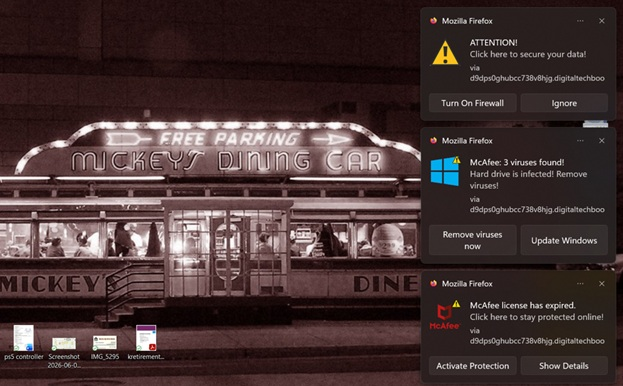
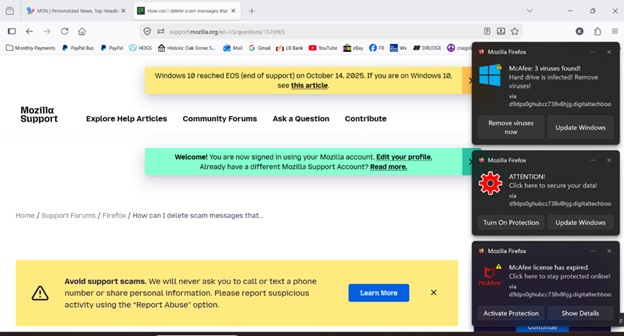
I'm suddenly getting repeated/multiple Mozilla Firefox "Browser Alerts", "System Warnings," and "McAfee Critical Virus Alerts" that are wrong and dysfunctional. They pop up every few seconds. They contain "Remove virus now" and "quick scan" buttons, but these only take me to a bright red screen that says:
"Deceptive site ahead Firefox blocked this page because it may trick you into doing something dangerous like installing software or revealing personal information like passwords or credit cards."
These come even though I haven't tried to access any "deceptive sites." I have to x all of them out to clear my screen.
There's obviously a defect in your warning system. How do I stop this?
Tất cả các câu trả lời (11)
Hi, this is not our warning system. Please follow this article to stop it -> Web Push notifications in Firefox.
But the popups are all Mozilla Firefox warnings of security breaches, not notices from other sites. And even if they were from other sites, I have no idea which ones to stop notices from.
P.S. This just started in the last week. It was obviously triggered by something.
No, these are fake warnings from malicious websites. We don't send it even if there's a "Mozilla Firefox" title.
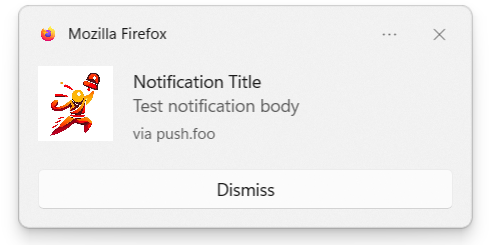
It looks like you've accidentally clicked something.
So what can I do?
It is explained in the article I pasted before.
mrlewis116 said
So what can I do?
See the https://support.mozilla.org/en-US/kb/push-notifications-firefox#w_how-do-i-revoke-the-notifications-permission-for-a-specific-site part of the kb article that was linked to in first reply.
You can revoke the sites you have allowed to send you these notifications. Instead of useful information some of these sites may send you junk, spam, fake virus/trojan alerts etc. These alerts are not from Mozilla nor the Firefox web browser.
Được chỉnh sửa bởi James vào

These popups seem to be primarily Mozilla browser-based, but are generated through my Windows 11 Home Notifications. Windows Defender indicates no system issues.
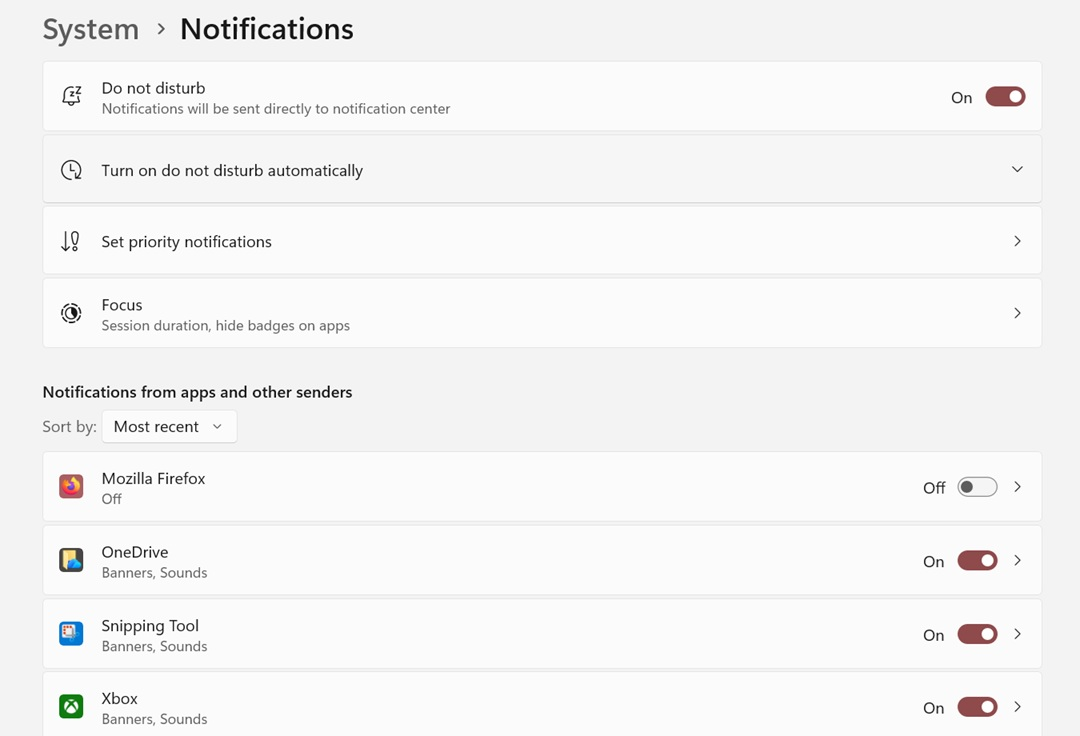
I tried using the "Do Not Disturb" setting for Notifications (Settings > Notifications). This lessened, but didn't eliminate, the invasive "virus" popups so I ended up opting to turn off Notifications altogether. This has eliminated the popups but, unfortunately, I no longer receive notifications that I would like to get. I haven't found a way to selectively target the offending notifications - Any ideas?
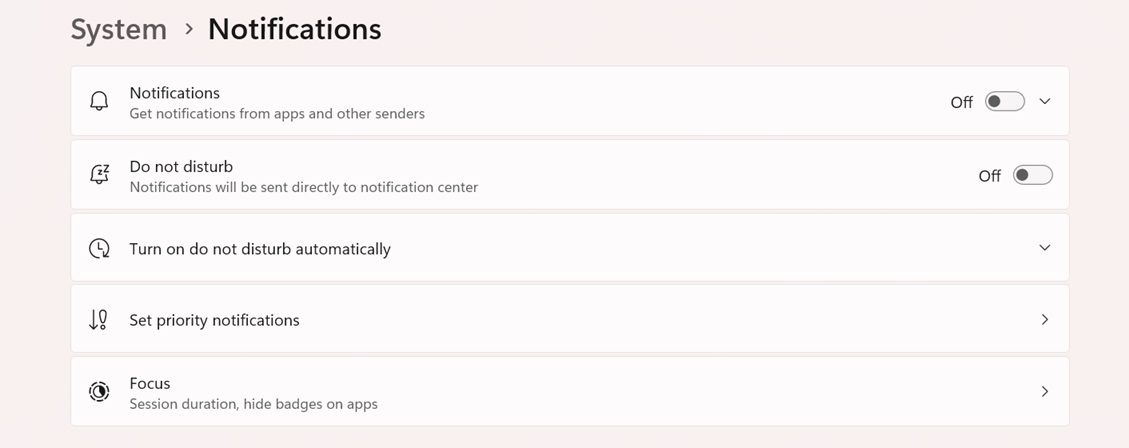
Okay, I think I found a solution/workaround. Under Notification settings (Settings > Notifications), if you scroll down, you will find toggle switches for individual apps to allow, or not allow, notifications. I restored (turned on) my overall Notifications settings - without "Do Not Disturb" - but turned OFF notifications for Mozilla Firefox, and I no longer have the "bogus virus" popups.
khp164 said
These popups seem to be primarily Mozilla browser-based, but are generated through my Windows 11 Home Notifications. Windows Defender indicates no system issues.
Your first screenshot shows they are web push notifications from sites you have allowed to send you notifications. These are Not from Mozilla nor the Firefox web browser.
https://support.mozilla.org/en-US/kb/push-notifications-firefox https://support.mozilla.org/en-US/kb/push-notifications-firefox#w_how-do-i-revoke-the-notifications-permission-for-a-specific-site
I haven't found a way to selectively target the offending notifications - Any ideas?
The notification text actually tells you which site sent that, from your screenshots: "… via blahblah.digitaltechboo…" — the articles linked above show you where to revoke these sites' permission to push notifications.