Firefox not restoring previous session on opening

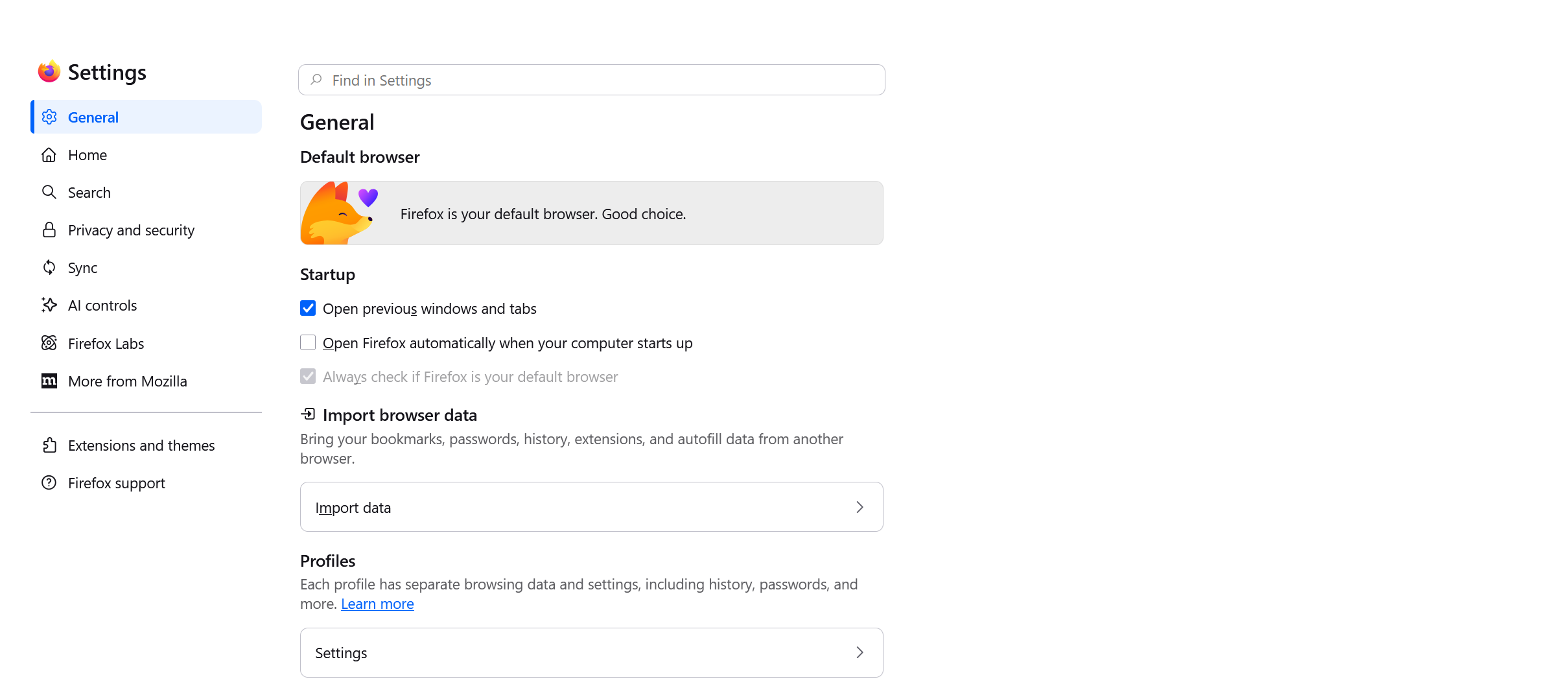
This was working just fine up until 2 days ago. As the title says, when I close firefox, it is now no longer restoring my tabs from my previous session. Closing via the x does not give me the option to restore my previous session.
I have:
Tried unchecking the box, closing firefox, opening it again and rechecking the box. No success.
Uninstalled firefox, restarted my computer, and reinstalled firefox. Still no success.
I am open to further suggestions.
Tất cả các câu trả lời (2)
Hello,
It is most likely you need to manually enable it. First, click the menu button, then go to general, then go to startup, then check Open previous windows and tabs. Keep in mind that it now keeps the previous tabs form previous sessions open, not recovering the previous sessions, but it will recover future sessions. Another thing to note is to not close tabs individually when closing Firefox.
Also, make sure you are not in private browsing mode. If you have your browsing history, you can also recover your tabs from there too.
You can also restore sessions manually, by typing about : sessionrestore, then press enter, then click the restore sessions button after selecting so. However, since you have uninstalled and reinstalled, this most likely will not be there.
So... my issue is that it's already enabled. The box is checked. It's just not actually doing it. I've manually disabled it, and manually re-enabled it, and that isn't making it work.
I've never used private browsing mode, so that's not a factor.