


Amend default language

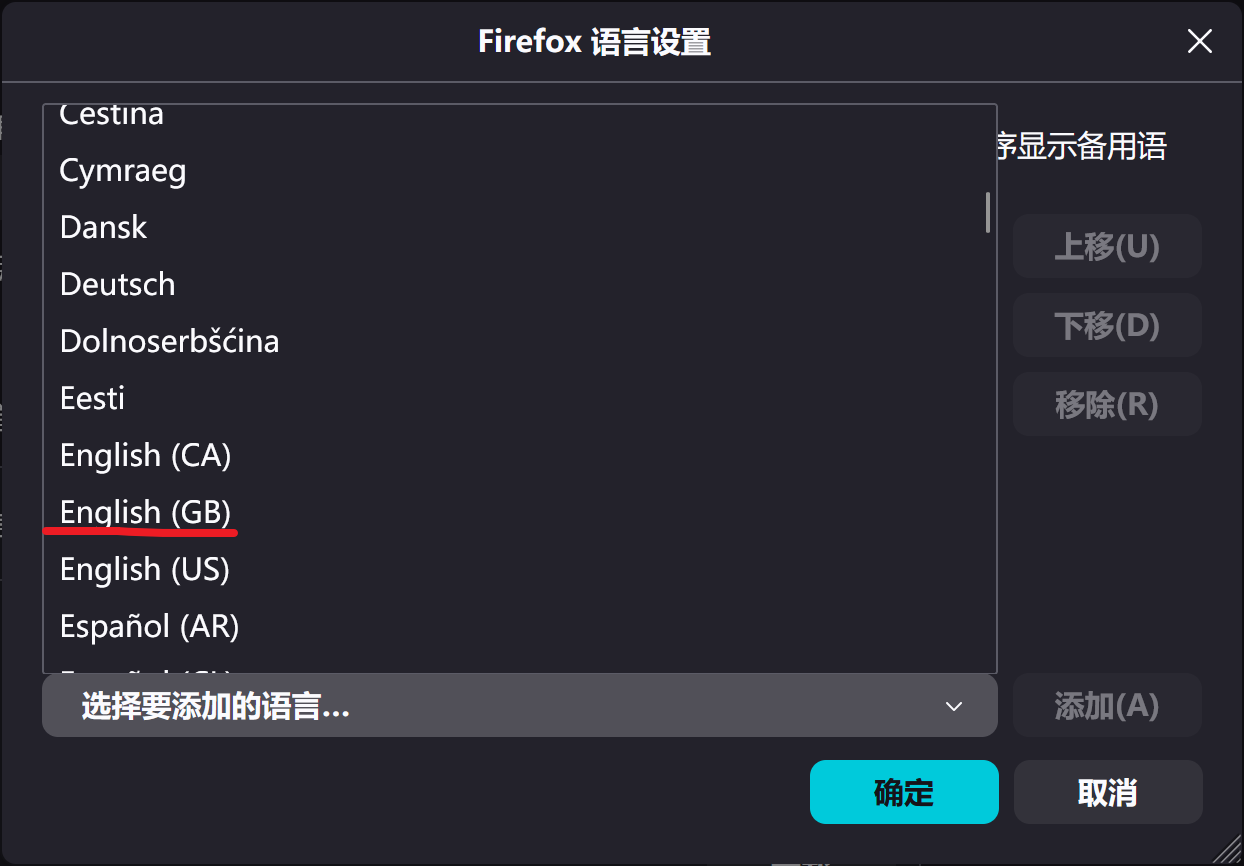
I want to select English GB as my language - not English US, which often uses different spellings.
Tất cả các câu trả lời (2)
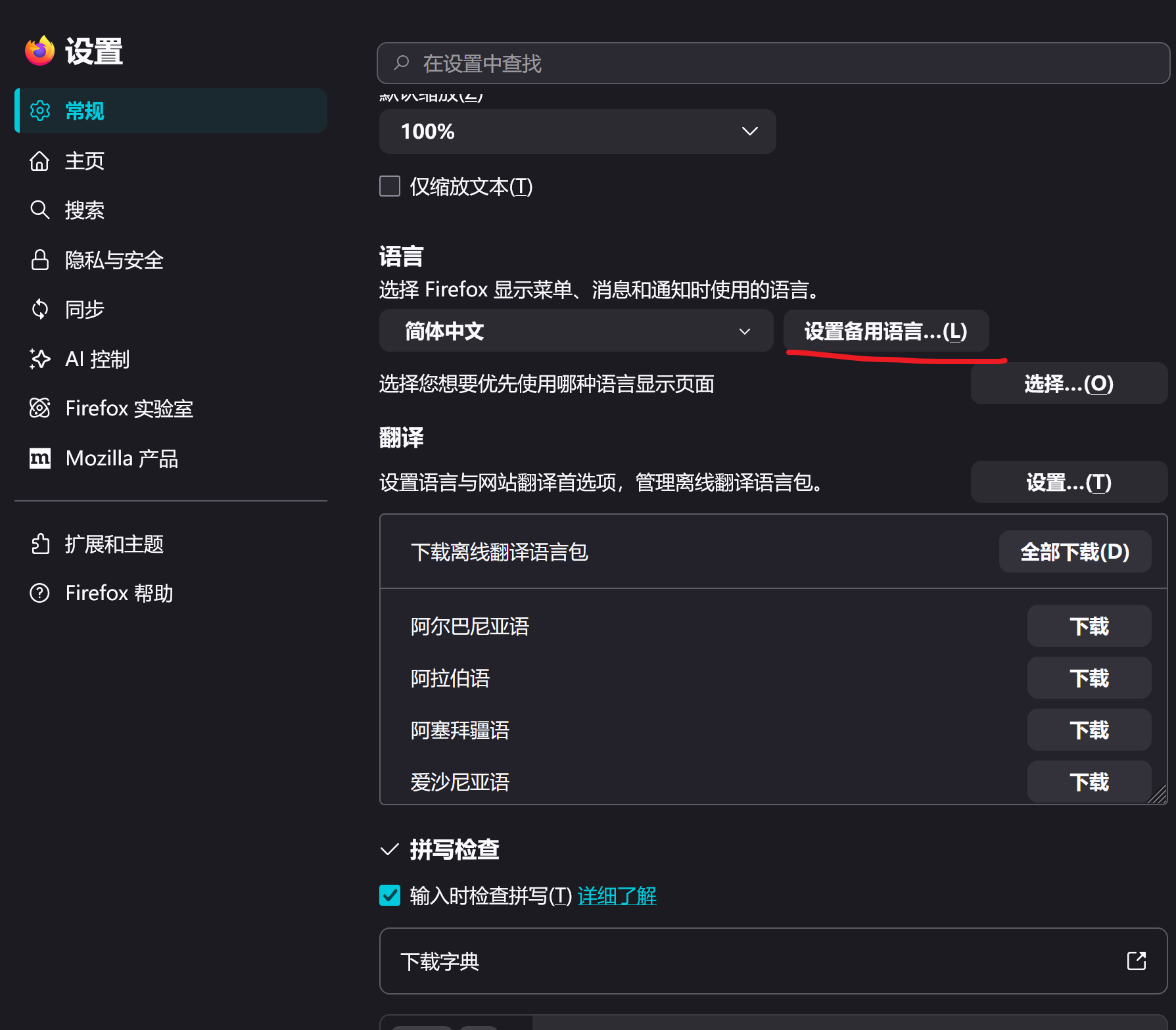
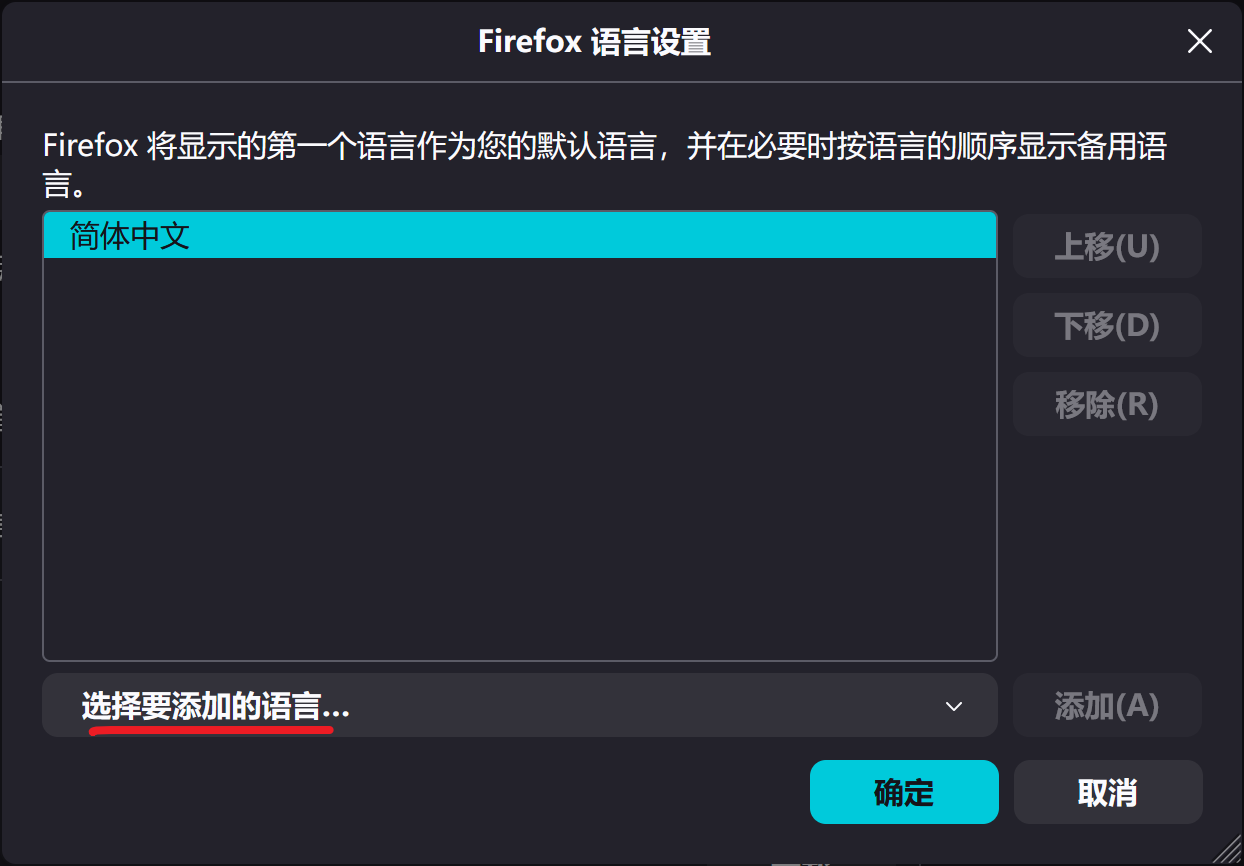
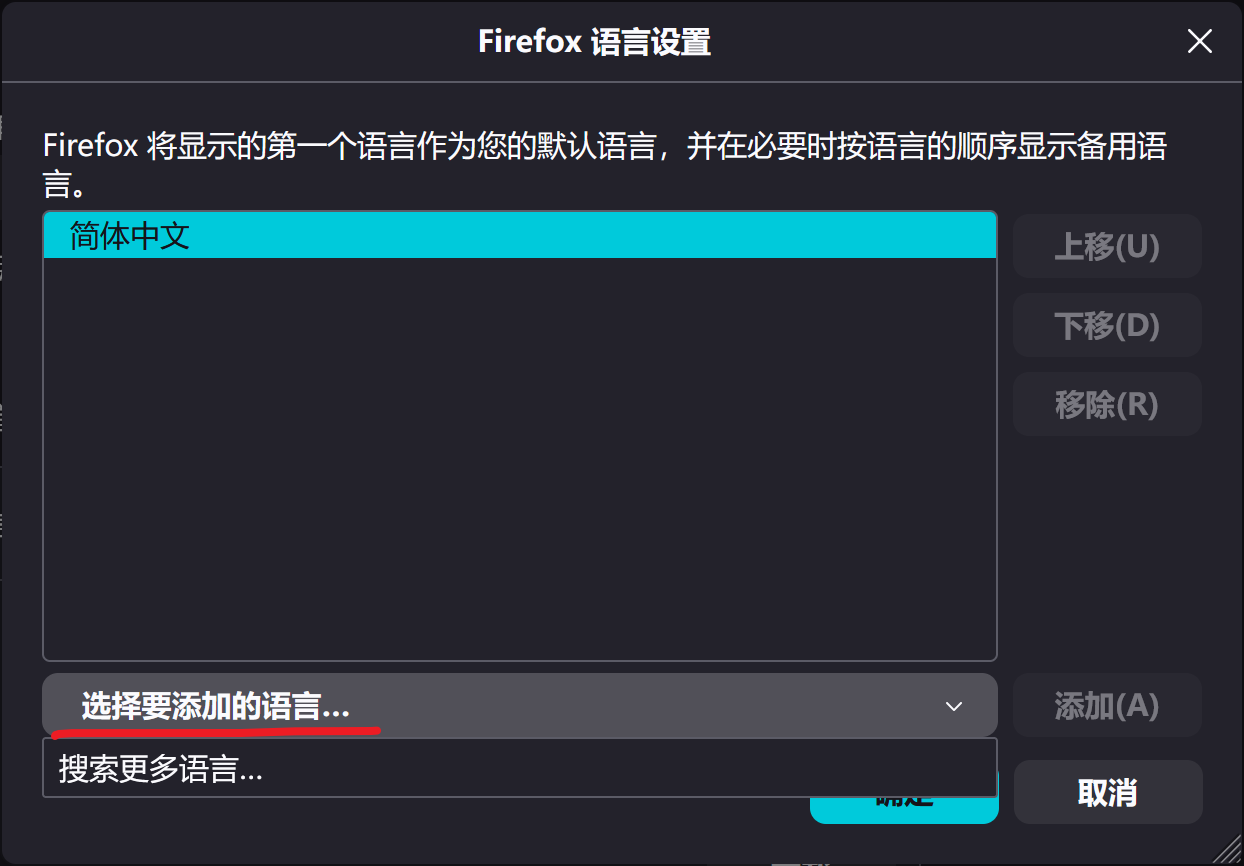
Hello! To switch the default language in Firefox, you can click on "Search for more languages" in the "Settings - General - Languages - Set alternative languages - Select the language to add" window, then select "English (GB)", click on "Add" next to it, wait for the download to complete, click "Move Up", move "English (GB)" to the first position, and finally click "OK"
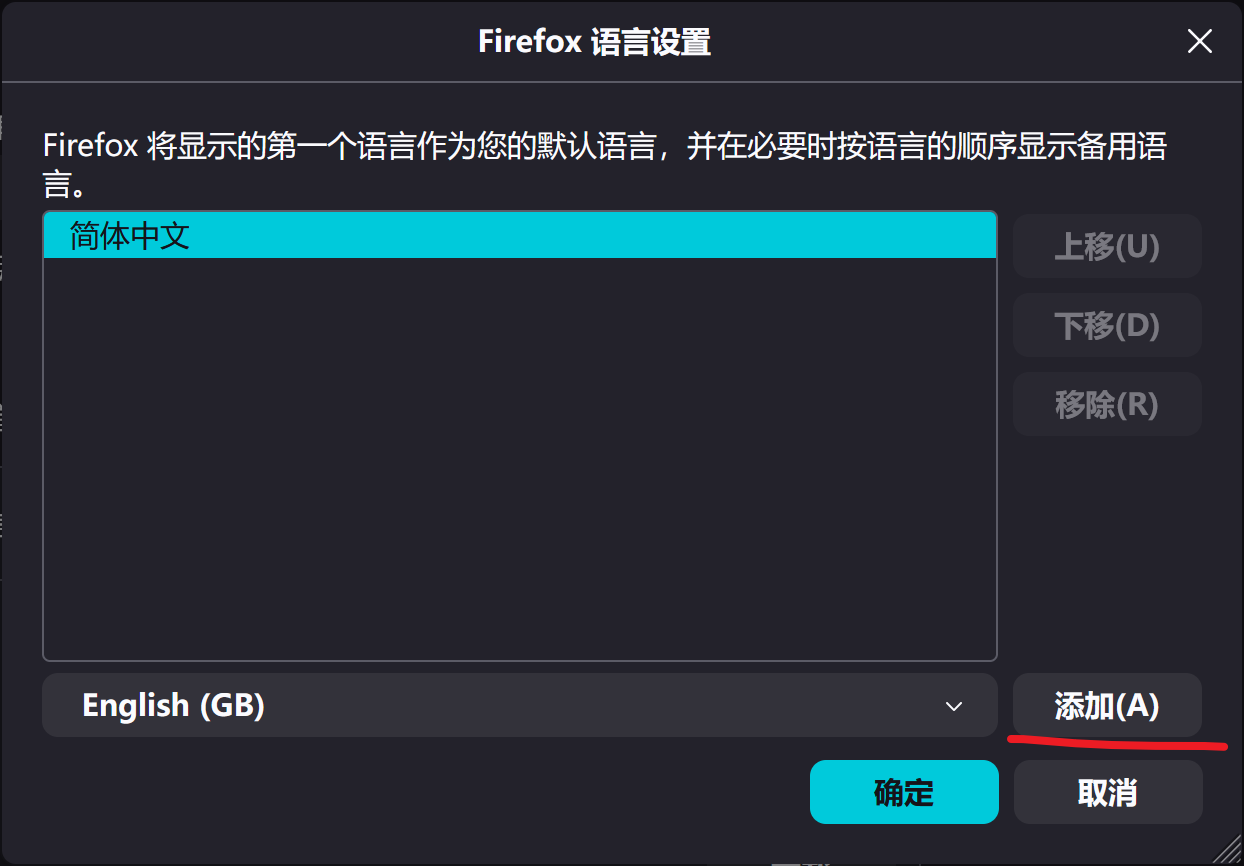
There's the browser language for menus, features etc., but there's also a preference sent to the actual websites to offer the right locale — these are covered in:
so you might wanna take a look in both these lists that the order of preference is set to your liking. (And yes, however "in another language" might sound off for regional variants, it's just the same case — both of these lists will happily take en-GB as the top preference there.)