


Firefox profile issues after updating to version 150

I am not a native English speaker, so I used translation. Please excuse any awkward phrasing. I previously updated my Firefox to version 150, but my tabs kept crashing roughly every 5 minutes. To solve this, I tried installing the Firefox ESR version. However, my profile had already been upgraded to the new version format, so ESR could not read my data. I then reinstalled version 150, but now I'm having profile issues again. I can access and launch my old profile through about:profiles, but I can't seem to save it directly as the default profile. I don't want to have to repeat this process every time I restart the browser. Is there a way to transfer all my data (bookmarks, saved passwords, add-ons, settings, etc.) to a new profile that works with the current version? Or, can I downgrade my profile so that ESR can read it? I have tried copying the files from %APPDATA%\Mozilla\Firefox\Profiles, but it didn't work after many attempts. Please help me. I really don't want to set everything up from scratch again. Thank you!
Giải pháp được chọn
Still not sure what you mean, but if you want your profile to be displayed in the new Profiles menu, that's not currently possible. However, if it's set as default, it should be the "Original profile".
Tất cả các câu trả lời (6)
Hi,
What do you mean by "can't seem to save it directly as the default profile"? On about:profiles, there's a "Set as default profile" button. What happens when you click it?
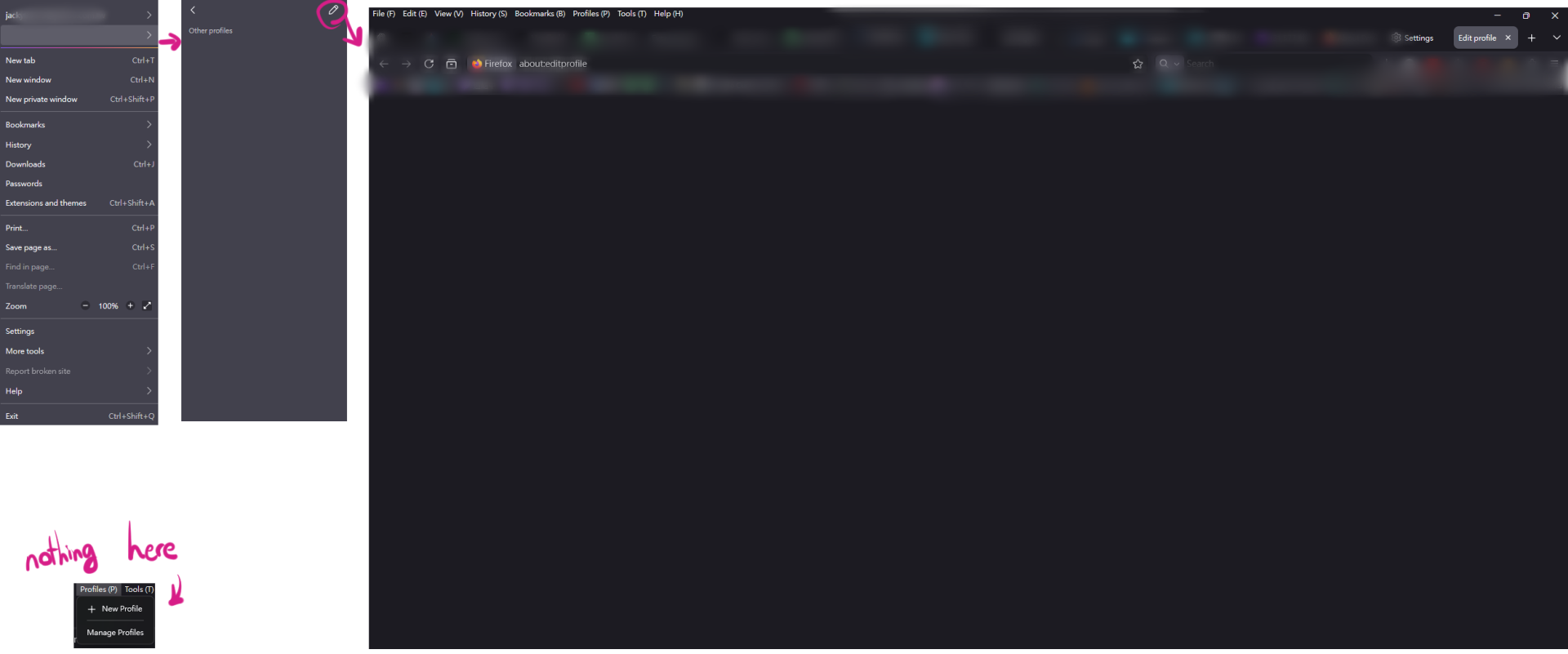
like the image, I can't save it as a profile. and it seems something go wrong here.
If you just go to about:profiles and click Set as default profile under your profile, will that help?
yes I did that, and now it can load my setting even I restart firefox. but I still can't save my setting as profile 😔
Giải pháp được chọn
Still not sure what you mean, but if you want your profile to be displayed in the new Profiles menu, that's not currently possible. However, if it's set as default, it should be the "Original profile".
it fixed now, thank you.😊 I don't know why it show nothing on my profiles menu before. (like my attached image, I didn't erase anything except my tabs, bookmarks and email, it just nothing. might be some bugs? idk)