


Firefox doesn't open previous tabs

Hello,
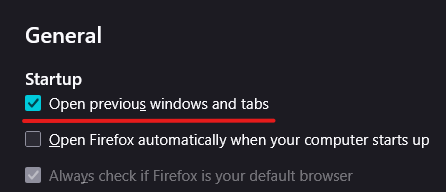
Since yesterday every time i reopen my Firefox it is not loading my tabs that I had opened in previous use "Open previous windows and tabs" setting is enabled/marked and I have not made any changes in settings myself for this issue to take place. I am not sure why did this start happening out to the blue. But I have noticed when I use exit button via 3 bar drop down menu and then reopen Firefox my open tabs are there but when I use the "X" (top right corner) and re launch Firefox my tabs are gone. Is this the new "feature" or am I missing something
Regards
Tất cả các câu trả lời (1)
Hello,
Here are some ways to troubleshoot it : Disable Permanent Private Browsing: Ensure "Always use private browsing mode" is unchecked in Settings > Privacy & Security.
Check "Clear History" Settings: In Settings > Privacy & Security > History, ensure "Clear history when Firefox closes" is not enabled or that "Browsing & download history" is not selected for deletion.
Reset Session Config: In about:preferences#general, uncheck "Open previous windows and tabs," close Firefox, restart it, and re-check the option.
If all solutions above don't work, try this : Uninstalling Firefox and doing a disk cleanup, then restarting, then reinstalling the browser.