


Youtube error

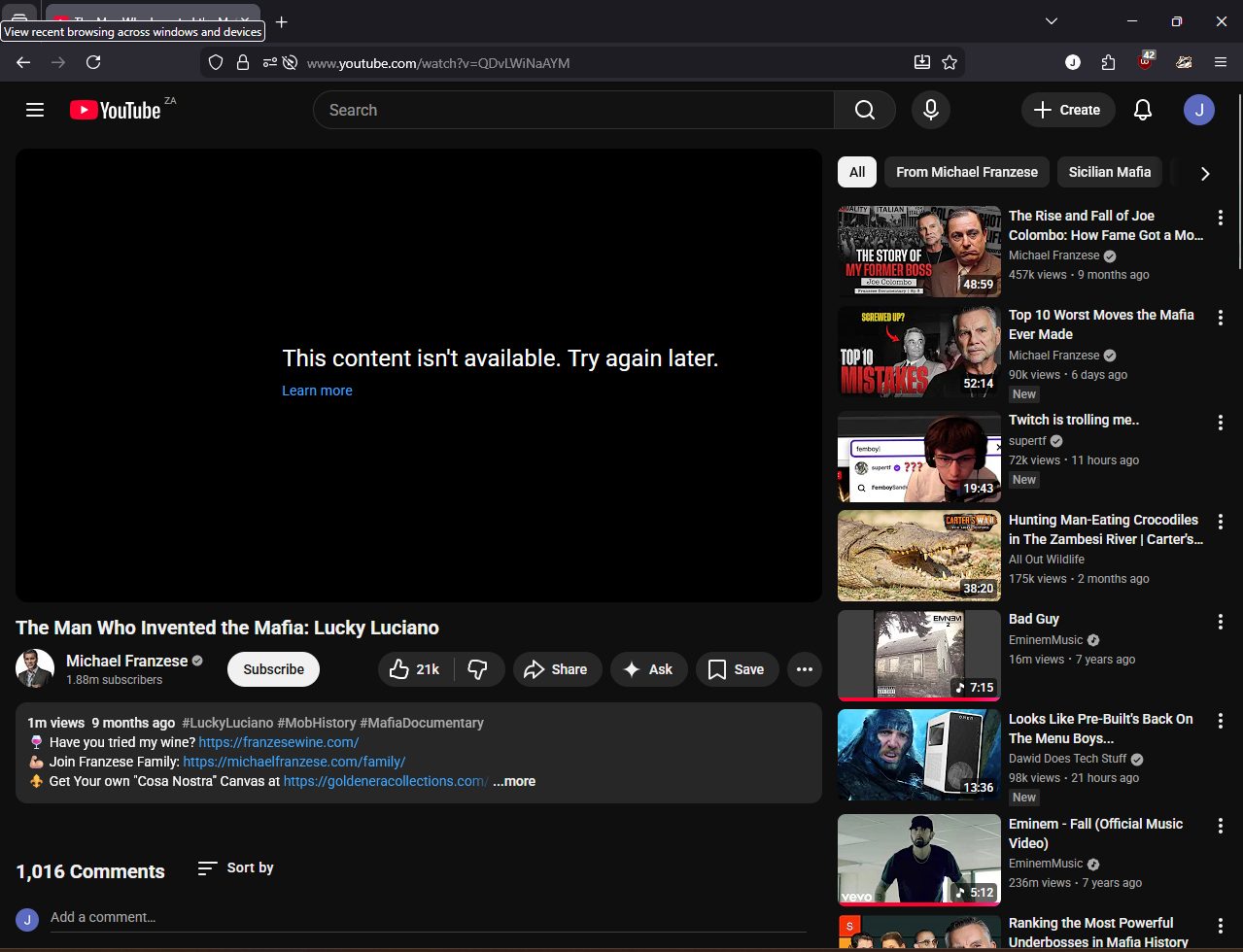
Hi I keep getting this error on Firefox. I did disable all my extensions prior to this image shown to see if it was an extension causing an issue to no avail. I also looked for an update for Firefox and saw it was up to date. I also attempted to refresh Firefox which was a successful refresh however the error persisted. After refreshing I fully uninstalled Firefox and then reinstalled however the issue persists.
This error is shown however if I refresh the page sometimes the page freezes as if it lost connection and sometimes it reloads as per normal with the video playable.
Giải pháp được chọn
UPDATE: It seems YouTube started to work randomly maybe there was an issue with the website itself that was fixed? Not sure but I didn't change any setting went to YouTube now just to see if it works and well it does. Very strange but glad it is fixed for me
Đọc câu trả lời này trong ngữ cảnh 👍 0Tất cả các câu trả lời (9)
Hi,
Could you please try the following:
- Please check if you have Enhanced Tracking Protection (ETP) enabled. You can do that by clicking the shield
 icon at the left of the address bar.
- If ETP is enabled, try disabling it.
- If the problem is not fixed, try clearing Firefox cache.
- If it does not help, also try clearing cookies and data for YouTube (warning: you will be logged out on this website).
Does any of that help?
Hi, I've followed the steps provided but the problem seems to persist
Got it, thank you for checking. Does it reproduce in other browsers (such as Edge, Chrome or Opera)?
I've tried it in Microsoft Edge using the same extensions as what I am using in Firefox and unfortunately no there has not been an error while I used Edge.
Odd... Just to be 100% sure, can you create a new Firefox profile and check there? If the issue persist, I'd assume that UA is the cause and try Chrome Mask, for example (or any other kind of UA spoofing).
Sure, I'll try that today and let you know if it worked. thank you

Giải pháp được chọn
UPDATE: It seems YouTube started to work randomly maybe there was an issue with the website itself that was fixed? Not sure but I didn't change any setting went to YouTube now just to see if it works and well it does. Very strange but glad it is fixed for me
Well, glad to hear that! I've marked your update as a solution. If the issue reappears, just unmark it by pressing Undo and post a new reply.