Windows 10 reached EOS (end of support) on October 14, 2025. For more information, see this article.

Tìm kiếm hỗ trợ

Tránh các lừa đảo về hỗ trợ. Chúng tôi sẽ không bao giờ yêu cầu bạn gọi hoặc nhắn tin đến số điện thoại hoặc chia sẻ thông tin cá nhân. Vui lòng báo cáo hoạt động đáng ngờ bằng cách sử dụng tùy chọn "Báo cáo lạm dụng".

Tìm hiểu thêm

password manager shaded

  • 1 trả lời
  • 0 gặp vấn đề này
  • Trả lời mới nhất được viết bởi jonzn4SUSE

tuỳ chọn khác

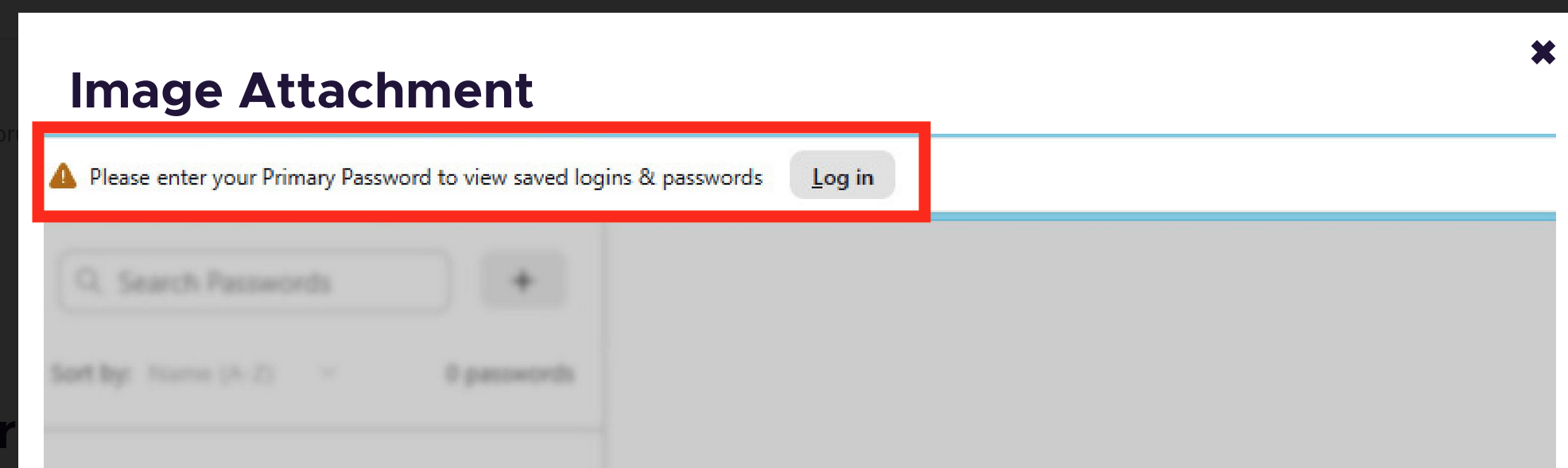
Win 11 Pro, Firefox Browser-Developer, 147.0b9, 64bit Problem recently occurred. Example it was working fine this morning and after turning the computer off and restarting later in the day this happens. The image below shows faded access to the password manager. Link that appear do not work: Log in at the header and link in password support highlight in the visible text portion. Thanks in advance for your help
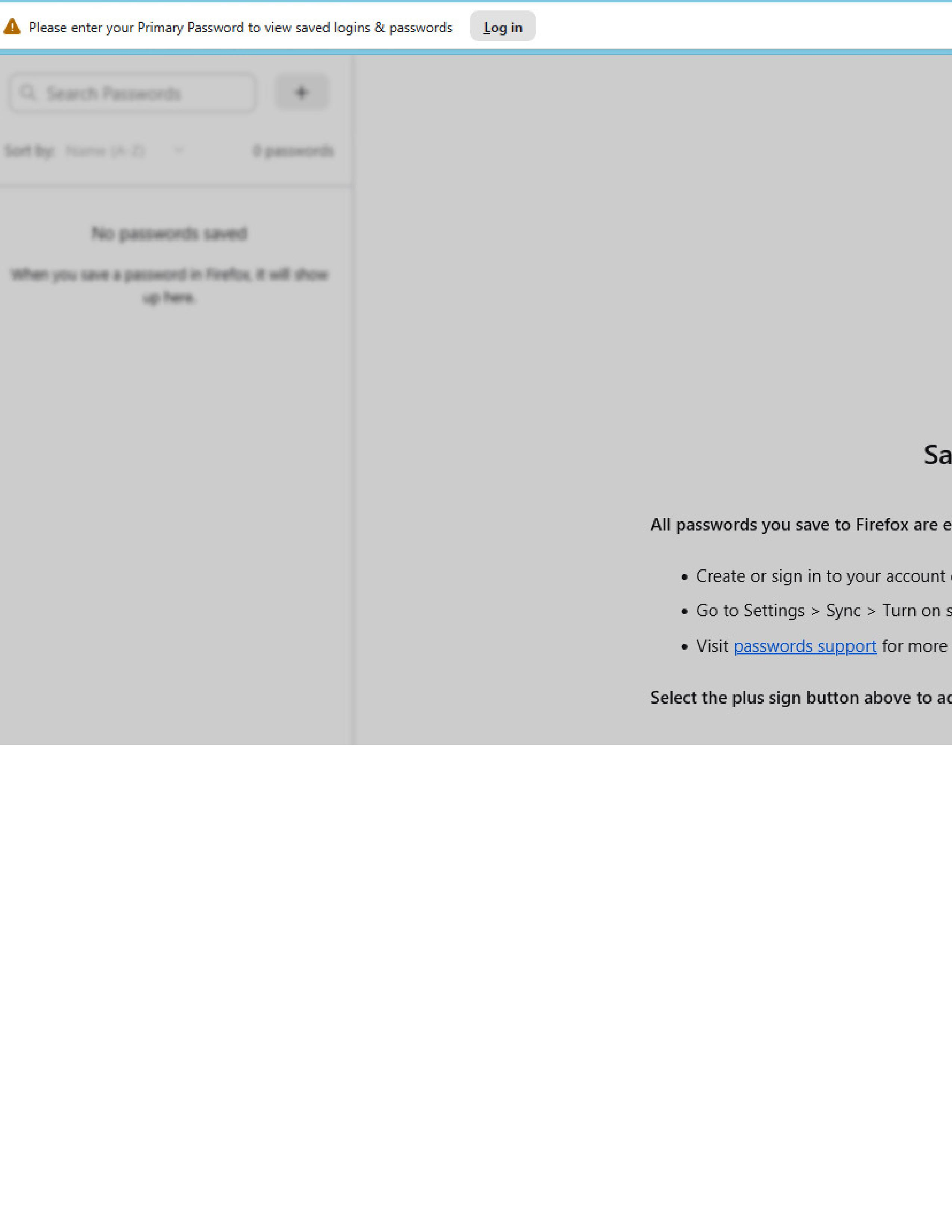
Win 11 Pro, Firefox Browser-Developer, 147.0b9, 64bit Problem recently occurred. Example it was working fine this morning and after turning the computer off and restarting later in the day this happens. The image below shows faded access to the password manager. Link that appear do not work: Log in at the header and link in password support highlight in the visible text portion. Thanks in advance for your help
Đính kèm ảnh chụp màn hình

Tất cả các câu trả lời (1)

tuỳ chọn khác

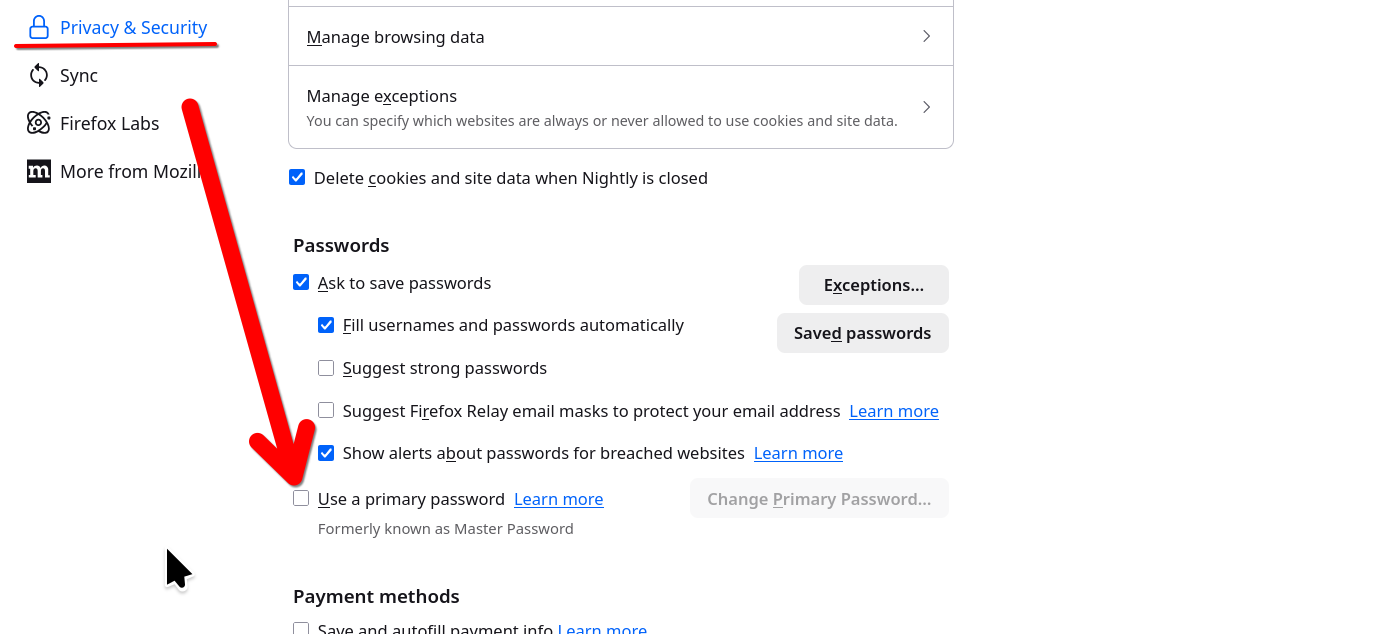
That is because you are using the Primary password option. It's showing at the top of your screenshot and asking you to login... It's telling you to put in your primary password in order to see your passwords. I played with that 1 time and will never use it again.

https://support.mozilla.org/1/firefox/149.0a1/Linux/en-US/primary-password-stored-logins
Được chỉnh sửa bởi jonzn4SUSE vào

Đặt một câu hỏi

Bạn phải đăng nhập vào tài khoản của bạn để trả lời bài viết. Vui lòng bắt đầu một câu hỏi mới, nếu bạn chưa có tài khoản.