


Google Street View

What settings do I need to get Street View to return the street view rather than a black screen in all 4 of my Ubuntu browsers, when it used to work fine but now is trash ?
Tất cả các câu trả lời (4)

Giải pháp được chọn
What Desktop? X11 or Wayland?
Did you try with Firefox in Troubleshoot Mode? https://support.mozilla.org/en-US/kb/diagnose-firefox-issues-using-troubleshoot-mode#search
Try downloading Firefox from Mozilla. Download, unzip, and run firefox-bin from the folder and see if you have the same issue. https://www.mozilla.org/en-US/firefox/all/#product-desktop-release
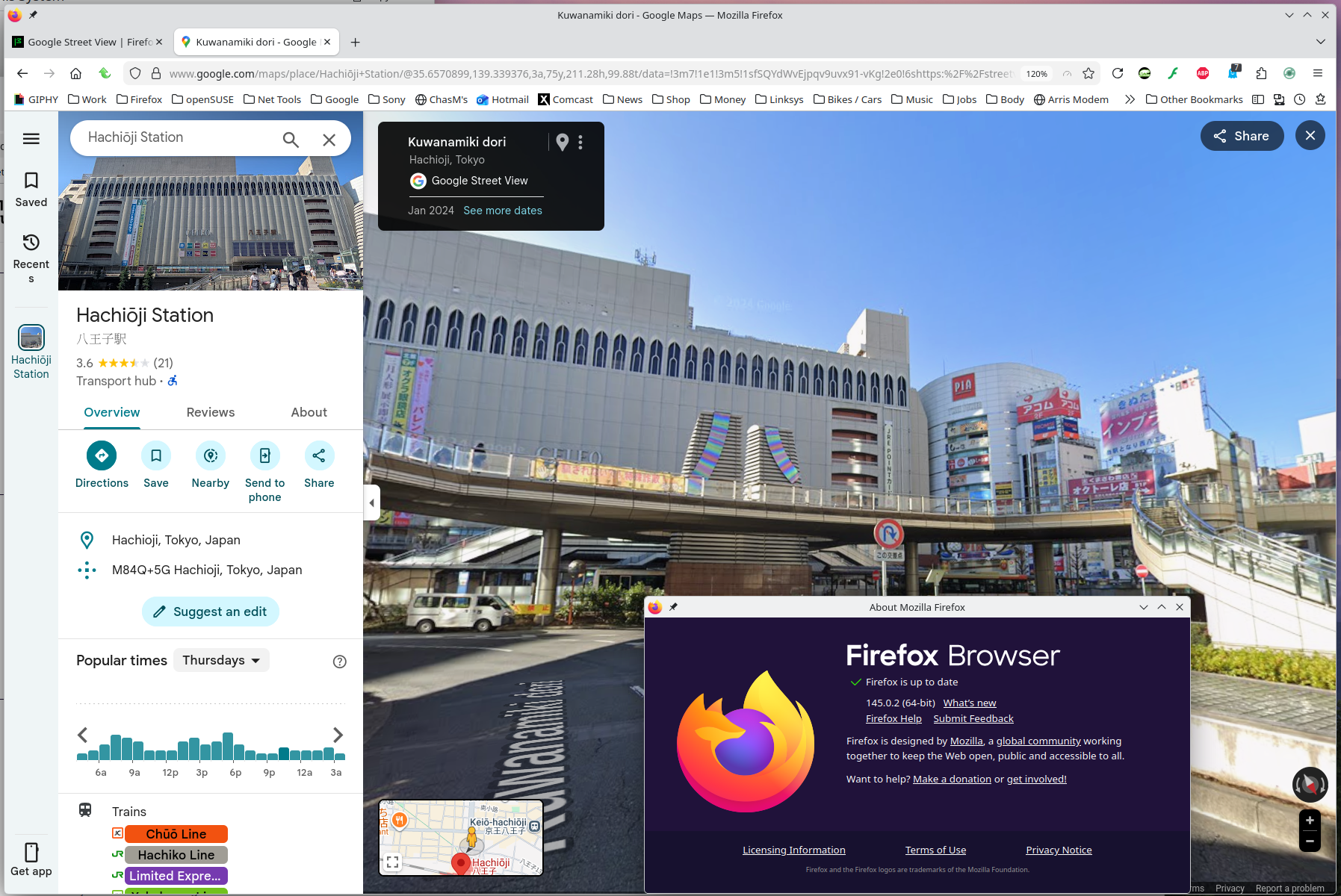
I have no issues. see screenshot
Operating System: openSUSE Tumbleweed 20251127 KDE Plasma Version: 6.5.3 KDE Frameworks Version: 6.20.0 Qt Version: 6.10.1 Kernel Version: 6.17.9-1-default (64-bit) Graphics Platform: X11 Processors: 12 × Intel® Core™ i7-9850H CPU @ 2.60GHz Memory: 128 GiB of RAM (125.1 GiB usable) Graphics Processor: Intel® UHD Graphics 630 Manufacturer: HP Product Name: HP ZBook 17 G6
Using Firefox in the troubleshoot method worked so I could use the Street view but I don't know if I have to always use the troubleshoot mode.
No. What add-ons are you using?
Tom Lavin said
Using Firefox in the troubleshoot method worked so I could use the Street view but I don't know if I have to always use the troubleshoot mode.
No. I assume you're running add-ons, just need to figure out which one is causing the issue and tweak the settings to allow something.
Thanks but I got tired of looking for the bad in Firefox and tweeking it. So i am resolved to use Firefox in the troubleshoot mode since that seems to work every time and it saves me the time of troubleshooting Firefox.