Search open tabs in vertical tab layout
Hi, Since the search open tabs function is part of the overflow button in a horizontal tab layout, when you switch to vertical tabs, you lose that search function. Is there a way to add it to my vertical tab layout? Thanks, Scott
Tất cả các câu trả lời (6)
Hi Scott,
What do you mean by the overflow button? The List all tabs button should stay in your toolbar. If it's not there, try right-clicking the toolbar, selecting Customize toolbar... and dragging the button to the toolbar.
I too discovered after switching to vertical tabs that the Search option that is available in horizontal tab view (downward arrow at top right hand corner of the screen - refer screenshot) disappears and the 'stack of papers' icon replaces it (refer screenshot).
I really liked the new vertical option because I could see all tabs in a list, but because I cannot search tabs in this orientation, I have had no option but to disable the feature almost immediately after instantiating it.
In the horizontal view, a search will also let me know if a tab is already open, but the only way I can do this in vertical view is to open a new tab, start typing its name, e.g. 'Outlook', and then it will tell me that tab is already open. After that I delete the new tab.
I have no idea why developers thought a search function unnecessary when the view is rotated 90° but for now with regret I have disabled it in the hope that Tab Search for vertical tabs will be introduced as soon as possible.
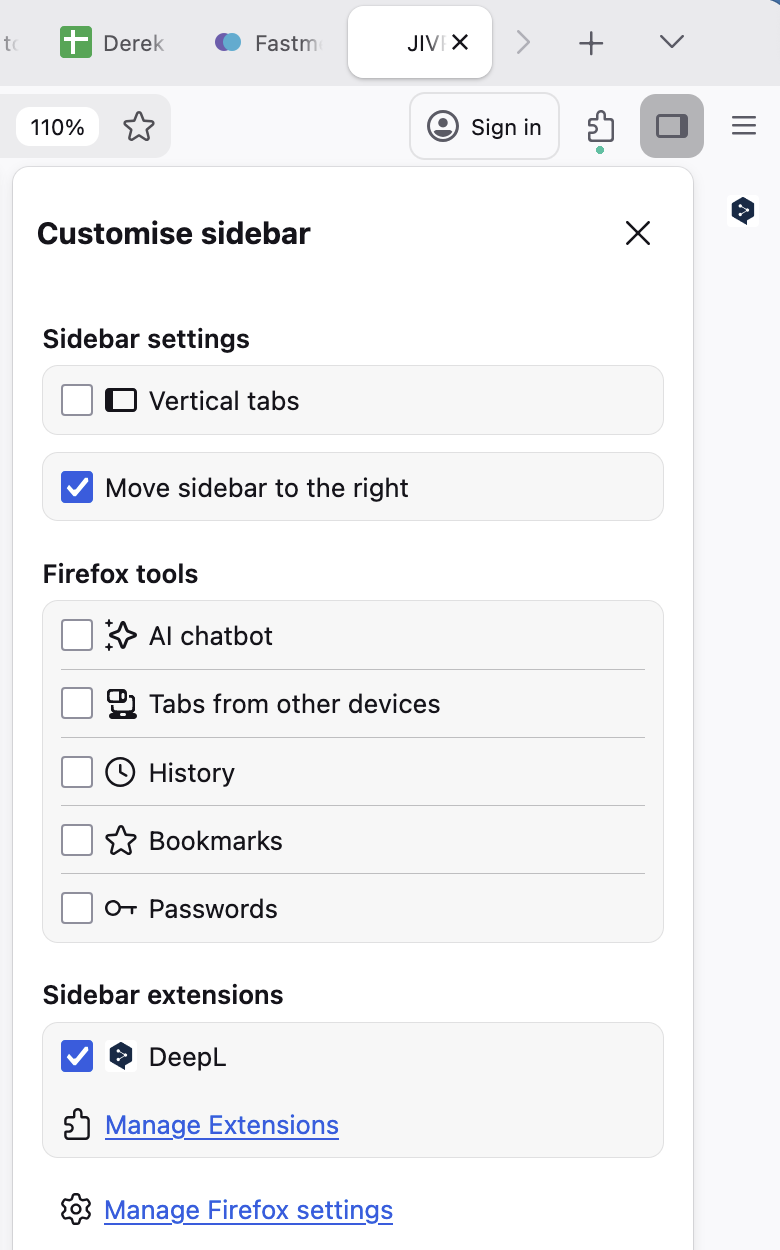
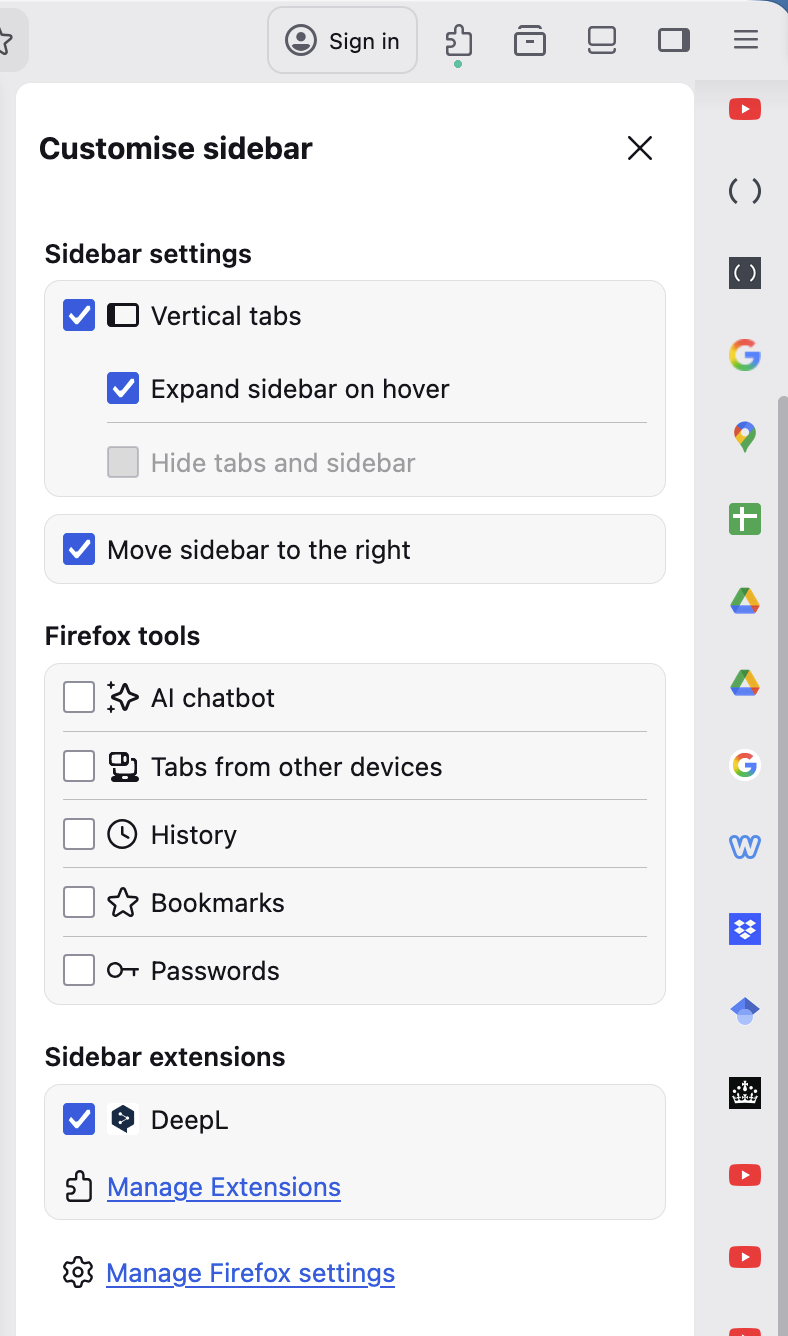
Được chỉnh sửa bởi Derek Williams vào
You can search tabs from the List all tabs menu. It's enough just to click "Search tabs" 🙂
Thanks for your reply. I can't see a "List all tabs menu" in my current version 147.0.3 (64-bit). As per attached screenshot, the only menus I have are:
- Firefox
- File
- Edit
- View
- History
- Bookmarks
- Profiles
- Tools
- Window
- Help
I am on macOS Tahoe 26.2 (25C56) - is that compatible?

See screenshot
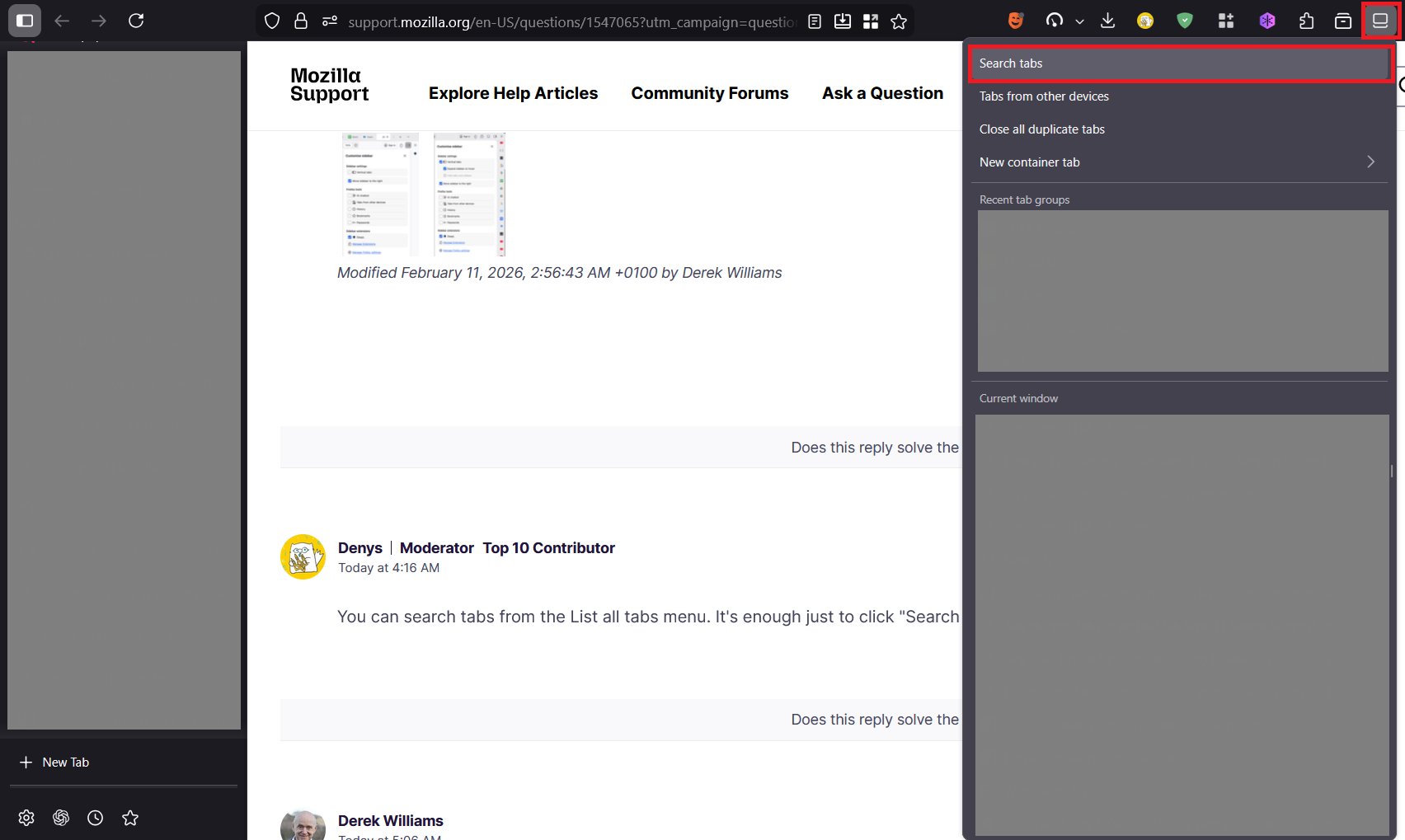
Ah, found it, thank you! Screenshot attached (Mac version).