


The bookmarks (ctrl B) no longer directly accessible

Hello there,
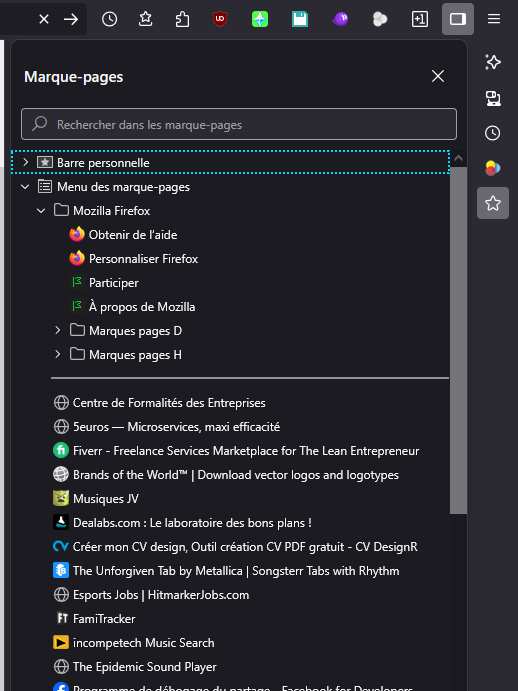
Before (an update perhaps?), it was possible to click on a star icon located in the toolbar and it'd open the bookmarks like the bookmarks1 screenshot. Now, it requires to first click on the sidebar thingy, which allows to access the icons on the far right, which includes the bookmarks icon in question.
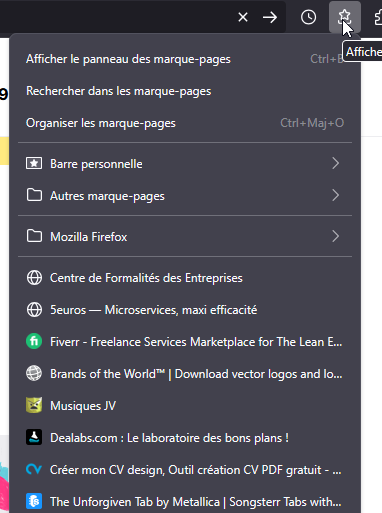
There's also another icon for bookmarks that can be put directly in the toolbar (bookmarks2 pic), yes, but it doesn't show all the bookmarks right away, it's not the same
So the question is: how do I do to get the Ctrl B Icon/shortcut directly in the toolbar, like it was before? I don't want to be obligated to use the sidebar when I have plenty of space left in the standard toolbar..
Thanks in advance!
Tất cả các câu trả lời (2)
Hi, Firefox calls it the Sidebar. (Use the Firefox Sidebar to access bookmarks, history, passwords and synced tabs)
There was a design change recently, so the button changed appearance. For some people, it also changed position on the toolbar.
OLD: 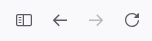
NEW: 
If you don't see that button anywhere on the toolbar, check the Customize panel: Customize Firefox controls, buttons and toolbars
Sorry, I re-read your question and you already have the sidebars button. Were you using the Bookmarks Toolbar, a horizontal bar you can display below the main toolbar? That would be for bookmarks in the "Barre personelle" category. See: Bookmarks Toolbar - Display your favorite websites at the top of the Firefox window