


Firefox Semantic History Search test day event is not working
Hello! I saw that the Test day event had started. In Firefox Beta, I entered messaging-system-action.testday in about:config, put it on a string and set the value to testday as it said in the instructions. When I restarted Firefox, the welcome window did not appear and there was also no letter S next to the search as it should be. Please help!
Thanks for the answers!
Vexi
Giải pháp được chọn
Thanks for the screenshot! The team asked if you can try to re-enroll from a new profile. Also, just to set the expectation right, the welcome message will appear when you open a New Tab. We've also updated the campaign landing page to reflect that.
Đọc câu trả lời này trong ngữ cảnh 👍 1Tất cả các câu trả lời (14)
Hi, I'm pretty sure that you have Nightly/143, not Beta/142.
I wrote this post from Nightly, but otherwise I tried on Beta.
Hi Vexi,
Let me escalate this internally to see what might've gone wrong.
Hi Vexi,
I was told that you need to check about:studies and look for the Semantic History Search Test Days Event experiment. Also, you should be on Firefox Beta 142 with the en-US variant.
As long as meet the above's criterias, you should be all set.
Thanks for the answer! I found it but it says Complete and I can't select it.

Vexi said
Hello! I saw that the Test day event had started. In Firefox Beta, I entered messaging-system-action.testday in about:config, put it on a string and set the value to testday as it said in the instructions. When I restarted Firefox, the welcome window did not appear and there was also no letter S next to the search as it should be. Please help! Thanks for the answers! Vexi
Same for me on Linux...

Vexi said
Thanks for the answer! I found it but it says Complete and I can't select it.That shouldn't be the case. Let me ask the team to investigate further.
Hey folks,
Anyone of you provide a screenshot of the about:studies?
Hello! Here I am attaching a screenshot from the about:studies page.
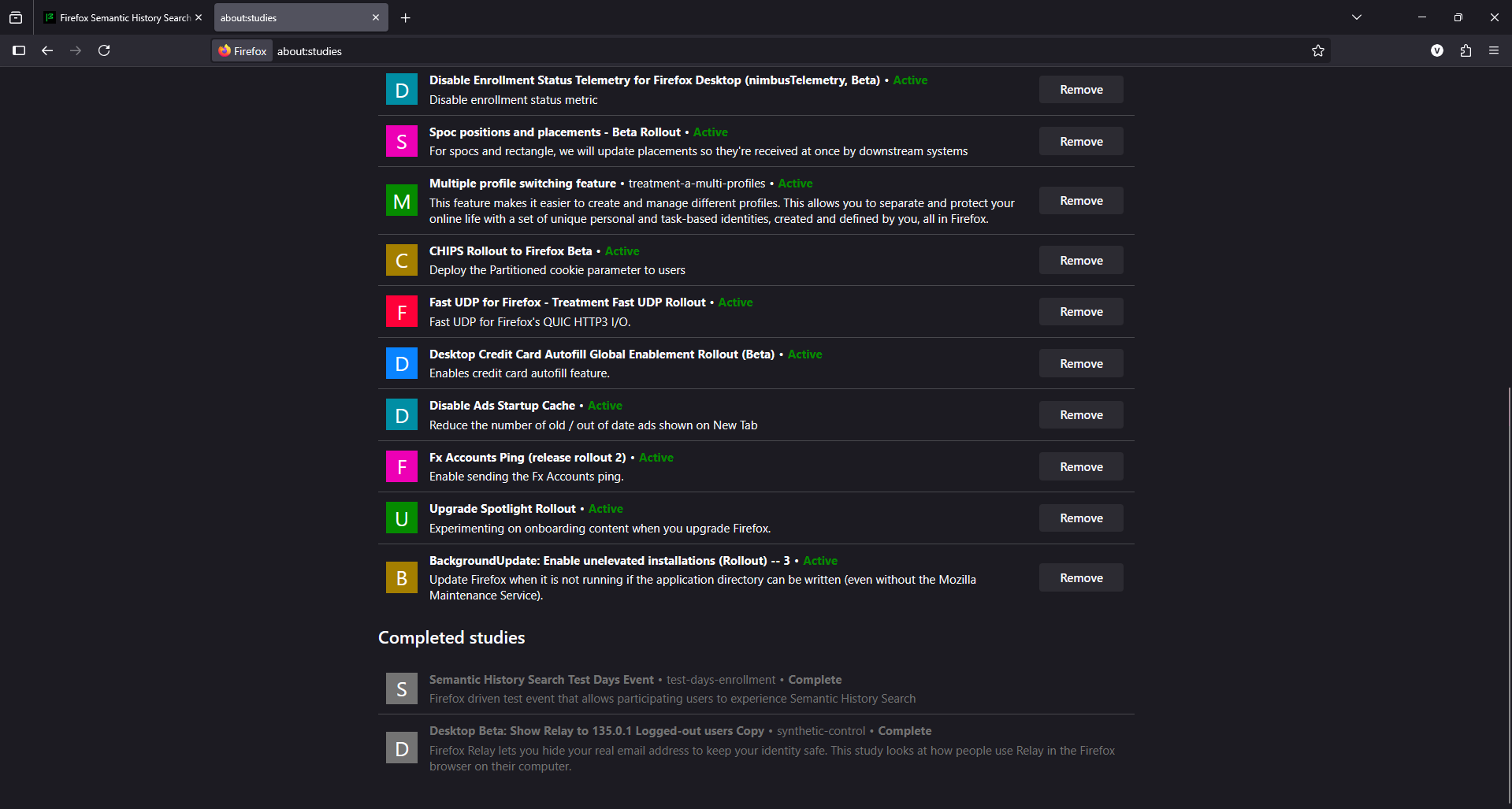
Giải pháp được chọn
Thanks for the screenshot! The team asked if you can try to re-enroll from a new profile. Also, just to set the expectation right, the welcome message will appear when you open a New Tab. We've also updated the campaign landing page to reflect that.
Hello! It still doesn't work! Now there's nothing under Completed, but there's still nothing under Active!
Hello! I managed to solve the problem! Thanks everyone for your help and patience!
Have a nice day!
Vexi
Ouh, I'm glad you're able to fix the problem. Do you mind sharing what might've fixed it?
Hello! To solve the problem, I first logged out and then deleted all profiles including the default release. I created a new profile that I did not log in to. I checked if Semantic History Search Test Days Events was available in about:studies. I also activated it in about:config. When I reopened Firefox, a welcome window appeared. I deleted all profiles again and did the same, except that I logged in to my account while installing the new profile. I activated testday again and it worked!