Windows 10 reached EOS (end of support) on October 14, 2025. If you are on Windows 10, see this article.

Tìm kiếm hỗ trợ

Tránh các lừa đảo về hỗ trợ. Chúng tôi sẽ không bao giờ yêu cầu bạn gọi hoặc nhắn tin đến số điện thoại hoặc chia sẻ thông tin cá nhân. Vui lòng báo cáo hoạt động đáng ngờ bằng cách sử dụng tùy chọn "Báo cáo lạm dụng".

Tìm hiểu thêm

sync to iphone

  • 6 trả lời
  • 0 gặp vấn đề này
  • 313 lượt xem
  • Trả lời mới nhất được viết bởi jonzn4SUSE

Sync instructions on desktop browser include: Sync Firefox on your phone or tablet 1. Open Firefox on your mobile device. 2. Go to the menu ( on iOS or on Android) and tap Sync and save data 3. Tap Ready to Scan and hold your phone over this code

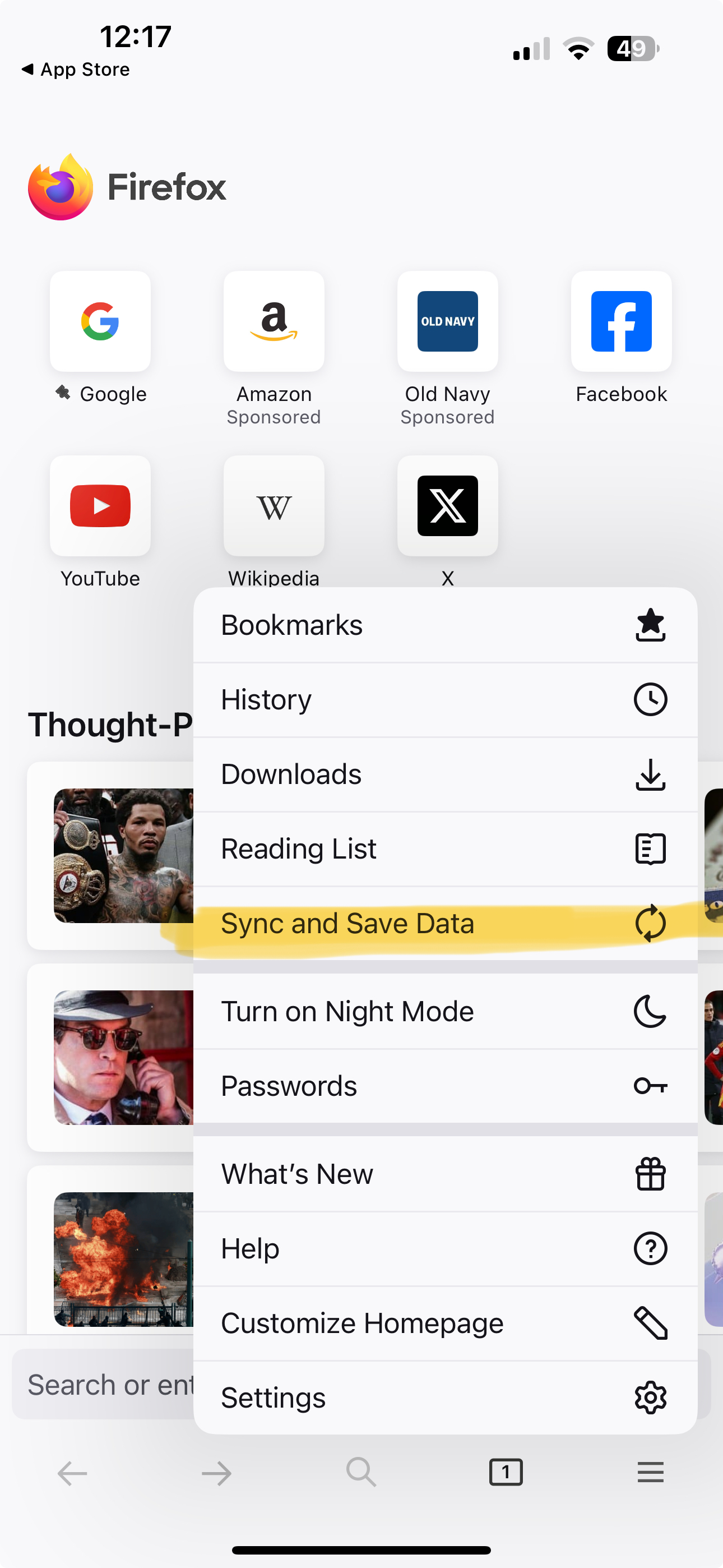
There is no "Sync and save data" that I can see on menu

Sync instructions on desktop browser include: Sync Firefox on your phone or tablet 1. Open Firefox on your mobile device. 2. Go to the menu ( on iOS or on Android) and tap Sync and save data 3. Tap Ready to Scan and hold your phone over this code There is no "Sync and save data" that I can see on menu

Tất cả các câu trả lời (6)

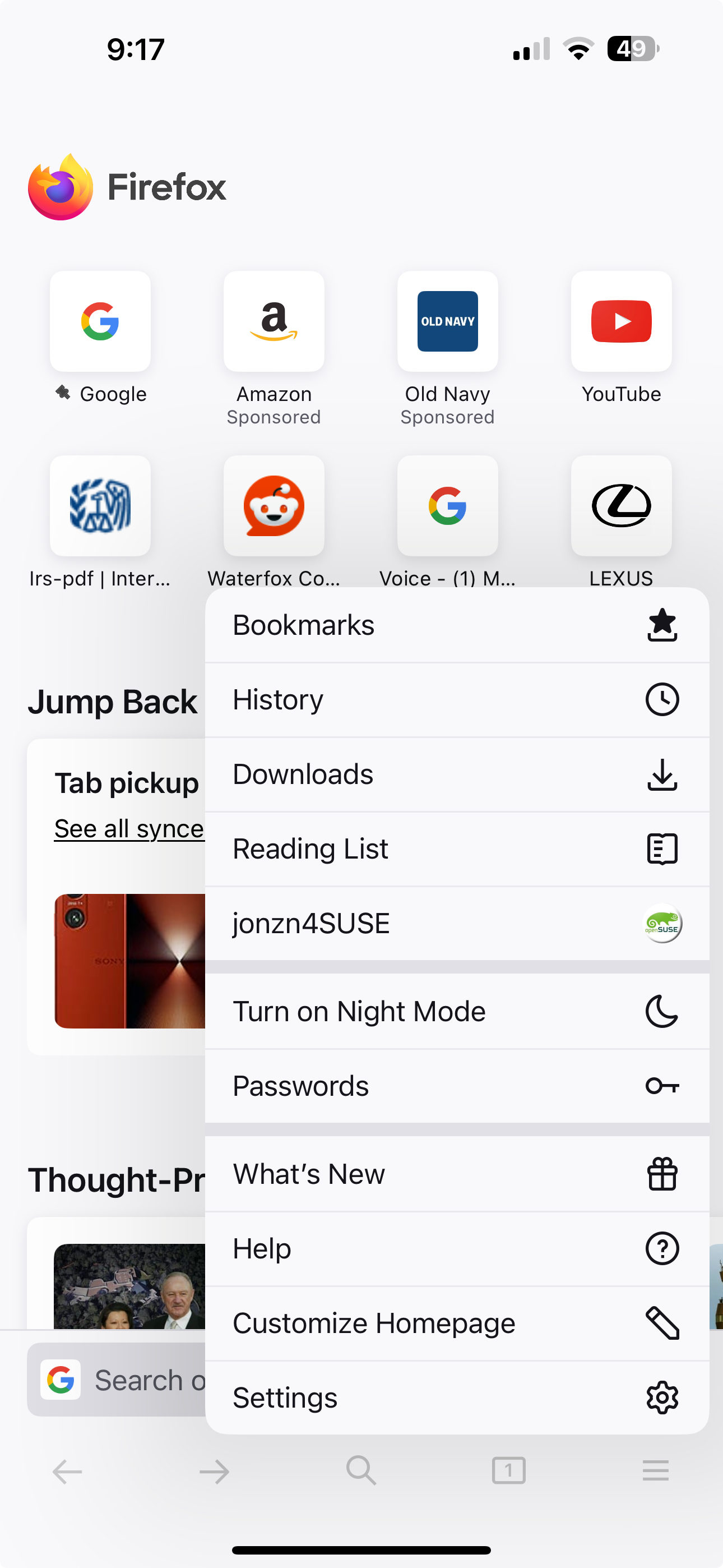
Post a screenshot of your menu from your phone. Just sign in with your account info. I found images from my wife iphone 15 pro. see screenshots
Được chỉnh sửa bởi jonzn4SUSE vào

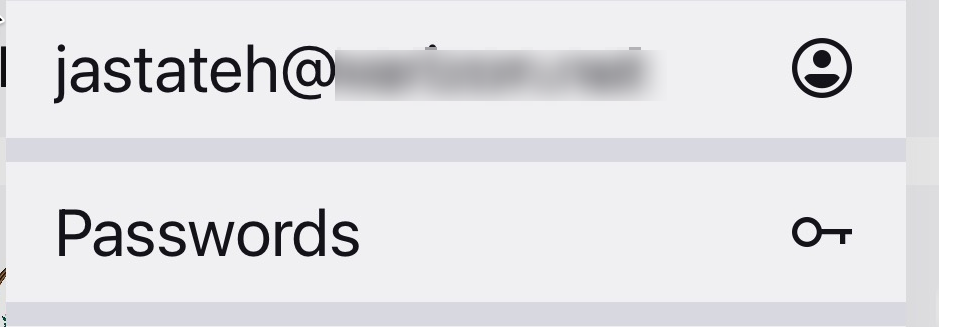
You're already logged in. see your screenshot
I'm not trying to log in, I'm trying to sync.

Hi

If you select your email address on the mobile app menu, you will be able to access the Firefox Sync settings.

It does look like you have already signed into Firefox Sync.

jastateh said

I'm not trying to log in, I'm trying to sync.

Được chỉnh sửa bởi jonzn4SUSE vào