

Chủ đề này đã được lưu trữ.
Vui lòng hỏi một câu hỏi mới nếu bạn cần giúp đỡ.

Đã lưu trữ
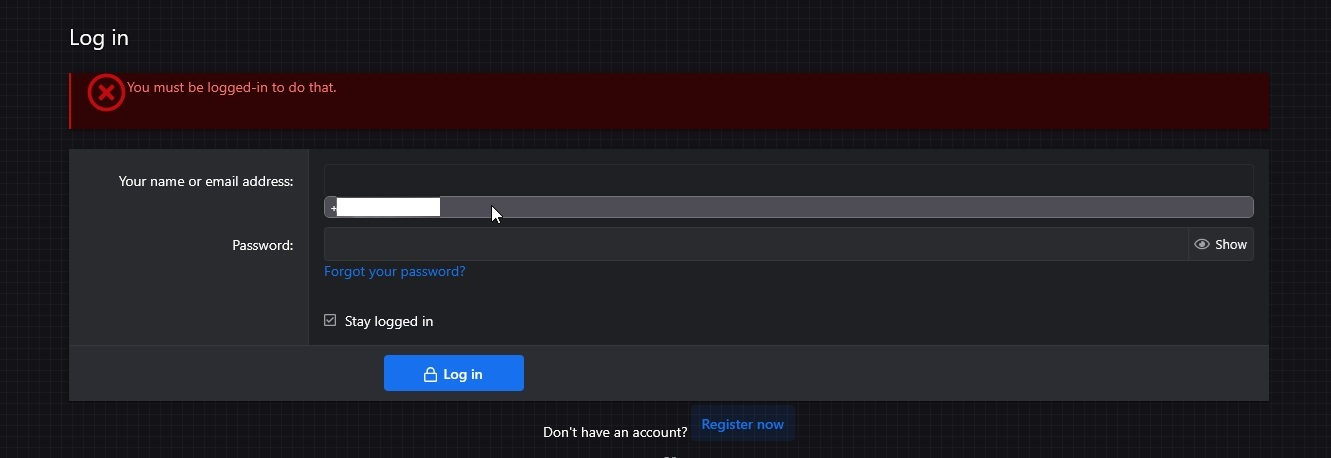
Remove suggested autofilled username

For some reason Firefox remembered my phone number and is now trying to use it as a login when I attempt to login or register in any service. I've checked my saved passwords and autofill data, but I cannot find it, there's only usernames and passwords, and I have no saved autofill data, no phone number. Where can I look for it to remove it?
For some reason Firefox remembered my phone number and is now trying to use it as a login when I attempt to login or register in any service. I've checked my saved passwords and autofill data, but I cannot find it, there's only usernames and passwords, and I have no saved autofill data, no phone number. Where can I look for it to remove it?
Tất cả các câu trả lời (1)
Hello,
Try clicking the Down Arrow button to open a drop-down menu, selecting (with that button) the entry with your phone number and pressing Delete. Does it help?