


Screen sharing permissions in Google Meet

When using Google Meet in Firefox browser, I am only able to share my window, not my screen. When I choose "share screen", it says I must change my permissions - but my permissions settings have not changed and this is a problem I have started having only in the last few days.
I do not know where I am supposed to change these permissions settings.
I have checked my permissions in settings > privacy & security > permissions - there is nothing there about screen sharing.
I have checked my permissions in padlock > connection > more information > permissions and the only options I have for screen sharing are "always ask" (default), which is set. The only other option I have is "block" which is not set.
My Firefox browser is up-to-date.
Can anyone help? Thanks!
Tất cả các câu trả lời (6)
Does the same issue happen in Chrome?
Could you test using the example on the Mozilla Developer Network page ("Result" section):
https://developer.mozilla.org/en-US/docs/Web/API/Screen_Capture_API/Using_Screen_Capture#result
That one works for me: I can share a specific window or Entire screen. Does that work on yours, or is Entire screen missing/blocked?
**Edit**
I run Windows, and I think the application-level permissions are different between macOS and Windows.
Được chỉnh sửa bởi jscher2000 - Support Volunteer vào
@jscher2000
Thanks - I tried this and got the following error:
Error: NotAllowedError: The request is not allowed by the user agent or the platform in the current context. TypeError: videoElem.srcObject is null
I run Mac OS 14.6.1
@markwarner22
No problems in Chrome.
jscher2000 - Support Volunteer said
Could you test using the example on the Mozilla Developer Network page ("Result" section): https://developer.mozilla.org/en-US/docs/Web/API/Screen_Capture_API/Using_Screen_Capture#result That one works for me: I can share a specific window or Entire screen. Does that work on yours, or is Entire screen missing/blocked? **Edit** I run Windows, and I think the application-level permissions are different between macOS and Windows.

It works for me. see screenshot Can you post a similar screenshot showing the issue? What version of Firefox?
Did you try with Firefox in Troubleshoot Mode? https://support.mozilla.org/en-US/kb/diagnose-firefox-issues-using-troubleshoot-mode#w_how-to-start-firefox-in-4troubleshoot-modesf5safe-modesf
Did you clear your browser cache? https://support.mozilla.org/en-US/kb/clear-cookies-and-site-data-firefox
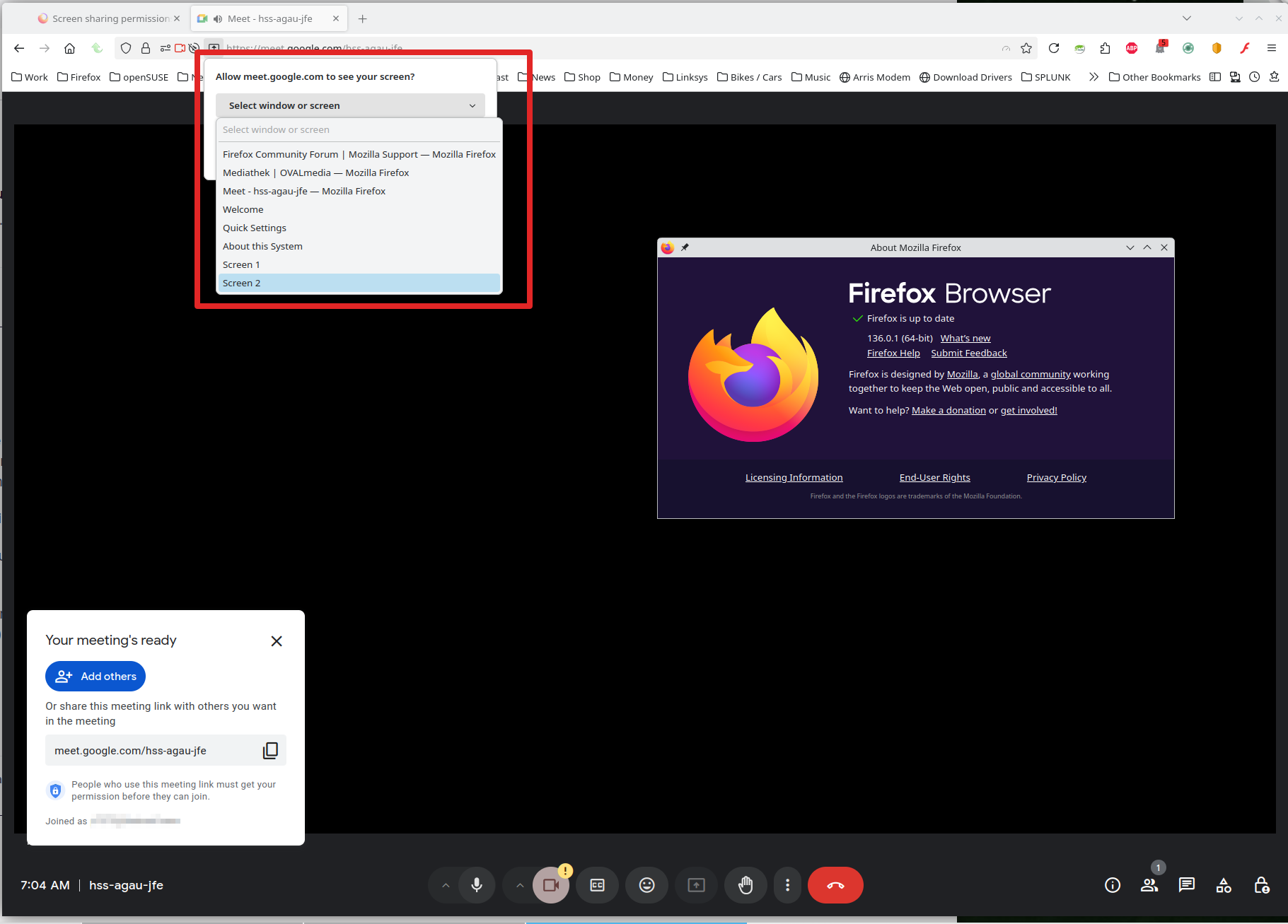
Được chỉnh sửa bởi jonzn4SUSE vào
I can't help thinking macOS has a block on Firefox as a whole since it's not site-specific. After some searching, this seemed like the most relevant setting:
"Screen & System Audio Recording"
Yeah, on the newer macs it should bring up the settings to make the change.
Được chỉnh sửa bởi jonzn4SUSE vào