


viewing pdf file

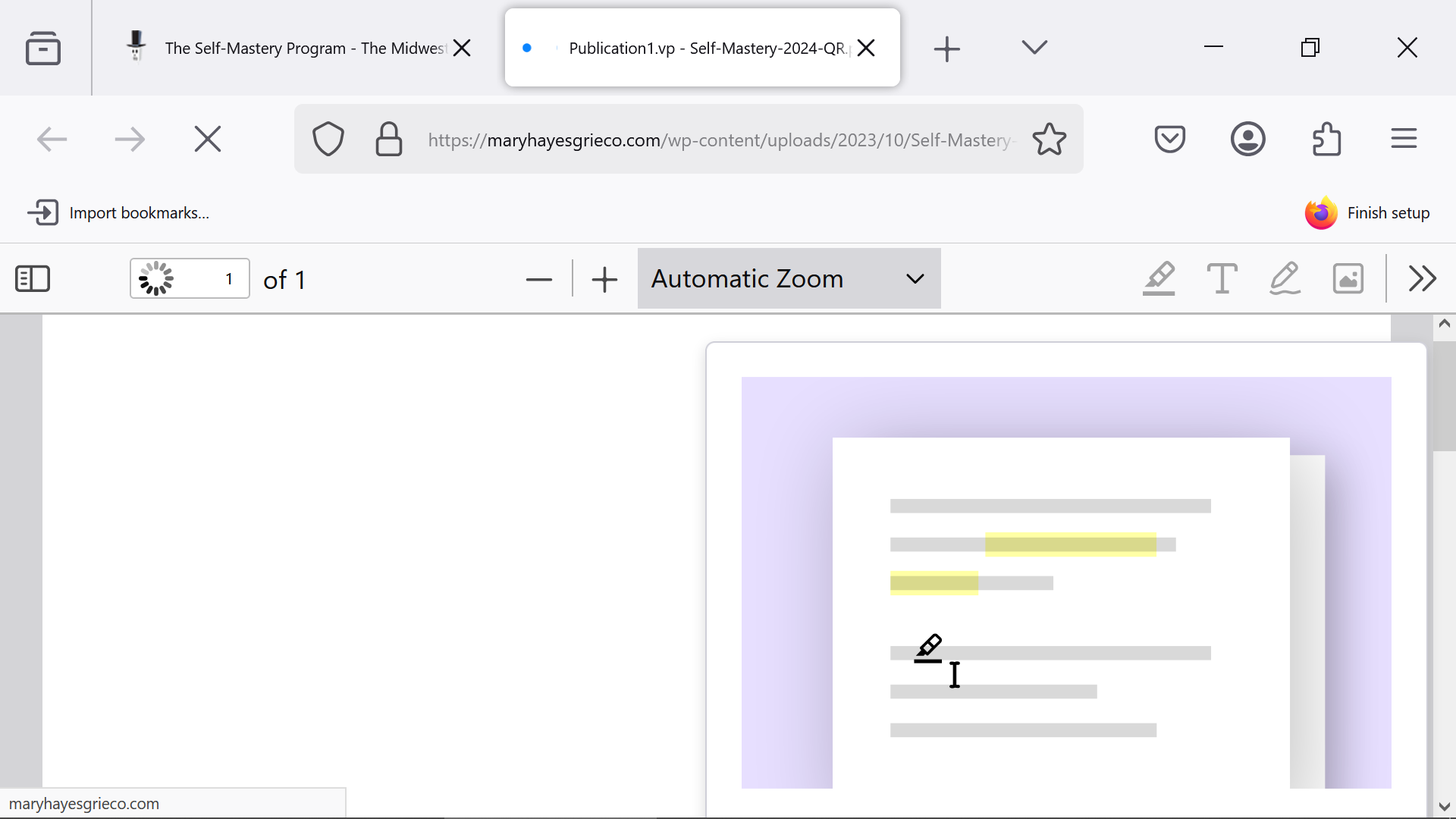
Every time I try to view a pdf file on Firefox I can view the file but in the lower right 1/4 of the screen I get a graphic of a page with shaded areas representing lines with writing on them. There is a type of pen cursor moving along the line.
This happens with different pdfs - from the internet and from my saved files. This doesn't happen on another computer with Firefox.
I've deleted and redownloaded Firefox an number of times, also tried troubleshoot mode - no improvement. Virus scanned, restarted a number of times.
Pdfs work on edge and chrome and reader with no problem.
I have a screenshot.
Any Ideas? Thanks
Tất cả các câu trả lời (2)
Steps to replicate with links to the same pdf if possible. What happens on this site? https://www.irs.gov/downloads/irs-pdf Do you have the same issue with Firefox in Troubleshoot Mode? https://support.mozilla.org/en-US/kb/diagnose-firefox-issues-using-troubleshoot-mode#w_how-to-start-firefox-in-4troubleshoot-modesf5safe-modesf What security software are you running?
This could be about something like "Recommend features as you browse" in "*Settings -> General -> Browsing".