


Create shortcuts to websites (address bar)

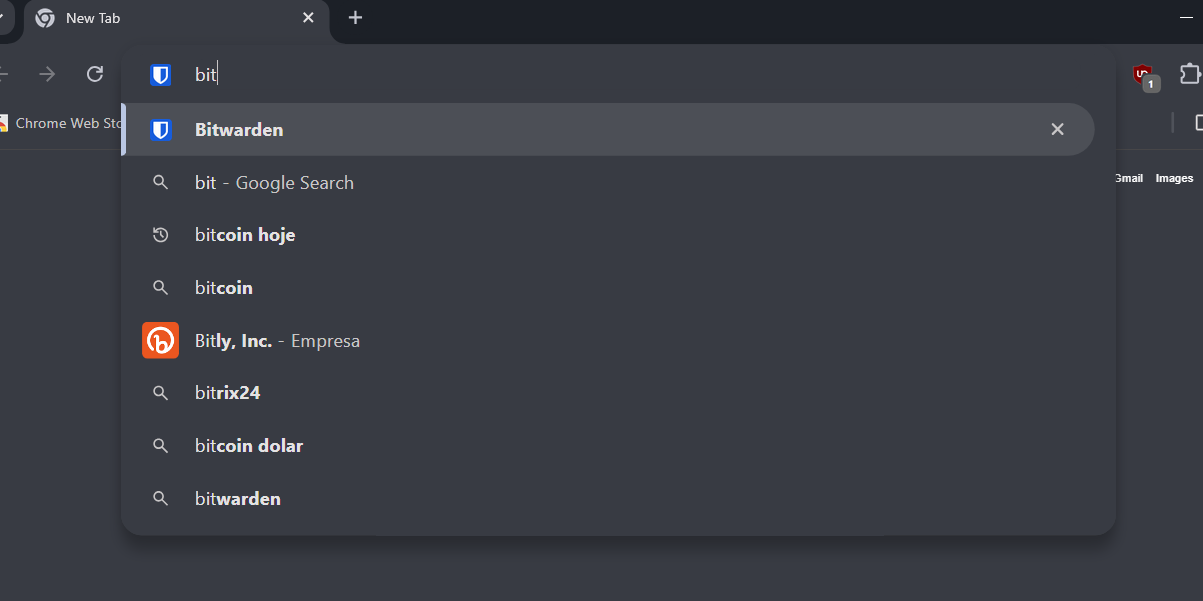
Hello, I would like to create shortcuts that I can type into the address bar and go to a specific website/url. In chrome I used a function that looked something like the image I uploaded. I don't know if Firefox has this function, I couldn't find it
Giải pháp được chọn
That is done by using a keyword bookmark. You can set this keyword in the Library and also via the edit bookmark dialog in the context menu (not via the star). If the link supports a parameter like a search engine then you can use the %s parameter. You use a keyword by typing the keyword in the address bar and possibly a space and the search terms and press the Enter key.
See How to use keywords with bookmarks.
Đọc câu trả lời này trong ngữ cảnh 👍 1Tất cả các câu trả lời (1)
Giải pháp được chọn
That is done by using a keyword bookmark. You can set this keyword in the Library and also via the edit bookmark dialog in the context menu (not via the star). If the link supports a parameter like a search engine then you can use the %s parameter. You use a keyword by typing the keyword in the address bar and possibly a space and the search terms and press the Enter key.
See How to use keywords with bookmarks.