


Copy and paste problem with screenshot

Just a few days ago, screenshot technique failed. I often copy an image from webpage. Right click technique. I am still able to do this. I have option of copy or Download. Download works but Copy does not. When I try to paste the copy into my Word document, I get a blank image (a square that indicates there was an image but the actual image is not there). How can I get the paste mechanism working again?
Giải pháp được chọn
Thanks to everyone who replied. This morning (Australia here) the problem no longer applies, perhaps Firefox has done a fix. I started by trying jonzn4SUSE suggestion and found I could copy to paint, then tried Word again and it works today. Was only a few days not working for me. Thanks again guys, much appreciate your replies.
Tất cả các câu trả lời (5)

What version of Firefox? What site are you working with? i have Win7 and can try to replicate. Let me fire it up and check. Word, are you using the app or MS365?
Need to show proof of the issue. I'm able to copy and paste to paint and O365 Word. see screenshots
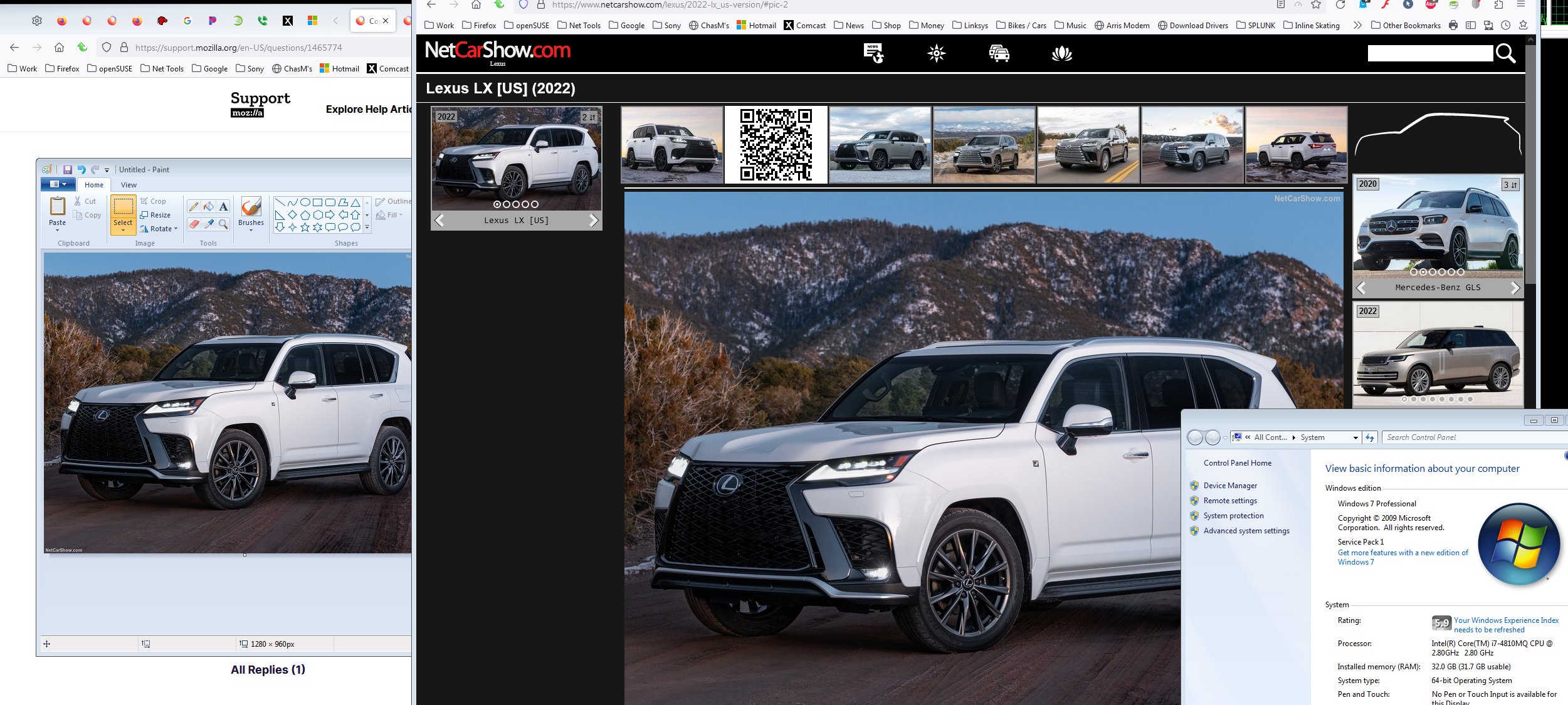
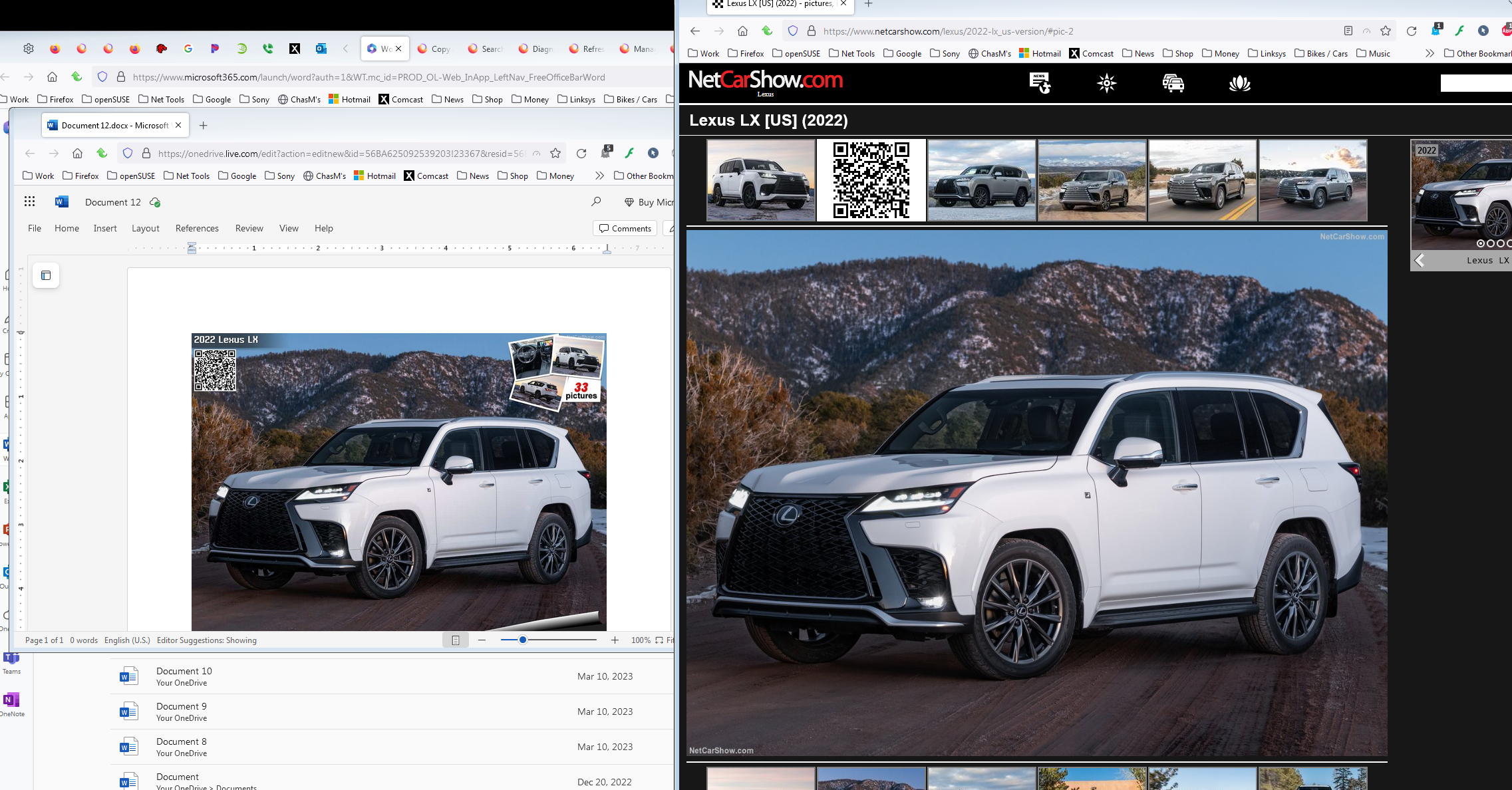
Can you paste within Firefox into an HTML capable editor like tinymce? Did you make changes to the Windows UAC settings?
Giải pháp được chọn
Thanks to everyone who replied. This morning (Australia here) the problem no longer applies, perhaps Firefox has done a fix. I started by trying jonzn4SUSE suggestion and found I could copy to paint, then tried Word again and it works today. Was only a few days not working for me. Thanks again guys, much appreciate your replies.
Glad to hear the issue has pasted down there. ;-)) Mark this as resolved and have a nice day.