


Windows 10 reached EOS (end of support) on October 14, 2025. If you are on Windows 10, see this article.

Tìm kiếm hỗ trợ

Tránh các lừa đảo về hỗ trợ. Chúng tôi sẽ không bao giờ yêu cầu bạn gọi hoặc nhắn tin đến số điện thoại hoặc chia sẻ thông tin cá nhân. Vui lòng báo cáo hoạt động đáng ngờ bằng cách sử dụng tùy chọn "Báo cáo lạm dụng".

Tìm hiểu thêm

Tab search defaulting to address bar

  • 1 trả lời
  • 0 gặp vấn đề này
  • 68 lượt xem
  • Trả lời mới nhất được viết bởi cor-el

Whenever I select tab and then start typing in the page search box it automatically jumps to the URL/Address bar. This is not only annoying but it makes it difficult for me to see what I'm typing, and it often results in unwanted typing errors. I have yet to encounter a single longtime Firefox user who thinks this is a good idea, but I have met several who've decided to drop Firefox and start using Chrome just to be done with it. I've been using Firefox since early 2005 and I've mostly been happy with it but this is just to annoying to continue. I'm complaining because the feature exits, I'm complaining because there's no option to opt for those of us who find it annoying and will never become comfortable with it.

If there is a working fix that I've been unable to find, then please point me to where or what it is so that I can apply it.
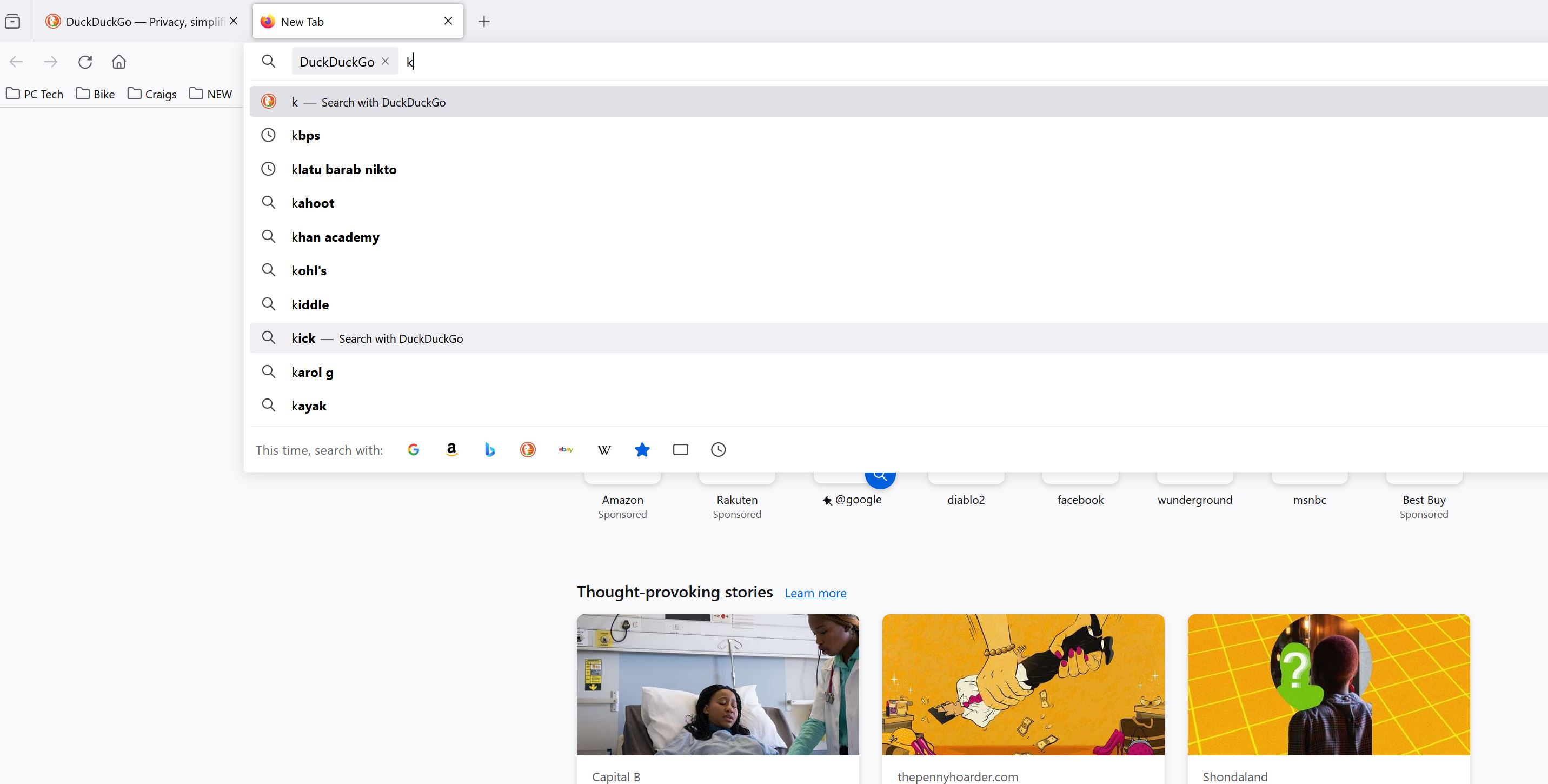
Whenever I select tab and then start typing in the page search box it automatically jumps to the URL/Address bar. This is not only annoying but it makes it difficult for me to see what I'm typing, and it often results in unwanted typing errors. I have yet to encounter a single longtime Firefox user who thinks this is a good idea, but I have met several who've decided to drop Firefox and start using Chrome just to be done with it. I've been using Firefox since early 2005 and I've mostly been happy with it but this is just to annoying to continue. I'm complaining because the feature exits, I'm complaining because there's no option to opt for those of us who find it annoying and will never become comfortable with it. If there is a working fix that I've been unable to find, then please point me to where or what it is so that I can apply it.
Đính kèm ảnh chụp màn hình

Tất cả các câu trả lời (1)

You can set this pref to false in about:config to disable switching to the address bar for searching in the Firefox Home page.

  • about:config => browser.newtabpage.activity-stream.improvesearch.handoffToAwesomebar => false

You can open about:config via the location/address bar. On the warning page, click "Accept the Risk and Continue" to open about:config.