

Chủ đề này đã được lưu trữ.
Vui lòng hỏi một câu hỏi mới nếu bạn cần giúp đỡ.

Đã lưu trữ
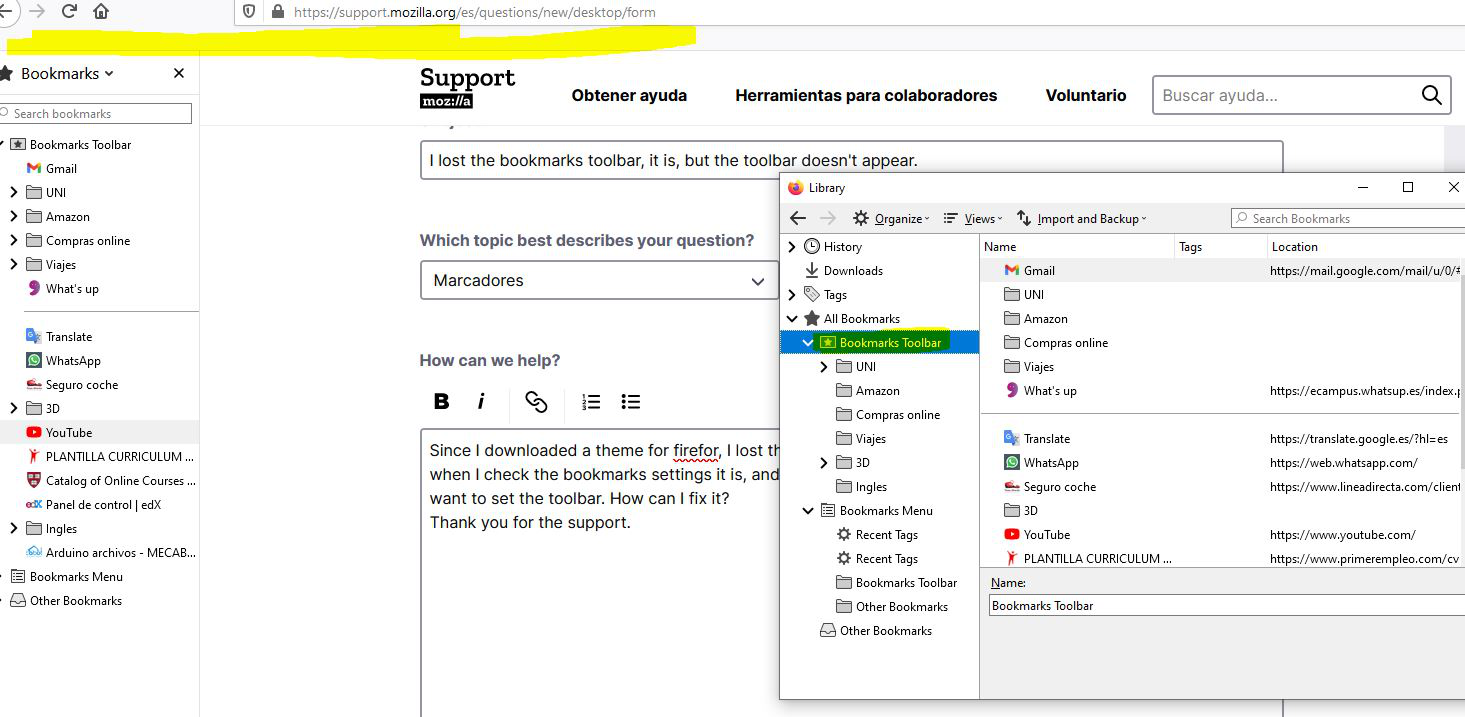
I lost the bookmarks toolbar, it is, but the toolbar doesn't appear.
Since I downloaded a theme for firefor, I lost the bookmarks toolbar, I removed it but it still doesn't appear, when I check the bookmarks settings it is, and when I use the bookmarks sidebar it appears, it's only when I want to set the toolbar. How can I fix it? Thank you for the support.
Since I downloaded a theme for firefor, I lost the bookmarks toolbar, I removed it but it still doesn't appear, when I check the bookmarks settings it is, and when I use the bookmarks sidebar it appears, it's only when I want to set the toolbar. How can I fix it?
Thank you for the support.
Tất cả các câu trả lời (1)
Hola. Prueba lo siguiente: ir al botón de las 3 lineas (todo a la derecha de la barra de direcciones), luego "Personalizar" , abajo por el medio dice "Barra de herramientas" busca la "Barra de marcadores" y selecciona siempre "Visible" Saludos