


Signing in to Firefox requires an authentication app that I don't have
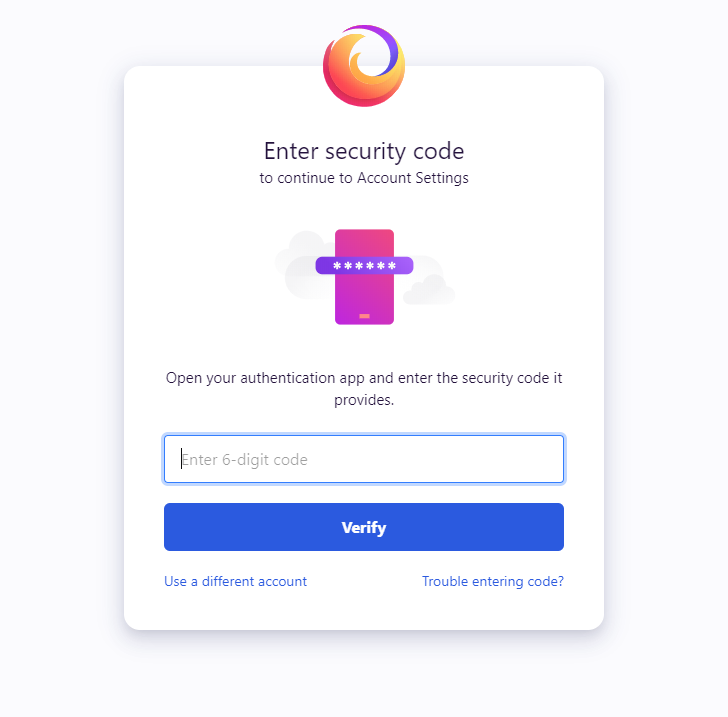
Hello, My problem is this: Whenever I try to sign in to my Firefox account, it asks me to enter a security code from "your authentication app" in order to finish signing in.
I don't know what app this is referring to. I checked Google authenticator and Microsoft authenticator apps and neither of them have Firefox on them. These are the only two authenticator apps I've ever used. Is there a special Mozilla authentication app that I'm supposed to be aware of?
In order to successfully log in, 3 times I had to use a recovery code from the list of codes on a pdf I was initially given. I don't want to eventually get locked out of my account.
Thank you for any help.
Zgjidhje e zgjedhur
It sounds like you must have enabled 2FA security on your account at some point. There's no Firefox-specific 2FA app, it just works with any of the major 2FA apps (Authy, Google Authenticator, etc).
If you want to disable 2FA security on your account, log into the Firefox Account settings page and click the Change... button next to Two-step authentication. Then press Disable to remove 2FA.
Hope this helps.
Lexojeni këtë përgjigje brenda kontekstit 👍 1Krejt Përgjigjet (2)
Zgjidhja e Zgjedhur
It sounds like you must have enabled 2FA security on your account at some point. There's no Firefox-specific 2FA app, it just works with any of the major 2FA apps (Authy, Google Authenticator, etc).
If you want to disable 2FA security on your account, log into the Firefox Account settings page and click the Change... button next to Two-step authentication. Then press Disable to remove 2FA.
Hope this helps.
That worked. I don't remember enabling that, but apparently I had. Thank you!