


Despite re-installing Firefox sidebar is still missing (I spent 3 full days trying to fix it before re-installing)

Despite re-installing Firefox sidebar is still missing (I spent 3 full days trying to fix it before re-installing). I also can't obtain another tab - I'm restricted just to the one page I'm currently using
എല്ലാ മറുപടികളും (29)
Looks good. I'll try it although I already have a lot of Bookmarks across the top of my page. Thank you
Firstly, very many thanks for your replies and, more importantly, your patience with what must sound like a very dim enquirer! Firefox is beginning to drive me mad! The latest issue is that when I click a link in a webpage, Firefox now goes straight to the link page rather than opening it in a new tab. I've tried various suggested solutions (including holding down the shift key when clicking on the link but that has no effect).
Not at all, it just sounds… strange, that's all — what you're describing doesn't match the browser how it comes out of the factory, so it sounds like you had customizations/extensions added to achieve some of that in the past?
(Shift is for opening into new windows, Ctrl clicking opens new tabs.)
I've no recollection of customizations/extensions (although I have ben using Firefox for a considerable number of years). In any event Firefox has been re-installed which should have been the factory version.
Ctrl T does open a new tab but not containing the link I clicked on + Ctrl T
Right–click & "Open Link in New Tab" works?
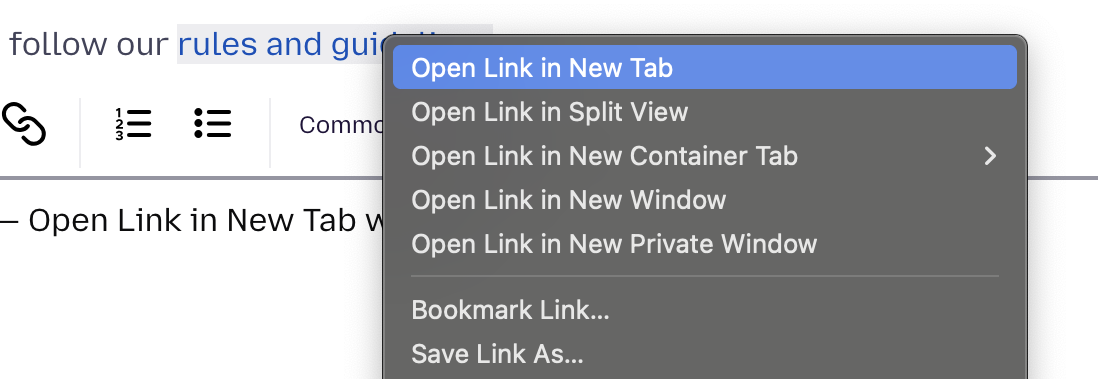
You're not going to believe this! I tried, having right clicked and found the instruction, and it didn't work - it merely opened the link but not in a new tab.
Should I try another re-install?
I actually do, it sounds like something is wrong, I just don't know what.
Have you tried Troubleshoot Mode and potentially a separate new Profile for testing, to see how it behaves there?
I tried Troubleshoot mode. In Profile manager, it didn't allow me to click any of the options. I'll try anther re-install
I usually recommend downloading the separate nightly.mozilla.org which comes with its own clean profile to start with as a form of comparison, if the existing install doesn't look reliable. So you have a "factory state" default on the side to be able to compare what's expected and what not.