


Open
missing orientation option in print dialog

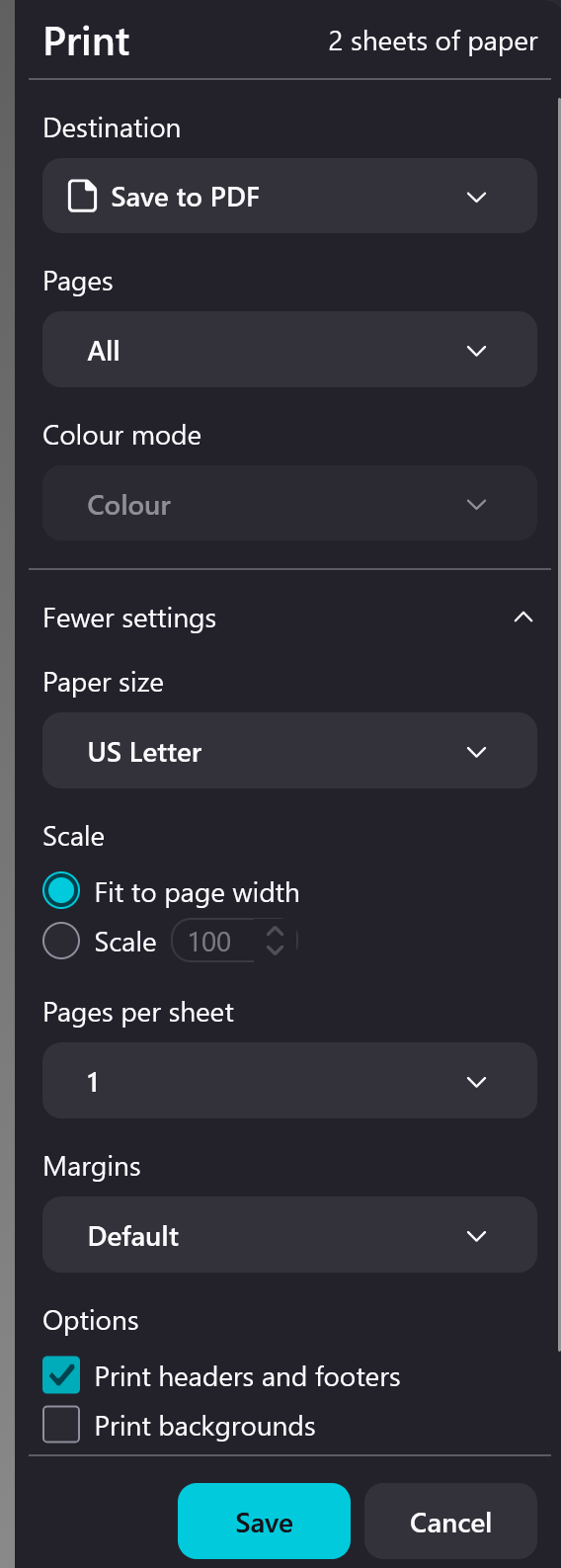
There is no orientation option in the Print dialog. I always prints in Landscape mode.
How to restore it?
There is no orientation option in the Print dialog.
I always prints in Landscape mode.
How to restore it?
എല്ലാ മറുപടികളും (3)
There is in mine Win 11 Fx 155
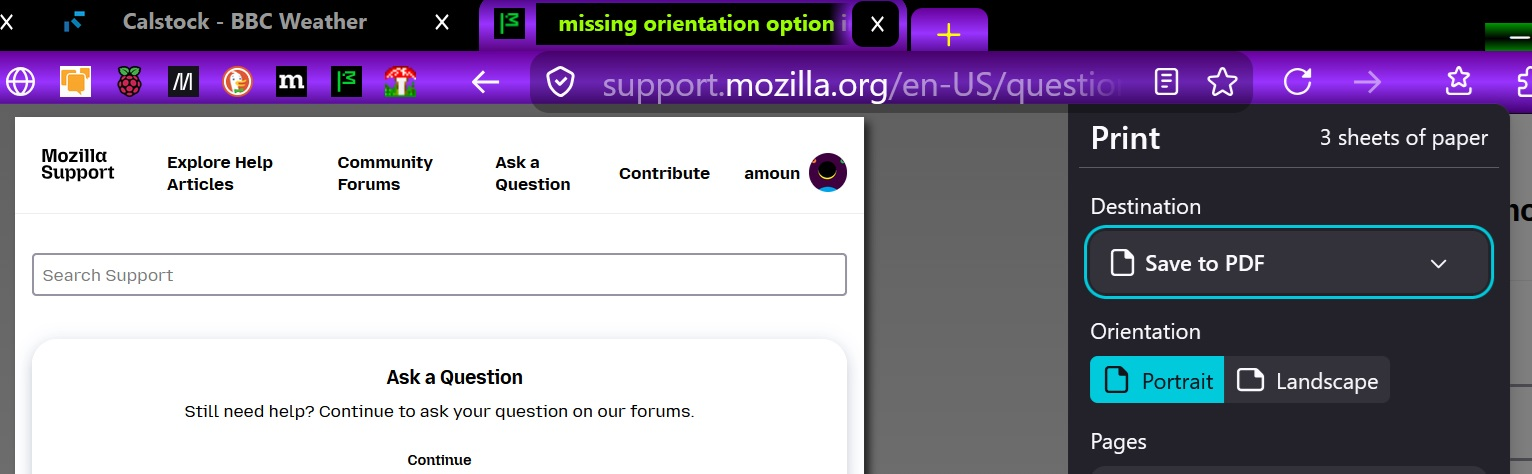
How did you make it appear?
I didn't do anything, it was just there ????
Am just trying to see if I can find anything relevant.. . .
Update: Just found this
https://support.mozilla.org/en-US/kb/fix-printing-problems-firefox#w_reset-firefox-printer-settings
Update: Just used about:support in the URL/address bar and found the Print options and one to reset, but none mentioned portrait/landscape
Modified by amoun