


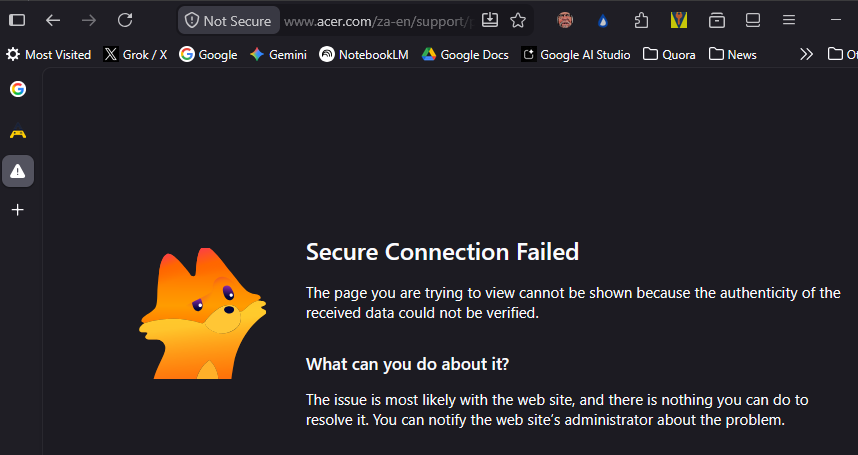
In the last month I started getting `Secure Connection Failed` messages on many sites that I access without problem with my other browsers
In this case I accessed my Acer account and clicked on my notebook. I then got the screen shown in the image. I could access the page with Opera, Chrome, and Edge.
This is happening a lot, and is rendering Firefox unusable as my default browser.
എല്ലാ മറുപടികളും (3)
Hi
This support article should help:
https://support.mozilla.org/en-US/kb/secure-connection-failed-firefox-did-not-connect
I see that, but it doesn't answer the complaint that these messages are suddenly much more frequent than in the recent past. In this instance, I had successfully accessed the parent page. It then fails when accessing the child page. It is really annoying and driving me away from Firefox. That is a shame, as it was my default browser since its launch. It is unacceptable to experience this daily; the solution is to have the hosting site fix it. It is a problem nobody else can see. It represents a drastic change by Mozilla.
It basically means that the responses you are getting are more frequently incorrect now. Usually it's some form of antivirus or security software tampering with your secured connections, rather than a site operator error.
(I don't see any obvious ones listed in your troubleshooter log so I'm not sure what else can affect that without closer detail what error code exactly is this case in the advanced section etc.)
You can always try opening that from a new Private Window to eliminate any prior data, restart into Troubleshoot Mode from Help menu to see if an addon could interfere, and there are even options to disable modern networking protocols and try running just on decade+ old ones or running a separate older build to verify there's no difference between versions if you're so inclined…)
Modified by jbr