I have ticked autofill addresses but not autofill payment info but Firefox autofilled my credit card details on a site that I would not give my credit card details to, how do I stop this in future?

I have ticked autofill addresses but not autofill payment info but Firefox autofilled my credit card details on a site that I would not give my credit card details to, how do I stop this in future?
I wanted to see how much they would charge for shipping so I had to put in my address and I allowed it to autofill but then it put in my credit card details. I do not give my credit card details to sites that I am unfamiliar with, I will use PayPal instead and this site then captured my details and sent a SMS to my phone to confirm so I know that they have captured some of my details, probaby my credit card details as well.
I went to settings assuming that the settings may have changed in the last update of Firefox but there is still no tick in the box Save and autofill payment info. I want to delete my credit card details from Firefox but I can't find them. There is nothing at all under payment methods and under addresses there is no record of my credit card.
I wanted to send this to Firefox as a bug report but I can't see how to do that. Perhaps you could send a bug report for me.
Chosen Solution
Mark, would you be willing to try to re-trace the same steps using a testing set of forms, to see if you're able to trigger the same unwanted behavior there?
If you open https://mozilla.github.io/form-fill-examples/ there's several variants in the top "Forms" section — if you open these in new tabs and try each, triggering your autofill, if the results you see are what you'd expect? (Basically the interesting ones begin in the "Multiple Section" part, with those colorful tax-form looking boxes — here it might be interesting if an address trigger somehow can also trigger card credentials with it and not asking for separate confirmation…)
You can try in different order, different entrypoints or dropdowns etc. as much as you'd like, you can always reload or close the tab and reopen to start fresh.
These forms are safe and do not send your data anywhere, everything stays just in your browser, there's no "server" component that would be able to listen, these fields are statically served and only used for heuristics and testing. (If you don't feel like autofilling your real card, you can add a "4242424242424242" Visa with any future expiration to your payment methods for testing.)
എല്ലാ മറുപടികളും (8)
Hello,
You will most likely need to disable payment auto fill or delete the payment info card to solve this.
To disable payment autofill, which prevents from autofilling payments, do this : note : THIS MAKES Payment info MANUAL every time you want to fill out a payment. Go to settings, select privacy and security, and go down forms and autofill, and uncheck the box next to Save and autofill payment info.
To delete the payment info card, do this : NOTE : keep in mind that this deletes the payment info, and the best time you use it , you have to input it again. Go to settings, then click privacy and security, then click the saved credit cards button. after that, select the card you want to remove, then remove it.
This is optional, but if you want, you can delete the payment history. To do so, do this : Go to privacy and security (same as before), and go under the History section. after that, clear history, and when the popup comes up, only check the Form & Search History box. After that, clear.
There are three sources of data: form history autocomplete, address autofill, and card autofill. Assuming this was not caused by the first, and no card data get erroneously saved in the second, it sounds like triggering the functionality for the second also fired the third separately without any extra steps, which does sound like a bug.
"How do I stop this in future?" — Well, the best is to protect sensitive data with OS-level unlock (e.g. Windows Hello biometrics/PIN): https://support.mozilla.org/en-US/kb/credit-card-autofill#w_require-authentication-for-autofill — that should prompt you separately, and might have stopped this occurrence — so that you know something is accessing the encrypted data and would need your separate "unlock" to proceed.
Chosen Solution
Mark, would you be willing to try to re-trace the same steps using a testing set of forms, to see if you're able to trigger the same unwanted behavior there?
If you open https://mozilla.github.io/form-fill-examples/ there's several variants in the top "Forms" section — if you open these in new tabs and try each, triggering your autofill, if the results you see are what you'd expect? (Basically the interesting ones begin in the "Multiple Section" part, with those colorful tax-form looking boxes — here it might be interesting if an address trigger somehow can also trigger card credentials with it and not asking for separate confirmation…)
You can try in different order, different entrypoints or dropdowns etc. as much as you'd like, you can always reload or close the tab and reopen to start fresh.
These forms are safe and do not send your data anywhere, everything stays just in your browser, there's no "server" component that would be able to listen, these fields are statically served and only used for heuristics and testing. (If you don't feel like autofilling your real card, you can add a "4242424242424242" Visa with any future expiration to your payment methods for testing.)
Thanks JBR, I have tried all of those forms and my credit card details have not appeared. As I was submitting form after form I was trying to think how this happened given that I can't see my credit card details in my Firefox. This company had a very sophistocated web form so I have formed a theory that they are using an external provider who might have got my credit card details from another transaction and, having identified me from my name, address and phone number, they might have inserted them here. It is even possible that I misread the information as I was somewhat startled and moved on quickly.
Since the error did not occur with any of those forms I am content that Firefox is working well and that the problem must lie elsewhere. I am happy to consider this problem solved. Thanks again.
It is still concerning that a site would just auto-submit contact details to poll payment history on hand — but hopefully these were masked and not shown in plain back to you (so the payment provider doesn't necessarily have to work with the real data, and maybe just has a token representation of any previous payment series).
If you're not sure you have any payment credentials stored with Firefox, you can check this panel in settings "Privacy & Security" › "Payment methods" › "Manage payment methods" button brings up the list — if that's empty like shown below, there's really nothing stored:
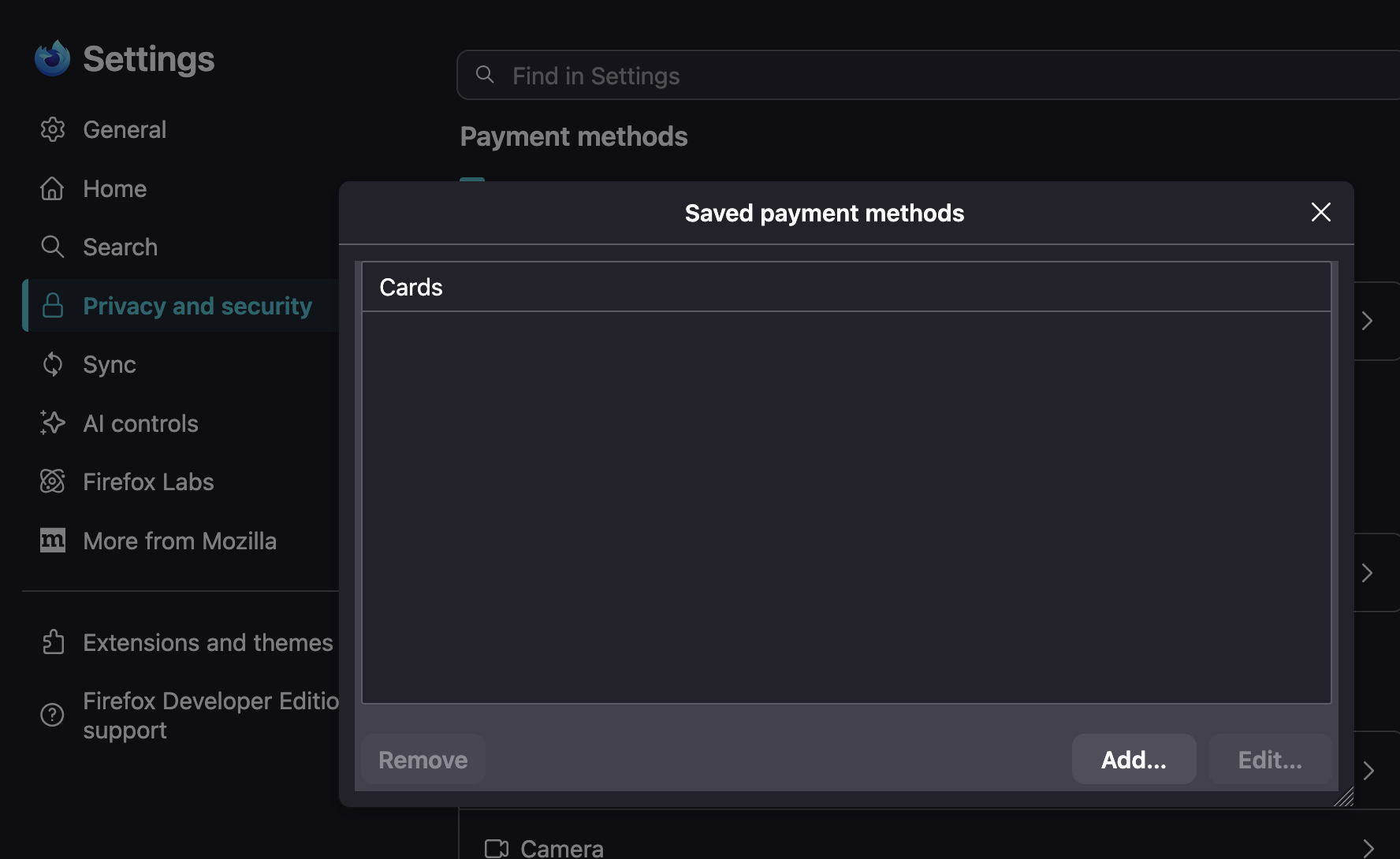
Yes, the site only showed the last 4 digits of my credit card. The rest was masked. I keep asking myself if I imagined it but I can call the image to mind and I can't see how I could have imagined it. Still, Occams razor would say that is the most likely explanation.
Yes, I had already checked that I had no payment credentials stored with Firefox. When I submitted this query I assumed that they must have been stored somewhere else as well but that seems unlikely in hindsight.
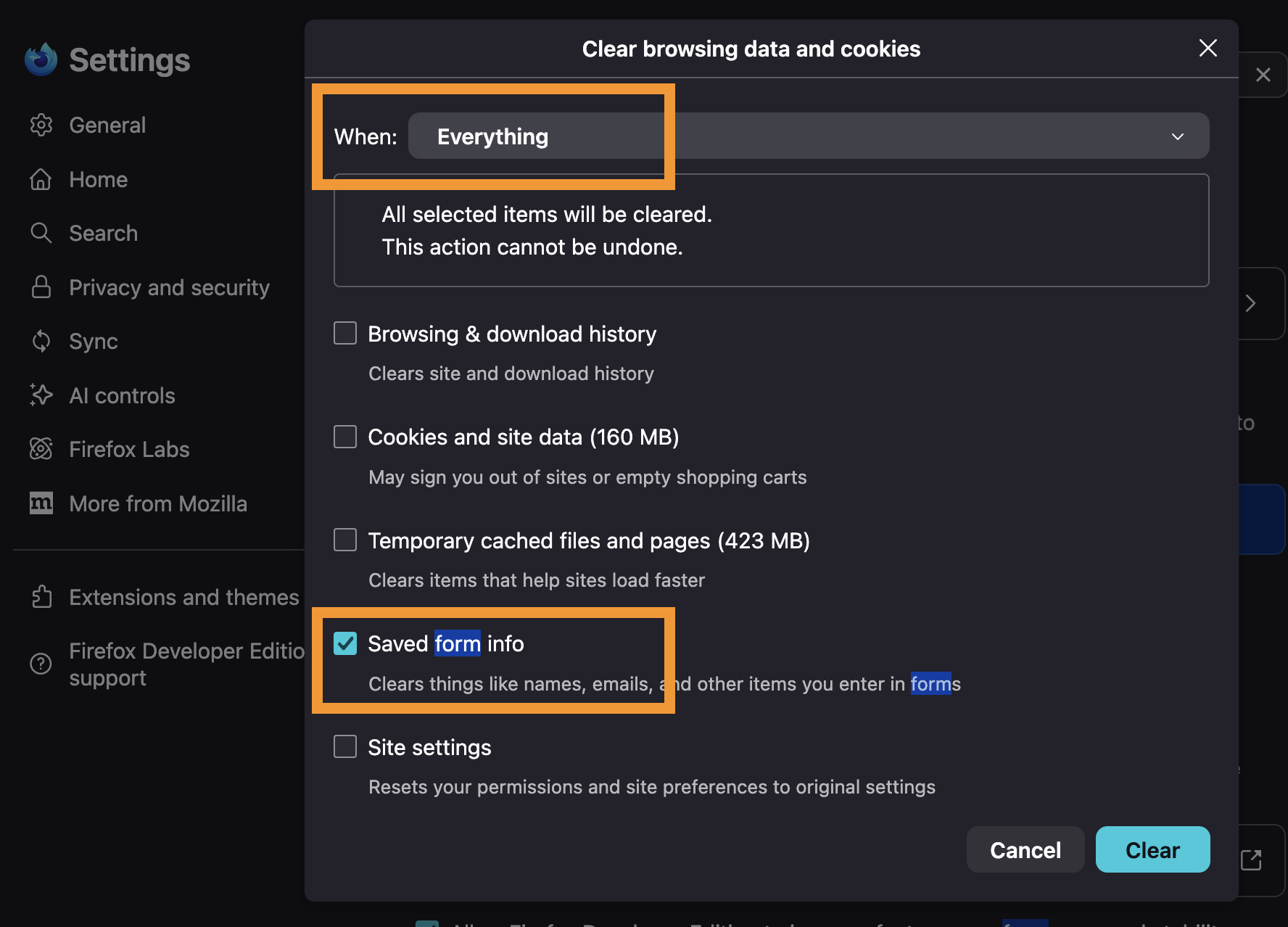
There's also the faint chance a malformed website would use insecure fields to ask you for your payment details (haven't seen that for years, given payment standards et al., but still a possibility) — which then could in theory be saved in autofill history with all random text inputs, not classified as sensitive, which the first reply also mentioned — so if you really REALLY need to be sure, you can also nerf all of that data, but that'll take all the form entries you might be getting autofilled over the years with it, so consider the pros and cons thoroughly (and also do not check anything else, as you can infer the consequences):
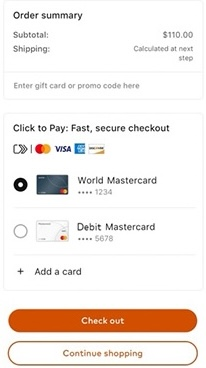
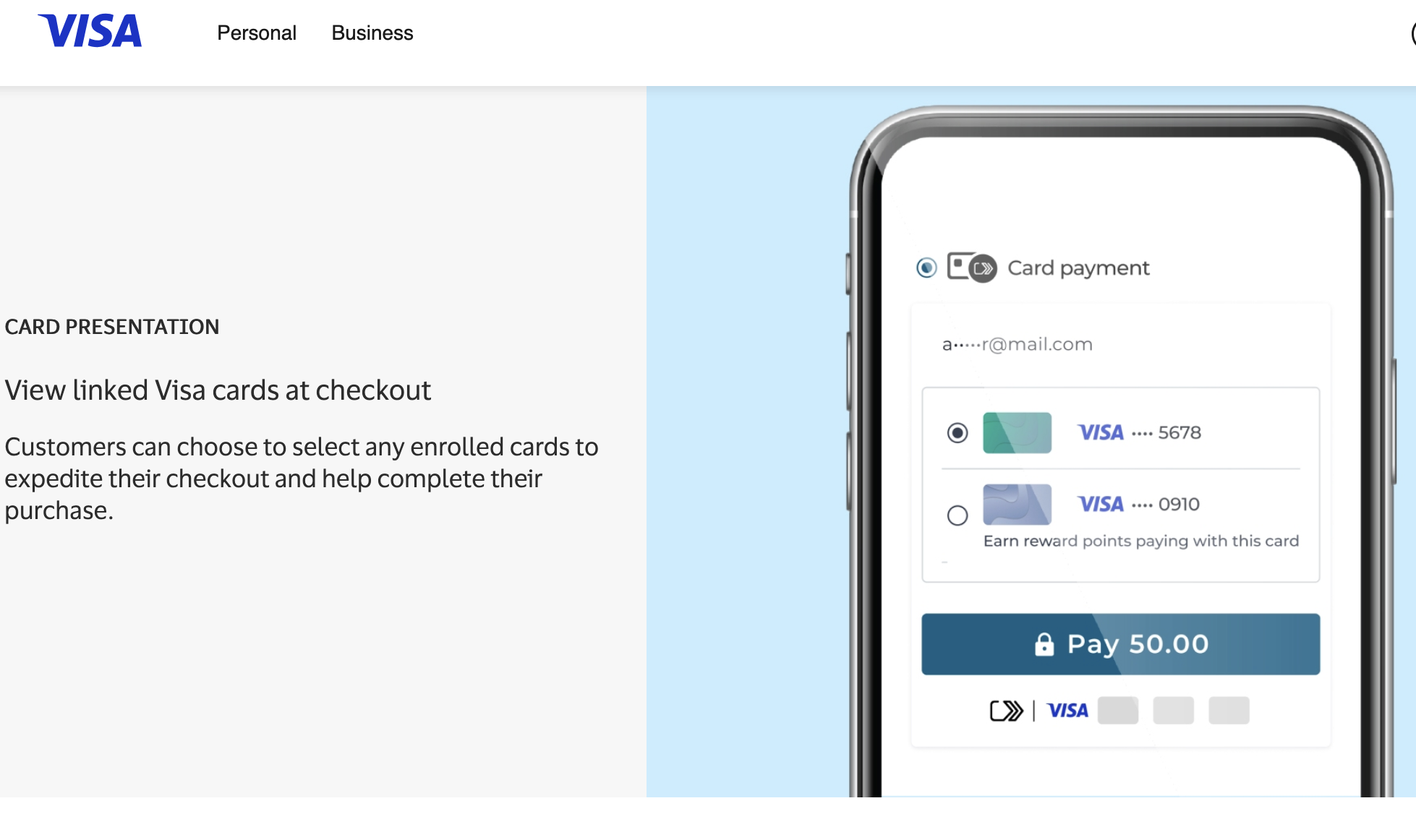
Anyways — it is indeed possible that just from a customer email or phone number some billing providers could query linked common payment methods — there are schemes as Click2Pay: https://usa.visa.com/products/click-to-pay/merchants.html that basically directly show the eligible enrolled cards on a trusted device, so it then looks like this: (might be similar to what you saw)