


Firefox does no save tabs on shutdown

- Steps to reproduce
Open several tabs, in settings, check «ouvrir les fenêtres et onglets précédents», quit firefox.
- Expected behavior
On startup, Firefox should reopen with the same tabs before shutdown.
- Actual behavior
Firefox opens with one empty tab. Forcing me to got to «history -> recently closed windows -> restore» everytime I quit Firefox or shutdown the mac.
- Device & build information
- Device: MacOs Tahoe 26
- Build version: firefox 148.0.2
- First seen version: MacOs Sequoia
- Notes
Fresh migration from Win 11 to Mac. tabs, passwords, bookmarks, plugins migrated from win to mac. Attachments:
എല്ലാ മറുപടികളും (12)
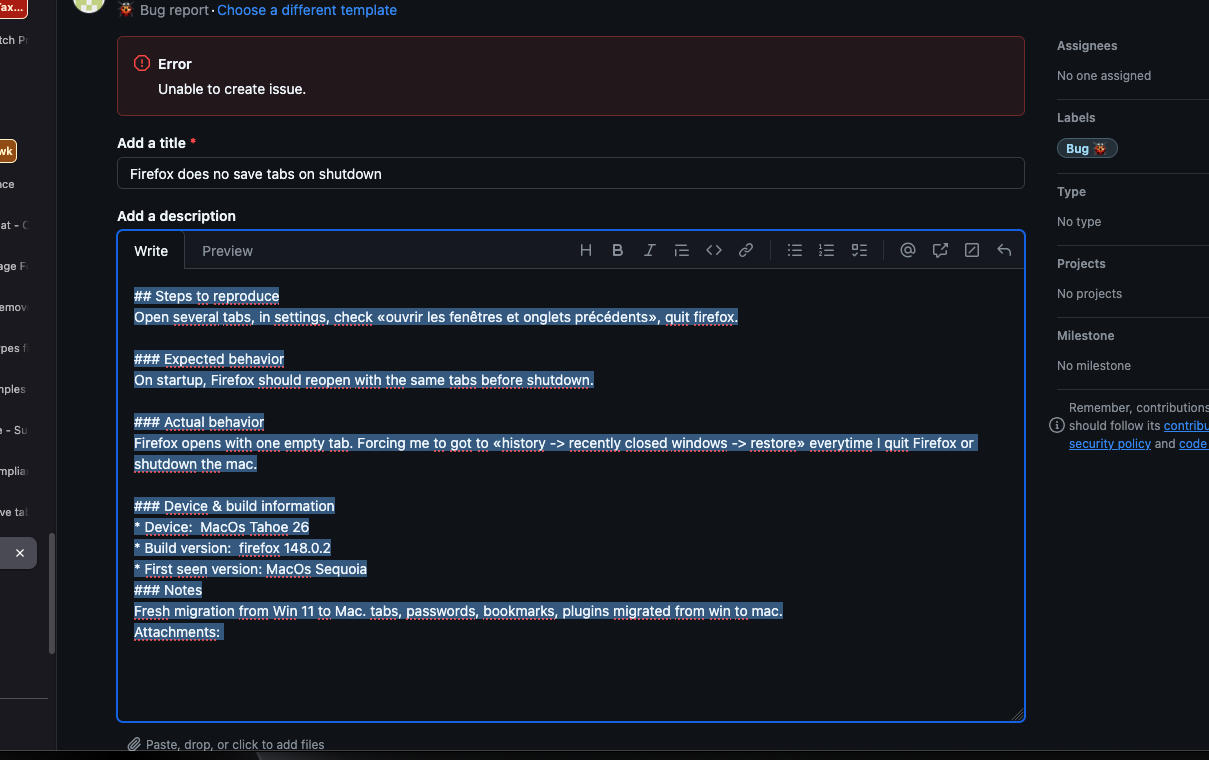
And before you tell me to open a bug on github, please see screenshot included.
https://support.mozilla.org/en-US/kb/restore-previous-session https://support.mozilla.org/en-US/kb/how-do-i-restore-my-tabs-last-time
With desktop Firefox, (on macOS, Windows, Linux) bugs are filed on Bugzilla and not Github. Github is only used for Firefox for iOS (iPhone/iPad) and Focus for iOS. https://support.mozilla.org/en-US/kb/file-bug-report-or-feature-request-mozilla
Your issue may not be a bug but how you have configured your Settings on when Firefox closes. If you still do submit a Bug on Bugzilla.mozilla.org please see https://bugzilla.mozilla.org/page.cgi?id=bug-writing.html and https://bugzilla.mozilla.org/page.cgi?id=etiquette.html
James you just have repeated all I have done and said… Yes, «Open previous session and tabs» is checked («ouvrir les fenêtres et onglets précédents»). Yes I tried to submit a bug in github for macOs, there was an error (see screenshot). No I won’t restore all 250 tabs I use every day.
So whether there is a solution to this issue, or, and I’m starting to consider it for the first time in 20 years of daily use of ff, I will be forced to switch to another browser to work.
What are your settings when Firefox is closed? see screenshot The browser dose have a long time session restore issue. Can you post a screenshot showing the contents of the sessionstore-backups folder in your profile folder. see screenshot of mine https://support.mozilla.org/en-US/questions/1557927#answer-1790790
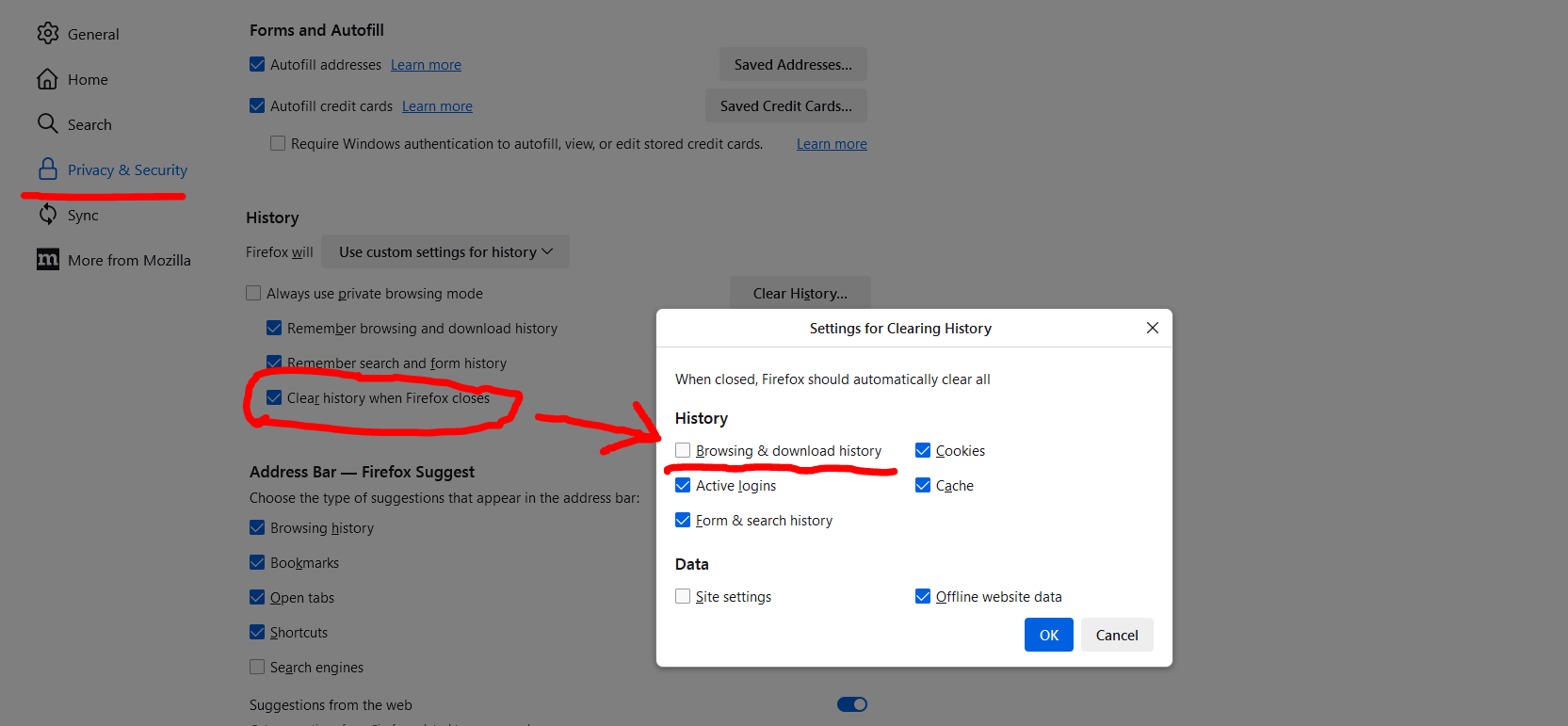
History setting is set to keep history.
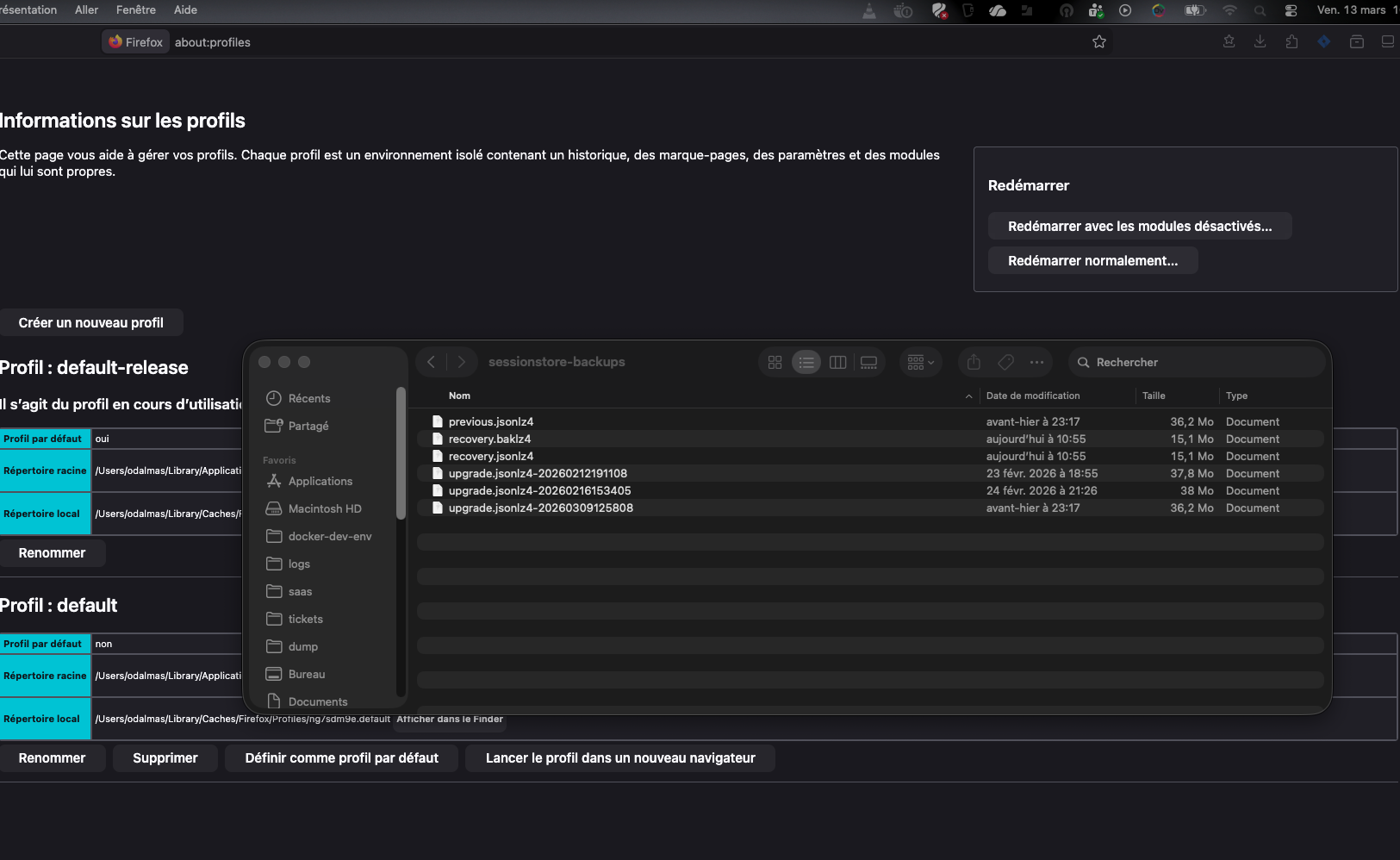
Here is the content of my profile sessionstore-backups directory

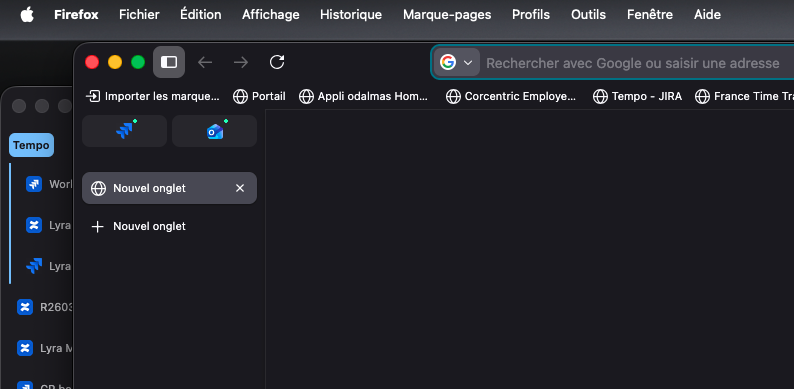
I also spotted that when I close FF, and restore former window, FF does not integrate the former window in the current one like it did on Win, but opens a second window. I don’t know if it’s linked.
Anyway, thanks for your answer and any help you can provide @jonzn4SUSE :)
Looking at the file size, you should be able to use any of the files to restore your session like this user. https://support.mozilla.org/en-US/questions/1557927
I’m sorry jonzn4SUSE. I think there is a misunderstanding here. I do not want to restore a session. I want NOT TO have to restore a session everytime I quit FF.
My FF settings are set to «memorize my session and tabs and reopen them on next startup».
So tabs should not be closed on FF shutdown. That was never the case on windows, it is systematic on MacOs.
I do not want to restore 253 tabs, because FF should start with those 253 tabs already open.

Do you really use Firefox -> Quit Firefox because on Mac you can close all windows but keep the menu bar open (visible) ?
Hello Cor-el, Whether I Firefox + Quit Firefox, click on red cross, shutdown the mac, it is the same, all tab are closed, I’m forced to restore the session.
I closes all the tabs even if I quit FF and it is still running in the menu bar. In this case too I’m forced to restore the session.
If you close all windows before closing rthe menu bar then you need to reopen the tabs on the next start. The point is to quit Firefox (i.e. leave no menu bar present) with all tabs still open to make session restore work properly and have your tabs when you restart Firefox.
Indeed, Cor-el
«The point is to quit Firefox (i.e. leave no menu bar present) with all tabs still open to make session restore work properly and have your tabs when you restart Firefox.» This is what firefox should do and did on windows. But no longer does on MacOs.