


Open
Website Inspect toolbox no longer has "Disable Popup Autoh-Hide"

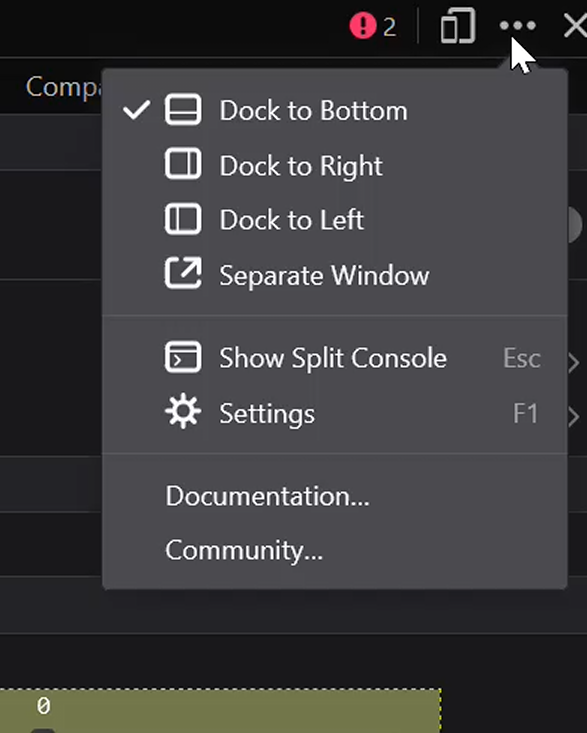
The menu drop down in the corner of the Inspect toolbox no longer has "Disable Popup Autoh-Hide".
The menu drop down in the corner of the Inspect toolbox no longer has "Disable Popup Autoh-Hide".
All Replies (3)
That option shows up only in a browser toolbox, see the code. So Ctrl + Alt + Shift + I, not Ctrl + Shift +I.
TyDraniu said
That option shows up only in a browser toolbox, see the code. So Ctrl + Alt + Shift + I, not Ctrl + Shift +I.
I could have I've sworn I've used it in the content/webpage toolbox. I guess i was wrong.
Can i ask a related question:
Is there a way to automatically enable AlwaysOnTop with the browser toolbox?
Ilungisiwe ngu Sevvven7
I don't know, devtools.toolbox.alwaysOnTop is true by default in about:config. Check if it's modified.