


REMOVE / HIDE ITEMS INSIDE THE LIBRARY POPUP

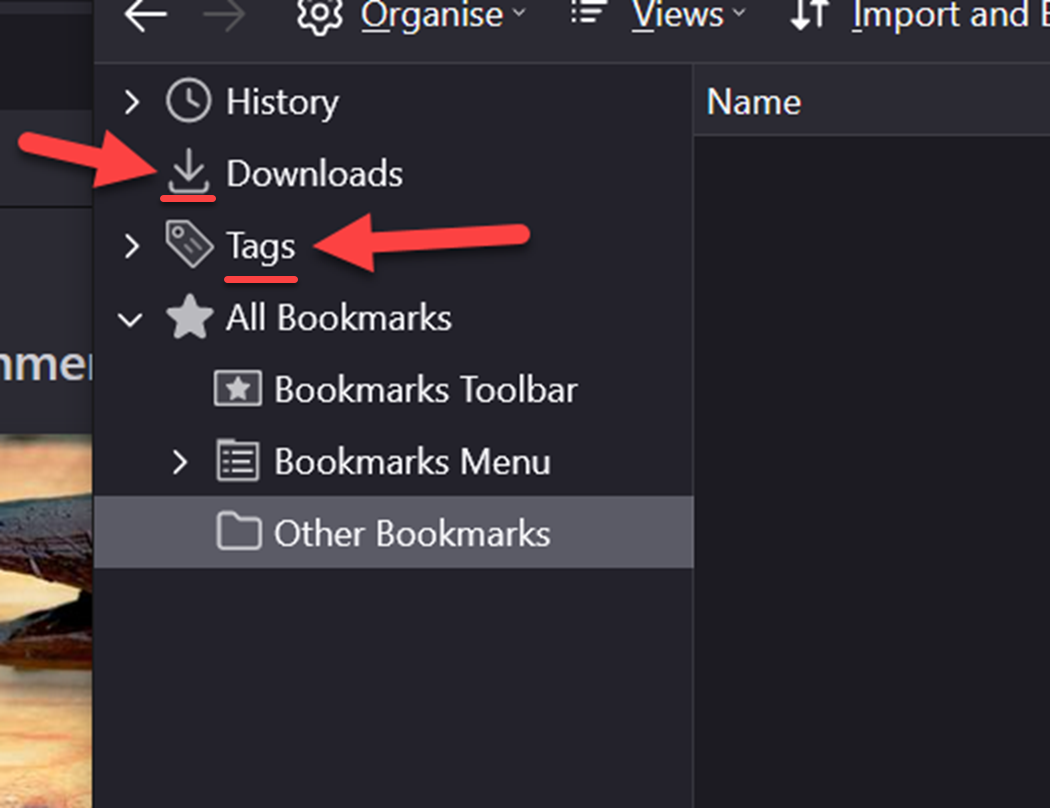
Is it possible to remove / hide individual elements inside the Library popup's #placesList (i.e. the Tag item and/or the icons of any of the items)?
My attempt with the code below inside userchrome removed ALL of the side panel content - not ideal.
#placesList > treechildren:nth-child(2) {
  display: none !important;
}
Also, is it actually possible for the Browser Toolbox to work inside popups?
All Replies (4)
You can inspect the Places window in the Browser Toolbox. Toward the right end of the bar in the Inspector there is a button that looks like 3 frames. That lets you switch the Inspector to a different window.
But... styling of these old style XUL trees is very arcane, so I can't say for sure what will actually work.
A good place to advice would be the r/FirefoxCSS subreddit: https://www.reddit.com/r/FirefoxCSS/
It is not possible to hide items in treechildren list, you can only style them using ":-moz-tree" pseudo class selectors.
See also "Debugging popups":
@cor-el / @jscher2000
Thanks again to both of you. I slightly suspected I would continue to have trouble this treechildren list. The answers each of you have provided serve to save me a lot of time and effort.
deanone moo ko soppali ci