


Repeated "Authentication Failure" trying to connect to outlook.live.com servers using IMAP.

Program : Thunderbird Build - 115.18.0 esr .
How to reproduce:
Log into outlook.live.com an ensure IMAP is enabled.
Start Thunderbird and create a new 'mail' account manually, given the account settings provided by outlook.live.com. (https://support.microsoft.com/en-gb/outlook/pop-imap-and-smtp-settings-for-outlook-com)
The account may have to be setup manually.
Also you may have to setup the outgoing SMTP server to use OAuth2 manually as an SMTP server directly, as the normal dialog presented during manual setup did not provide this option unless the servers were set up indvidually.
The e-mail account details should be set up.
What should have happened:
SMTP server should have permitted Ouath2 authentication during setup. Thunderbird should have presented a login to obtain a password, and retrieved messages to a local inbox.
What actually happened: "Authentication failure when connecting to server outlook.office365.com"
Possible causes :
- Build not actually supporting Oauth2 despite claiming to.
- Third party server is claiming to support IMAP/Oauth2 but refuses to recognise credentials sent by Thunderbird.
- Build too old.
Thank you.
All Replies (5)
Isisombululo esiKhethiweyo
Using the settings downloaded by Thunderbird. https://autoconfig.thunderbird.net/v1.1/hotmail.com They are correct, and include oauth for SMTP. So if you are modifying them it is probably the issue, if you are using anything earlier that the current ESR branch of Thunderbird then connection failures for Microsoft sites is more than probable. The current release of Thunderbird does not use IMAP or SMTP when connecting to Hotmail/office365 it uses the Microsoft Graph framework
The next the most common cause of account setup failure lives in the antivirus products installed in addition to Windows defender.
- The download of settings does not complete because the antivirus product blocks Thunderbird accessing the internet (firewall component)
- The connection does not verify (because antivirus is trying to scan a connection that has no emails. Ooops)
- The dialog to authenticate does not open in the web browser. Problems with passing links via the operating system Look at the anti phishing tools your antivirus installed.
- You account approval from the browser does not update into Thunderbird. Multiple common issues here;
- The antivirus is blocking the Local-host adapter.
- There is another program on the system that is consuming data on that adapter (usually a development environment or web server product, Apache et. al.)
- You have cookies disabled in Thunderbird or the web browser. (Enable cookies)
Then you have the "other" issues caused by the tenants in business solutions (not all office365 is the same) choices as to what software can access their exchange and if they are going to support SMTP and IMAP/POP. Some business users are restricted to only use Microsoft Outlook for instance. This is an exceedingly complex area made that way by Microsoft.
Now the expectations of Microsoft as to how you may connect to their services has changed significantly since Thunderbird 115 was released. But there is a support article on that, have you read it? https://support.mozilla.org/en-US/kb/microsoft-oauth-authentication-and-thunderbird-202
Fundamentally I would not expect Thunderbird 115 to connect to Hotmail using oauth at all successfully. There have been many Microsoft specific changes since the 2023 release of version 115.
Thank you, for a partial explanation.
i read that support article. (I also can't use 2FA as I don't have a suitable device.)
The equivalent support article at Microsoft of course doesn't mention Thunderbird at all.
Disabling AV and Firewall for diagnostic purposes is a standard step taken.
The account is 'free' one ( What used to be Hotmail as I understand it which became https://outlook.live.com). The automated setup (115) also asked for a domain login. I have no idea what this is, as the dialog gives no explanation, and I could not find this information in the Outlook live account settings. I've taken a screenshot (attached below, (actual address redacted) to show the authentication options for SMTP as presented.
The IMAP server options did include Oauth2.
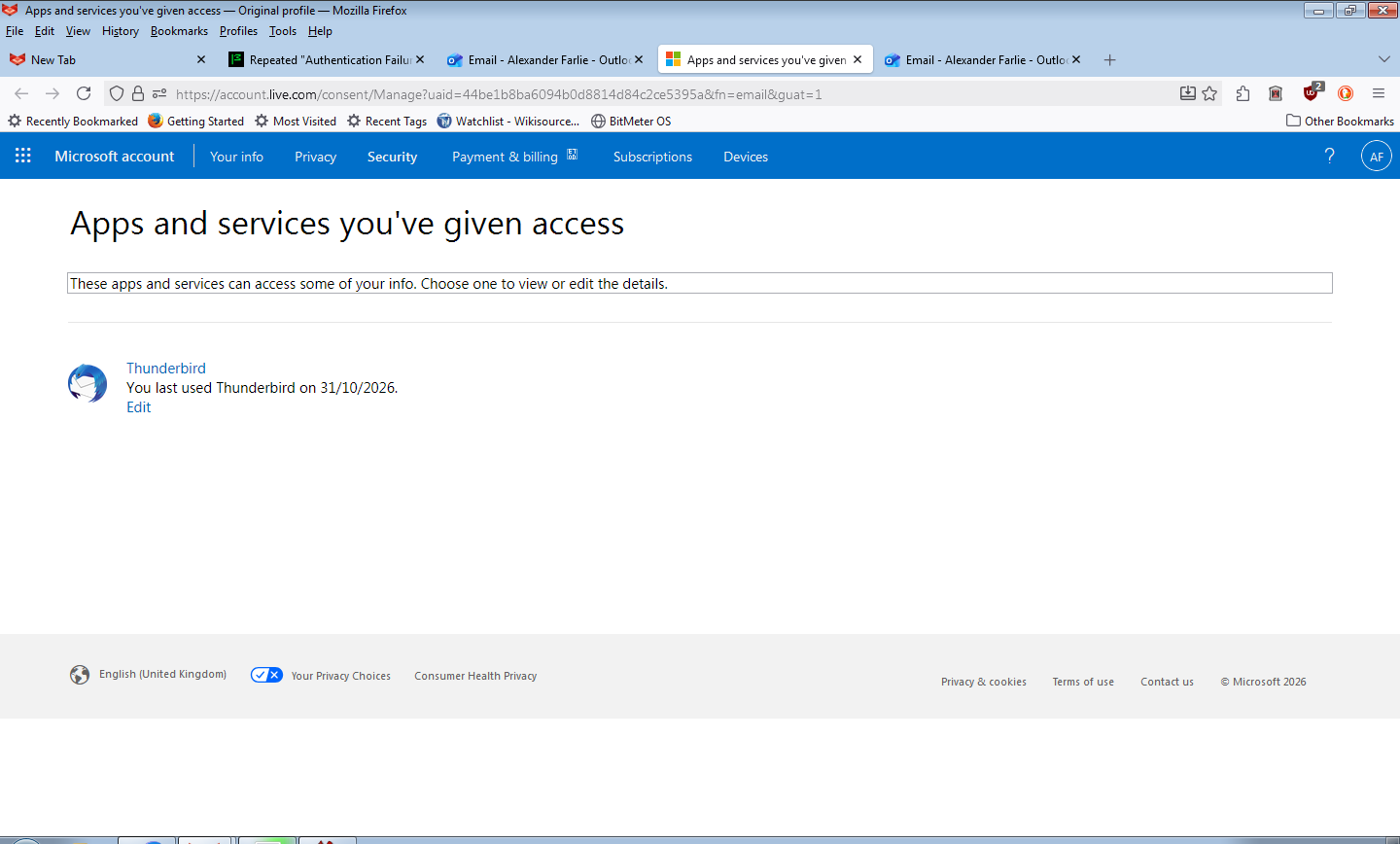
The account can be accessed in a browser. And the outlook.live.com side is more than happy to accept a relevant password in Thunderbird, authorise the app ( second screenshot), and then fail to obtain e-mail known to be present, with the authentication issue. If there was a compatibility issue (Thank you for the Graph hint BTW), I would have reasonably expected it to not authorise an older Thunderbird.
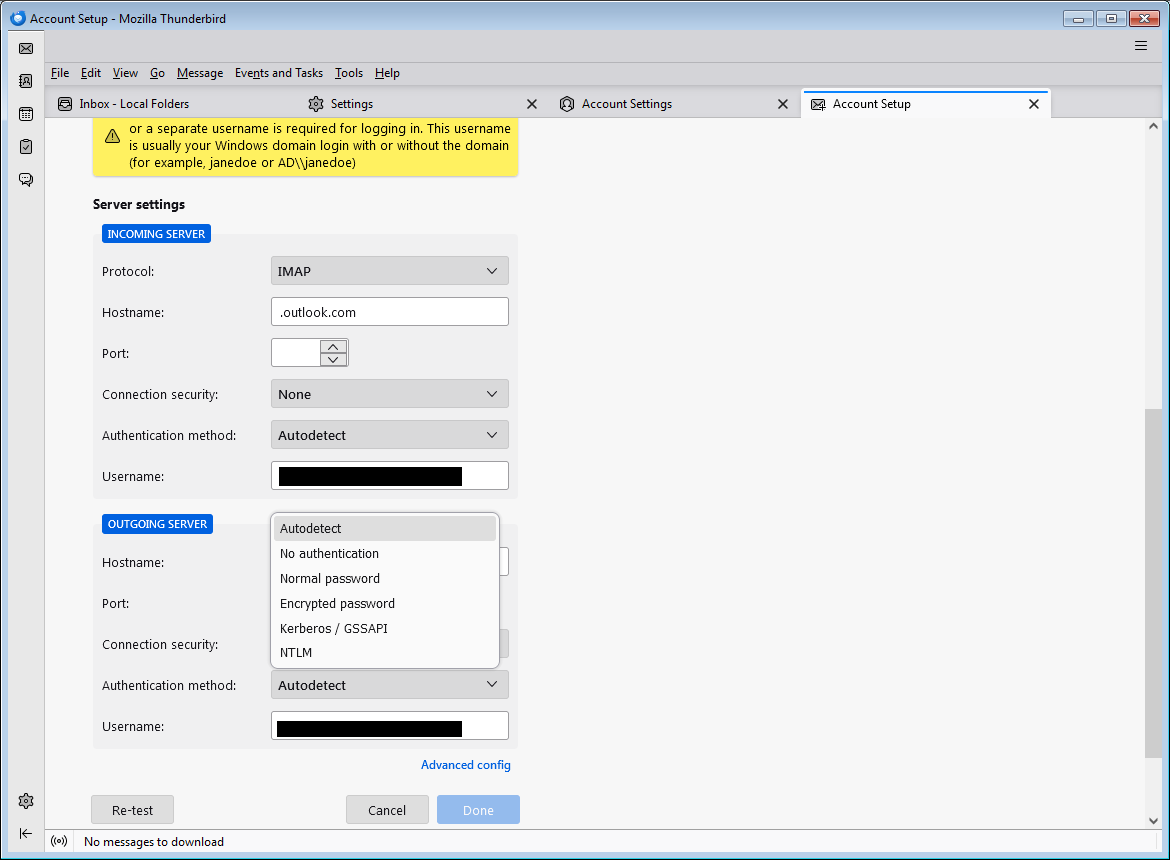
Further to last message it finally recognised IMAP. but still doesn't want to setup Oauth2 on the relevant SMTP details. This is despite it having set up those details for both gmail, and Yahoo Mail on vendor provided information.
I consider the lack of this option for smtp-mail.outlook.com to be a bug, given that Thunbderbird set them up for the two other services. Your suggestions would be welcomed, as I can find NO options on the outlook.live side that would account for this, I was attempting to use the setting they provided.
(And Yes I tried to do this with AV and Firewall disabled).
Ilungisiwe ngu Alex Farlie
Further to last message :
Build 115 , doesn't seemingly set up the Ouath2 configuration for Hotmail.Outlook Live style accounts (determined with Copilot and ChatGPT's guidance.) In addition ChatGPT identified that some Outlook Live accounts, don't even have SMTP initially, as an anti-spam measure. None of which was clear.
(It suggested : https://learn.microsoft.com/en-us/answers/questions/6022235/new-personal-outlook-com-account-has-smtp-auth-dis
and - https://bugzilla.mozilla.org/show_bug.cgi?id=2071567 )
You've attempted to answer the question professionally Thank you.
One final possibility is to use configuration editor to add the required Oauth setting data directly to the configuration. That information is not however currently available.