


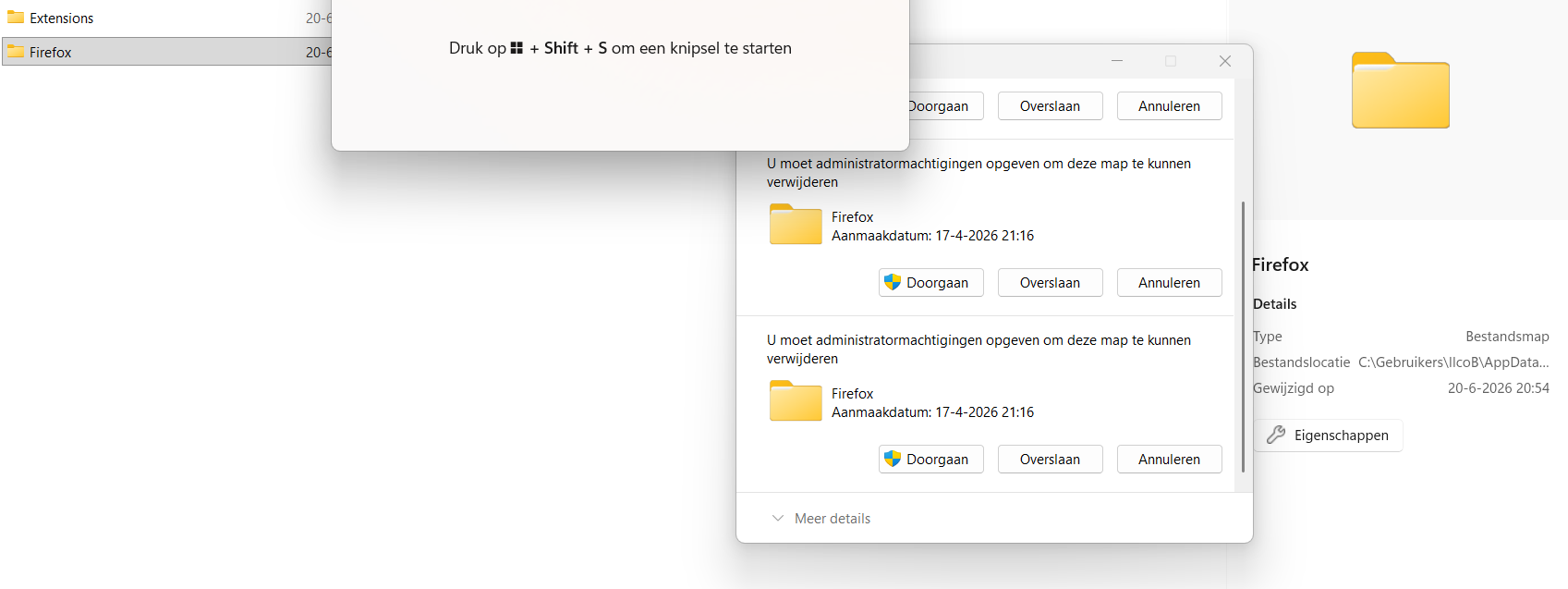
delete old firefox data with is blocked by admin rights and remove FF

Dear reader,
I wanted to completely removed Firefox because i had some issues. Instead om removing I probably refreshed FF.
Can somebody help with?
1. How to remove old FF data which is placed on my desktop and blocked for removal by admin rights. 2. How to completely remove FF without leaving any data (profiles, extensions)
I have tried to find this answers in the help sections but I was not able to find the solution for my situation.
Thanks in advance. With kind regards,
Ilco
All Replies (1)
"2. How to completely remove FF without leaving any data (profiles, extensions)"
If you type about:profiles in the URL/address bar whilst using Fx you will see a path where the profile and data is. You can then delete.
As far as the admin goes, are you not the admin on your computer
What OS, Windows