Chủ đề này đã được lưu trữ.
Vui lòng hỏi một câu hỏi mới nếu bạn cần giúp đỡ.

Đã lưu trữ
I keep resetting my homepage to firefox default, but everytime I close and restart firefox it keeps going back to http://www.searchqu.com/406 as my homepage. How can I permanently change my homepage to the firefox default page?

http://www.searchqu.com/406 is continuously coming up as my homepage default despite the fact that I change firefox default page as my homepage. how can i change my homepage so that everytime i restart firefox the default page comes up
http://www.searchqu.com/406 is continuously coming up as my homepage default despite the fact that I change firefox default page as my homepage. how can i change my homepage so that everytime i restart firefox the default page comes up
Tất cả các câu trả lời (1)
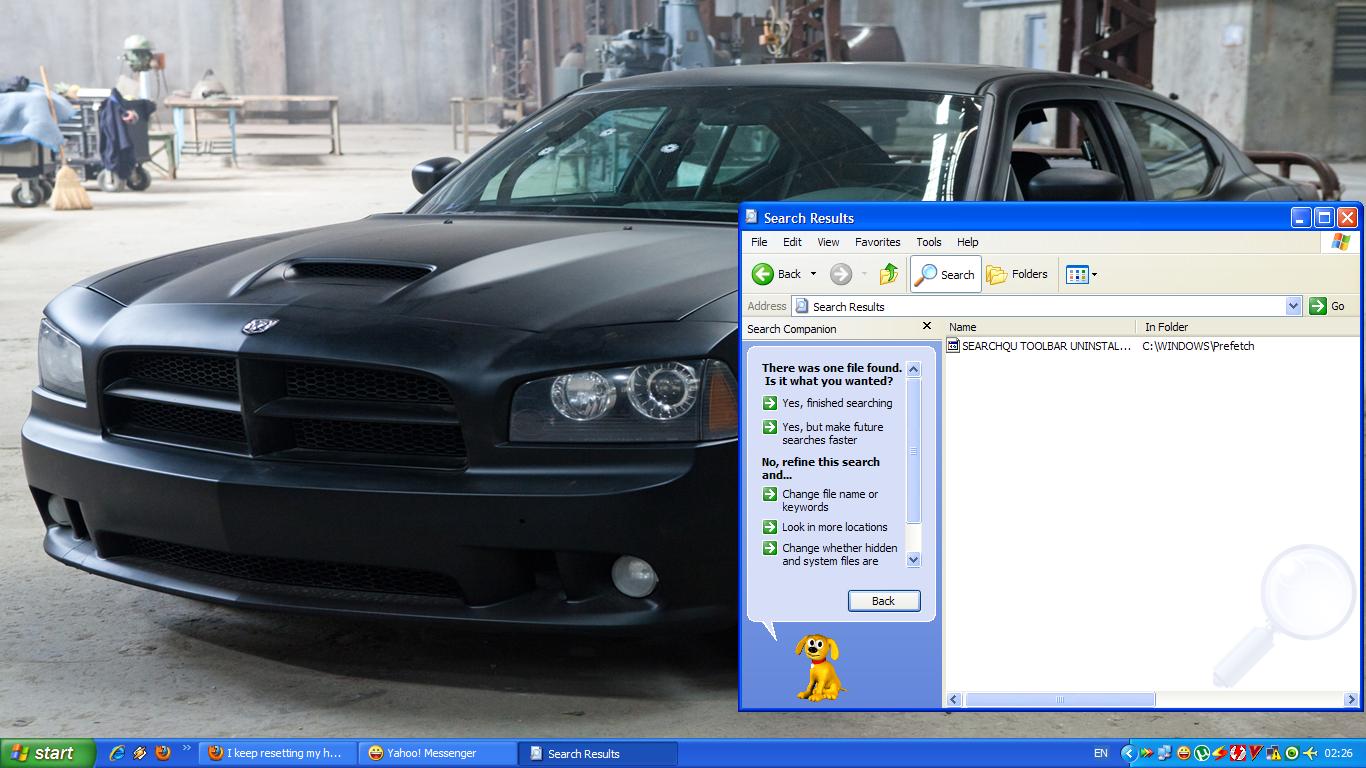
Go to Program Files - Windows Searchqu Toolbar. Then click on uninstall app. It must be good. This s--- doesn't appear in the ADD/REMOVE PROG.
if you can't escape from him, go in partition C and search "Searchqu" and delete everything that shows you the "searchqu".