


Clear cookies and cache active site only

I thought this was for the active site, but, from my experience, after being logged out of other sites, does it actually clear for all tabs? Why do they make this so ambiguous?
Is there a simple way to get this done, for the active site only, without adding an extension?
Tất cả các câu trả lời (5)
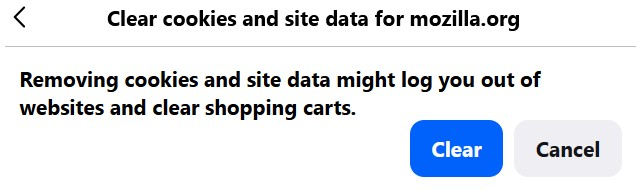
Hi Noel, I always thought the cookies were only cleared for the listed domain. In your example, clearing cookies for mozilla.org will affect other ___.mozilla.org sites that store their cookies under the top level domain mozilla.org, such as www.mozilla.org and support.mozilla.org. But it shouldn't clear Google, etc.
Here are two other options:
(1) Storage Explorer
If you are a bit nerdy, try Shift+F9. This should open the developer tools panel to the Storage Explorer with the cookies category expanded. The current site often is selected, but if there are both first party and third party cookies, you might need to select the site.
Right-click any cookie in the list on the right side for options, ranging from removing an individual cookie to removing all cookies for the site.
(2) Clear data for specific sites
On the Settings page, under Privacy and security, scroll down to Browsing data
Click the button for "Clear data for specific sites" to open a dialog box with a list of individual sites. Hopefully it is self-explanatory from there.
Does either of those options work better for you?
Now, regarding cache, I'm not sure whether any of these action remove files from the web content cache.
Được chỉnh sửa bởi jscher2000 - Support Volunteer vào

jscher2000 - Support Volunteer said
Hi Noel, I always thought the cookies were only cleared for the listed domain. In your example, clearing cookies for mozilla.org will affect other ___.mozilla.org sites that store their cookies under the top level domain mozilla.org, such as www.mozilla.org and support.mozilla.org. But it shouldn't clear Google, etc. Here are two other options:
Hi jscher2000
Sorry, about the duplicate thread. I was having some login problems.
ok, the reason I was emphasizing "simple" was to avoid digging into the settings every time for this. I wonder why an option like this isn't available directly from the toolbar??
As one example, I often have to re-login to gmail. Can't specifically say why, but I gave up on related addons causing complications, only use the built-in until recently That said, can you recommend a reliable addon for this. All I want is too clear "recent" cookies and cache,
BTW, life is easier with "Switch to last accessed tab". Long time user. Wouldn't leave home without it :). Thanks
Được chỉnh sửa bởi nolanvode vào
I haven't tried any cookie-related extensions lately.
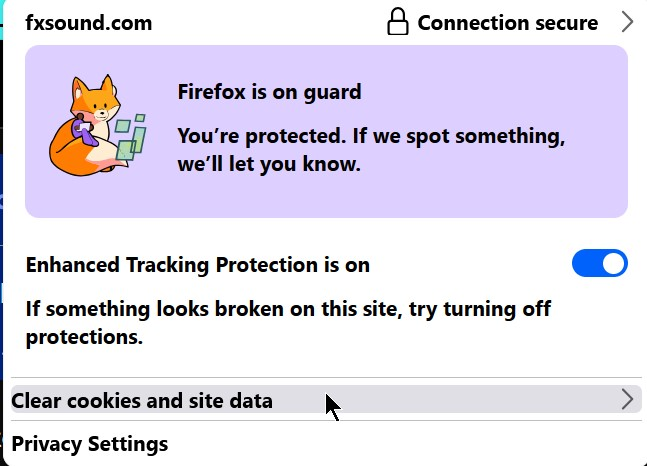
I usually use the "shield" method 95% of the time. I use the Storage Inspector method for a site where I only want to remove session cookies (if I clear all of that site's cookies, I have to re-fill a bunch of extra form fields).
jscher2000 - Support Volunteer said
I haven't tried any cookie-related extensions lately. I usually use the "shield" method 95% of the time. I use the Storage Inspector method for a site where I only want to remove session cookies (if I clear all of that site's cookies, I have to re-fill a bunch of extra form fields).
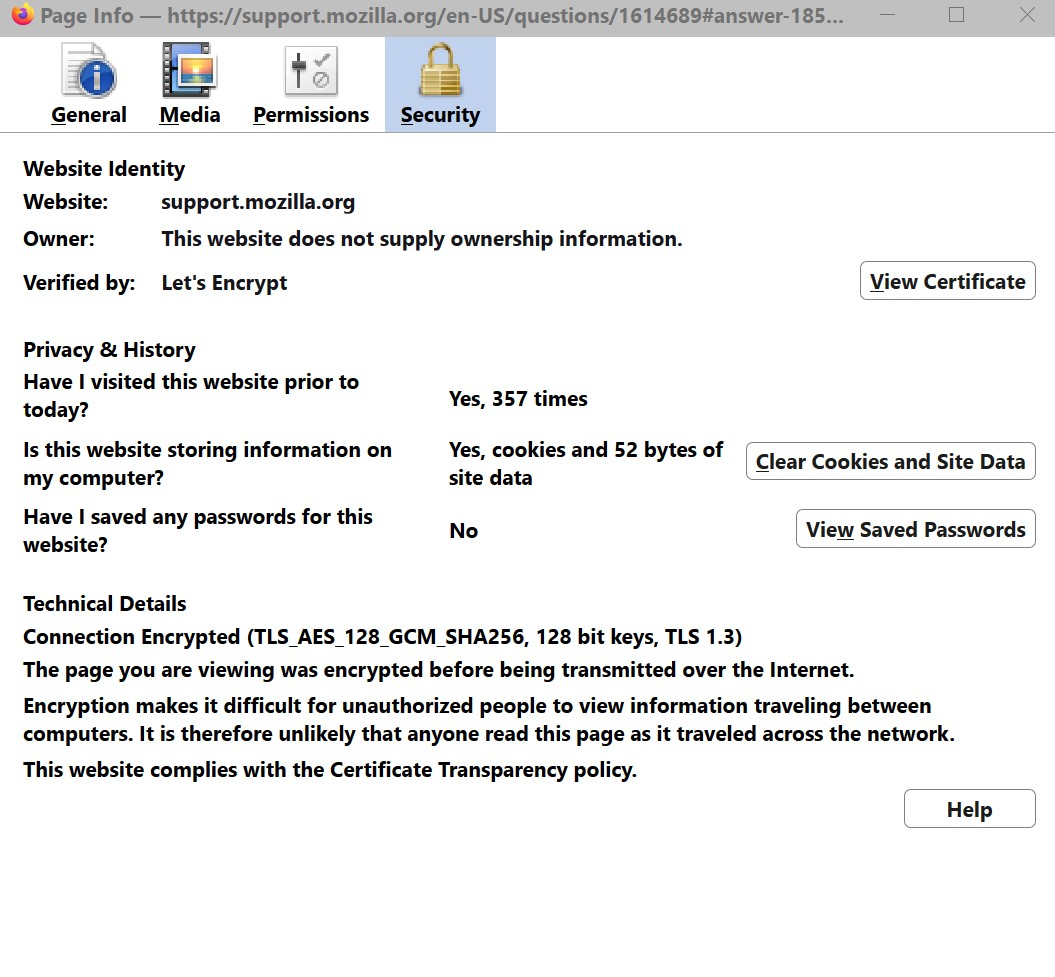
Do you mean this?
Được chỉnh sửa bởi nolanvode vào
nolanvode said
or this?jscher2000 - Support Volunteer said
I haven't tried any cookie-related extensions lately. I usually use the "shield" method 95% of the time. I use the Storage Inspector method for a site where I only want to remove session cookies (if I clear all of that site's cookies, I have to re-fill a bunch of extra form fields).Do you mean this?

Được chỉnh sửa bởi nolanvode vào