


I can add an account on Thunderbird, but how do I delete an account that I no longer use?

I have an email account on Thunderbird that I no longer use that I want to delete that account. I can very easily add an account to Thunderbird, but I can't seem to find any way to delete one. Is it even possible to delete an account?
Giải pháp được chọn
FYI On Apple account settings is found under Thunderbird in the menu bar. I selected account settings there. I scrolled down the email accounts on the left and selected the email account that I wanted to delete. After I selected it, there was a red "Delete" button in the upper right which allowed me to delete it.
Tất cả các câu trả lời (5)

Edit > Account Settings > Account Actions > Remove Account
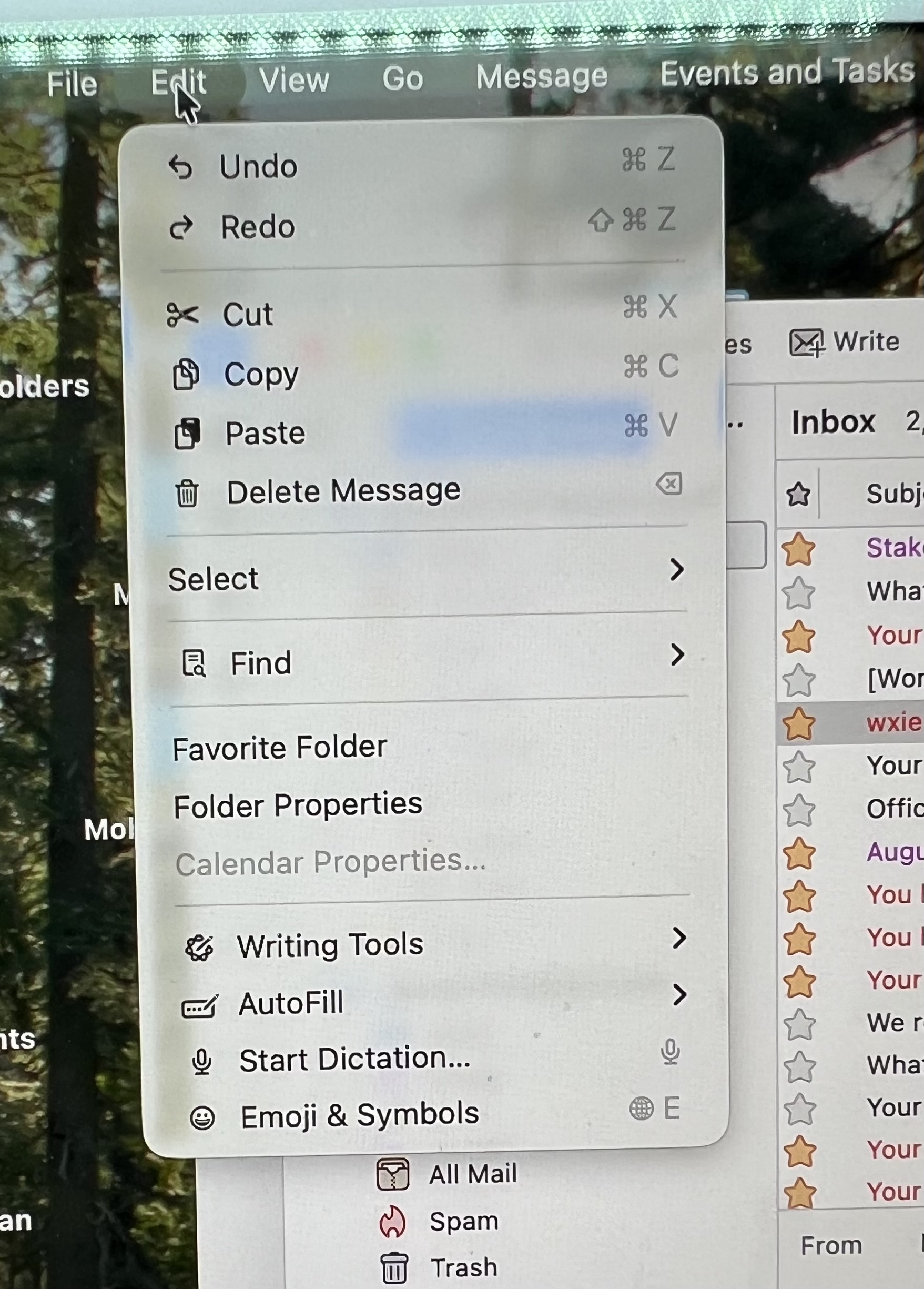
Under the edit menu, there is no option to select account settings, account actions or remove account. I am using iMac with iOS 26.6.1. Please see attached image.

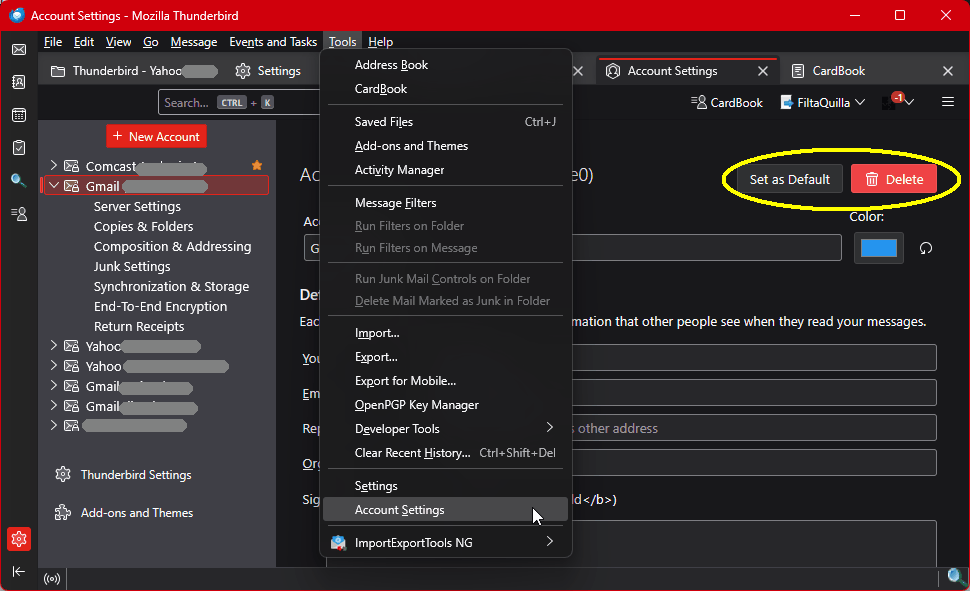
<Account Settings> is found in the Edit menu in Linux. It's found in the <Tools> menu in Windows. I don't have any Apple products to check for you, but you can explore the menus for yourself. It's in there.
Được chỉnh sửa bởi Lin vào
Giải pháp được chọn
FYI On Apple account settings is found under Thunderbird in the menu bar. I selected account settings there. I scrolled down the email accounts on the left and selected the email account that I wanted to delete. After I selected it, there was a red "Delete" button in the upper right which allowed me to delete it.
Good. You can mark your answer as a solution to help others. Thank you.