Mở
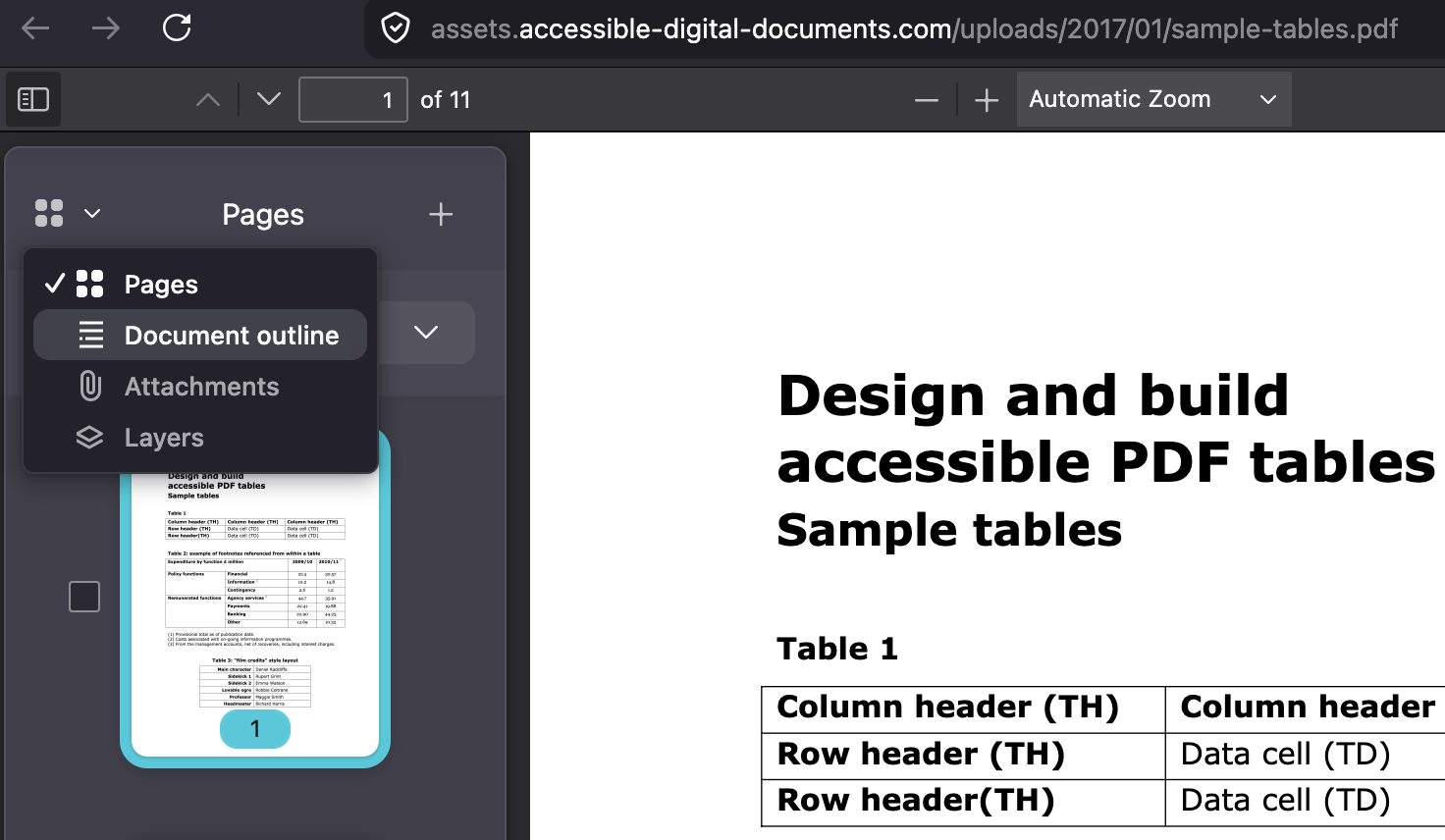
Unable to view document outline for pdf

I am currently revising for professional qualifications and the PDF study manual I am using is extremely large.
I have seen tutors be able to use the document outline on the left sidebar to be able to filter through different chapters.
However, I do not have that option - I only have the option to view page-by-page which is not very helpful.
How can I get the document outline to show a chapter-by-chapter outline?
I am currently revising for professional qualifications and the PDF study manual I am using is extremely large.
I have seen tutors be able to use the document outline on the left sidebar to be able to filter through different chapters.
However, I do not have that option - I only have the option to view page-by-page which is not very helpful.
How can I get the document outline to show a chapter-by-chapter outline?
Tất cả các câu trả lời (2)
It should be there. Have you tried to expand the button?
And how these options look like for that document?