


how to set up built-in vpn... NOT the mozilla vpn.

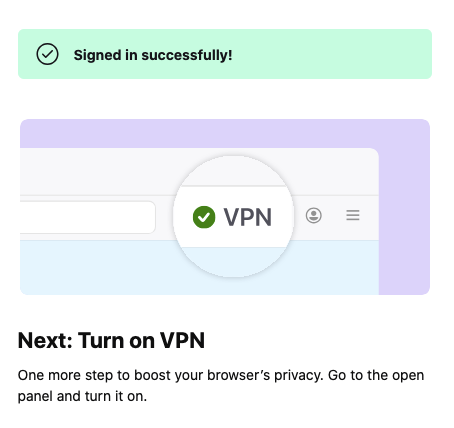
Hi, I am trying to set up the built-in vpn. I got as far as the attached screenshot but I cannot find the "... open panel and turn it on." I managed to instal? the Mozilla vpn but thats not what I am after.
Can you advise what, where is "open panel" and how to "turn on vpn"?.
Please give me step by step instructions otherwise I will get lost.
Thanks.
Using a Mac Mini OS 10.15.7 Catalina
Tất cả các câu trả lời (1)
Hi,
The Firefox built-in VPN is being introduced gradually. It’s available to some users in the US, UK, Germany, and France (starting with Firefox version 149), in Canada (starting with Firefox version 150) and, starting in June 2026 with Firefox version 151, in Austria, Belgium, Bulgaria, Denmark, Finland, Ireland, Italy, Netherlands, Poland, Portugal, Spain, Sweden, Norway, South Africa, Malaysia, New Zealand, Singapore, Switzerland, Australia, Thailand, Chile, Colombia, Mexico, and Japan. For the current list of available locations, see the Use built-in VPN in Firefox article.
If you’re in one of these countries and using one of those Firefox versions but still don’t see the built-in VPN, it may simply not have reached you yet, as the feature is being rolled out in stages. When the built-in VPN is available, you should see a VPN icon in the top-right corner of the toolbar. Selecting it will open a prompt to turn on the VPN. For information about using this feature, see the Use built-in VPN in Firefox article.
If you don’t see the VPN icon, try customizing your toolbar by right-clicking the toolbar and checking the overflow menu to add it back. If you still don't see it, check the Unable to find the built-in VPN in Firefox article for possible causes and solutions.
If you wish, you can post your feedback about the Firefox built-in VPN to the Mozilla Connect thread.