How to keep the browser from messing with the language of websites?

I speak more than one language and want to have transparency and control of the content. Therefore I always want to see any website in it's native language first.
My preferred situation then would be to have a menu in the tab where I may choose a translation. In the case of a multi-lingual site I want to have those languages as additional options on top - with an indicator for the sites default language. So I may first choose the sites language, then (possibly) into which that is translated into.
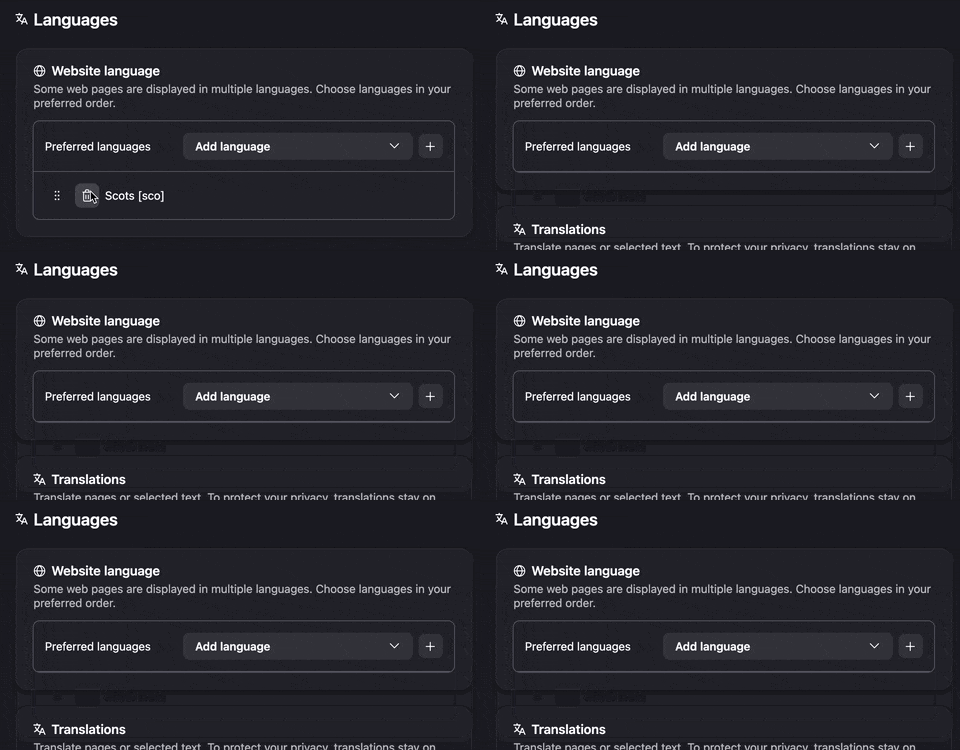
But at present I can use only the settings of preferred language for multi-lingual sites, never knowing what language was the base for the content. (Presumably the most accurate content of the website.) And I can add languages for translation and sort them, while - weirdly - I cannot delete them later as there's no control element for getting rid of (maybe accidentally) downloaded ones.
Is there a solution already? Did I miss something in the settings? And: Where is the „translation panel“ to which the settings „Translations - More translation settings“ refer to in the block „Never translate these sites“?
Tất cả các câu trả lời (2)
Correction for 3rd paragraph, last sentence: And I can add „website languages“ for multi-lingual websites and sort them, while - weirdly - I cannot delete them later as there's no control element for getting rid of (maybe accidentally) chosen ones. Sorry for the mixup.
The trashcan removes them: