


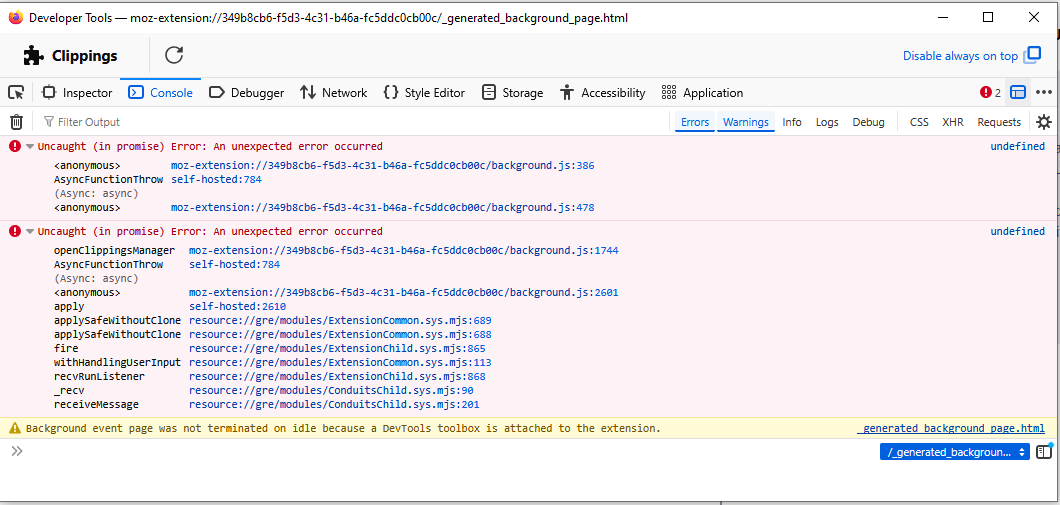
Extension Clippings stopped working - Vers 152.0.1 Will not open / FF icon missing from Desktop / ref: 2045930

Problem w/ Clippings again today. Prior: https://bugzilla.mozilla.org/show_bug.cgi?id=2045930
Windows 10 - Pro Lenovo T490 ( Lenovo LTD installed firmware update 6/19 & 17/26 (respectively - 1st time I've EVER seen this): 1.0.0.28 & 1.0.0.85
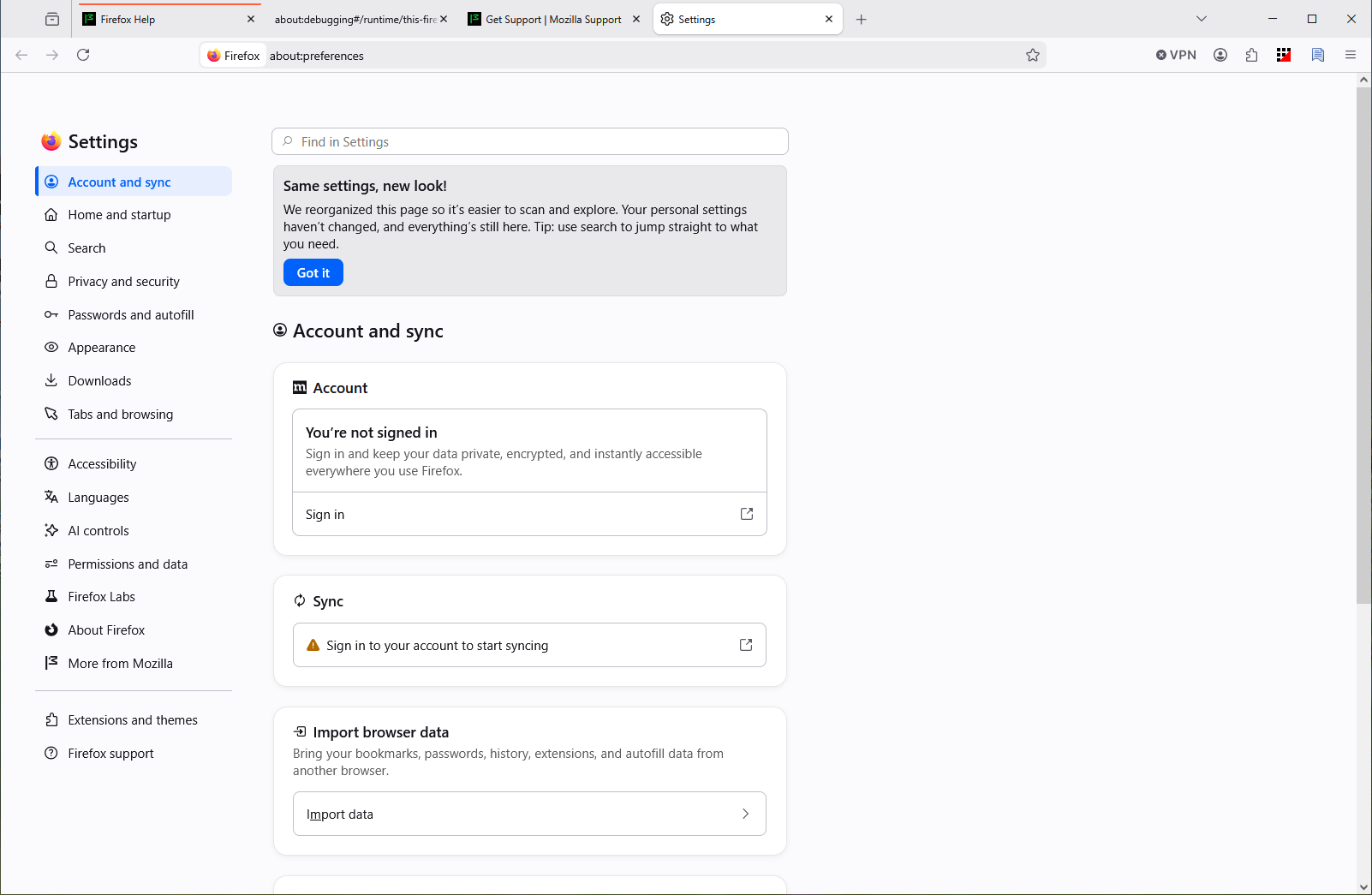
An icon is missing from my desktop which I normally use to open FF. I have noticed issues when NOT using this icon previously - like there is a different version or ID attached - I need to get this back. Data Loss (Clippings) / Again !! - I'm not sure who is at fault. When I display Settings - I notice a HUGE difference in that there is NO General tab (attached) as there was when I reported this (similar to me) issue last 2 weeks ago (see original problem report link).
When I use Recovery: I have a file displayed: Location C:\Users\pc\Desktop\Old Firefox Data\wu6w9pz8.default-release\sessionstore-backups Last modified 6/8/2026, 8:07 PM (3rd time in this doesn't show - right after copying the filename !~)
I believe I need to use this as my production / live version & need instructions on how to recover / restore this. I have NOT YET used Windows Recovery (but I will look at it) - Microsoft Visual C++ was installed - 2 restore points as of this morning. (I may be wrong).
Tất cả các câu trả lời (1)
I intended to report this as a Bug / Open accordingly.