


Windows 10 reached EOS (end of support) on October 14, 2025. If you are on Windows 10, see this article.

Tìm kiếm hỗ trợ

Tránh các lừa đảo về hỗ trợ. Chúng tôi sẽ không bao giờ yêu cầu bạn gọi hoặc nhắn tin đến số điện thoại hoặc chia sẻ thông tin cá nhân. Vui lòng báo cáo hoạt động đáng ngờ bằng cách sử dụng tùy chọn "Báo cáo lạm dụng".

Tìm hiểu thêm
Đã giải quyết

Missing list of cookies in Settings

jbr đã trả lời
Zach Kucera

With the new organization of Settings, my list of cookies has disappeared. I was trying to delete cookies from a specific site, but when I go to that option in "settings," there is no list of cookies.

I have tried restarting both Firefox and my computer and the list is still missing.

Any suggestions on getting it back?

With the new organization of Settings, my list of cookies has disappeared. I was trying to delete cookies from a specific site, but when I go to that option in "settings," there is no list of cookies. I have tried restarting both Firefox and my computer and the list is still missing. Any suggestions on getting it back?

Tất cả các câu trả lời (2)

Giải pháp được chọn

Nevermind. I found it by using the side bar instead of the search box.

For anyone else looking for the same, given there has been a change in verbiage in the current version, this is how the section used to look before v152.0:

"Manage browsing data" was the entry point before:
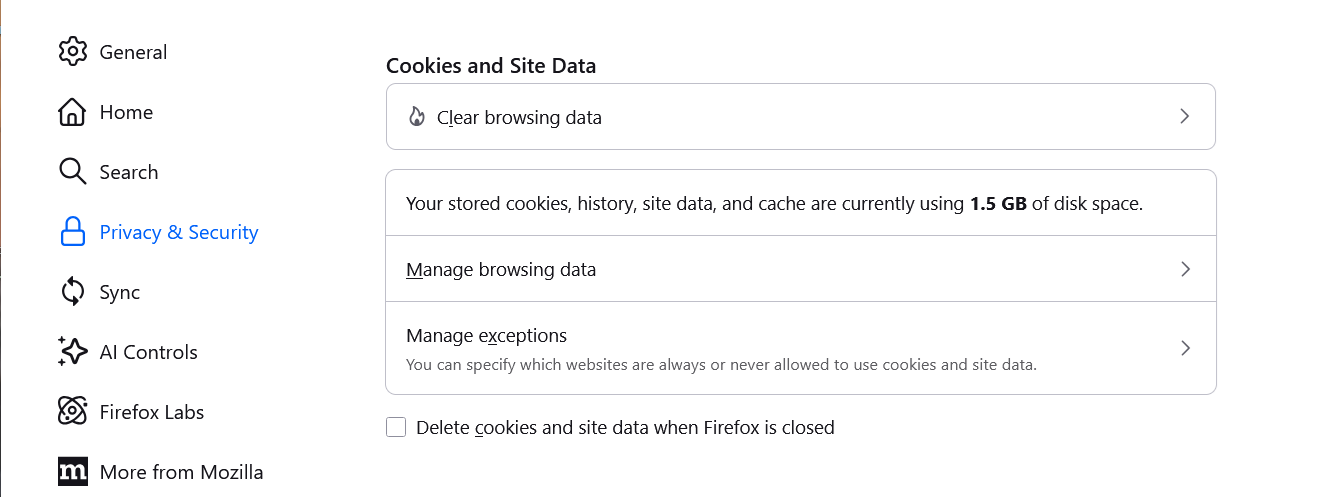
Fx148settings-CookiesAndSiteData

Now starting with v152.0, the sections are redesigned and some affordances have been changed like here with new wording for additional clarity:

"Clear data for specific sites" is actually the item label going forwards:
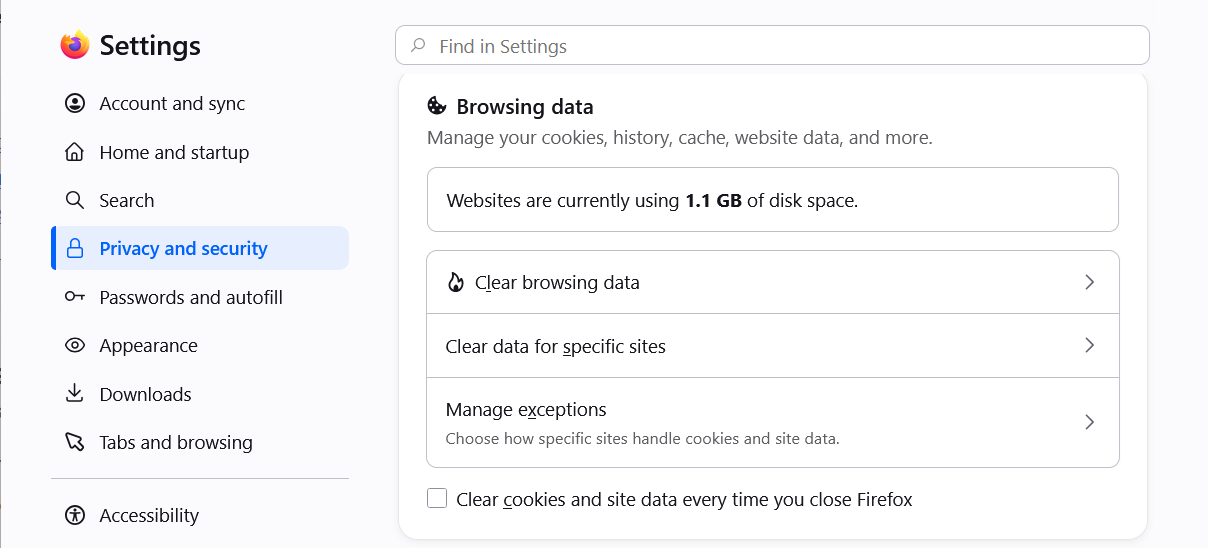
Fx152settings-BrowsingData
Đặt một câu hỏi

Bạn phải đăng nhập vào tài khoản của bạn để trả lời bài viết. Vui lòng bắt đầu một câu hỏi mới, nếu bạn chưa có tài khoản.