


History file shortened

I just found that on one of my computers my history file has lost a year from 2017 to 2018. How can I avoid this happening? I have version 152.0.1.
Giải pháp được chọn
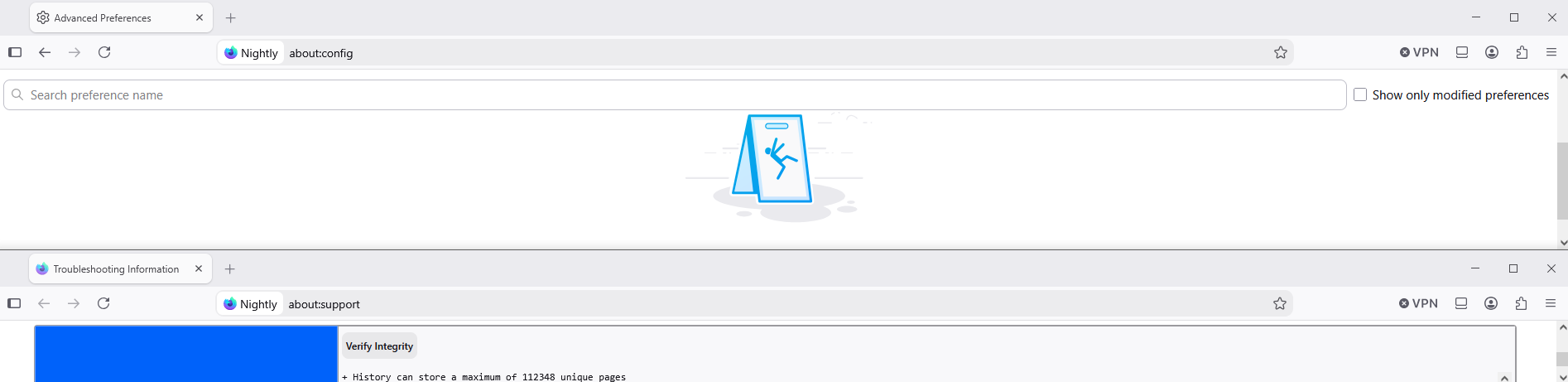
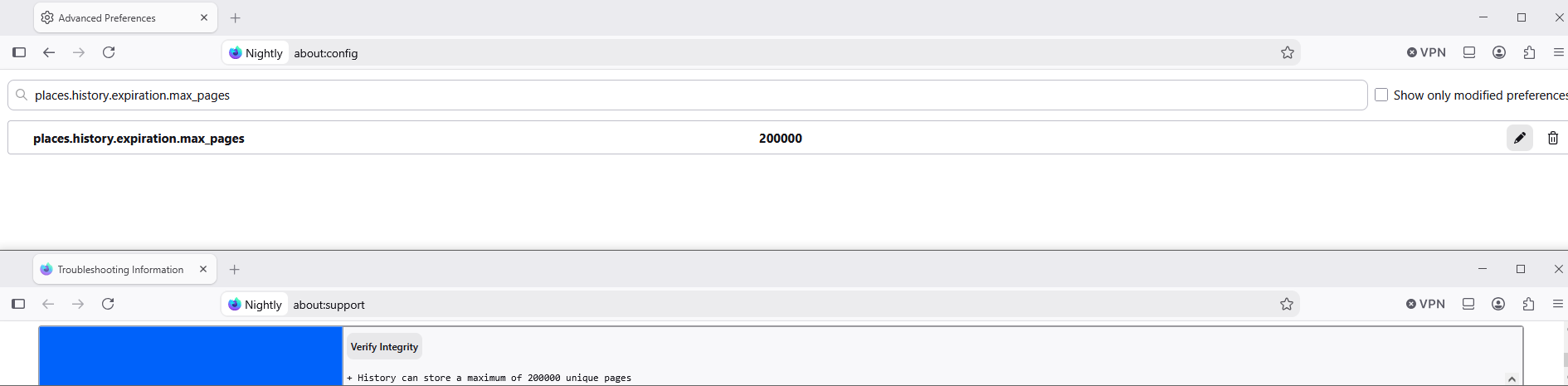
https://www.reddit.com/r/firefox/comments/1lvg8ip/comment/n273kat/ screenshot 2, a test performed, Adding preference https://support.mozilla.org/en-US/kb/about-config-editor-firefox#w_adding-preferences
Tất cả các câu trả lời (10)
Open about:support and click the Verify integrity button in the Places database section. It should produce a log containing maximum number of unique pages your history can store. This number is not infinite.
Được chỉnh sửa bởi TyDraniu vào
It doesn't say. It just says "+ Places.sqlite size is 97280KiB".
Hi was just about to provide a link, will check it out
https://support.mozilla.org/en-US/questions/1059856
Update: Nope that doesn't help :(
Được chỉnh sửa bởi amoun vào
Well, in that link 00FF00 replies, "Awesome info thanks for the links! Unfortunately it seems the answer is it's not possible at this time". I suppose he meant it's not possible to make the history last indefinitely, as he wanted. Is that correct?
Giải pháp được chọn
https://www.reddit.com/r/firefox/comments/1lvg8ip/comment/n273kat/ screenshot 2, a test performed, Adding preference https://support.mozilla.org/en-US/kb/about-config-editor-firefox#w_adding-preferences
OK, I created a preference called places.history.expiration.max_pages and set it to 123456789. But I still don't see anything about the maximum number of unique pages my history can store when I do Verify integrity.
Verification performed
places.history.expiration.max_pages 123456789
Verify Integrity
+ History can store a maximum of 123456789 unique pages
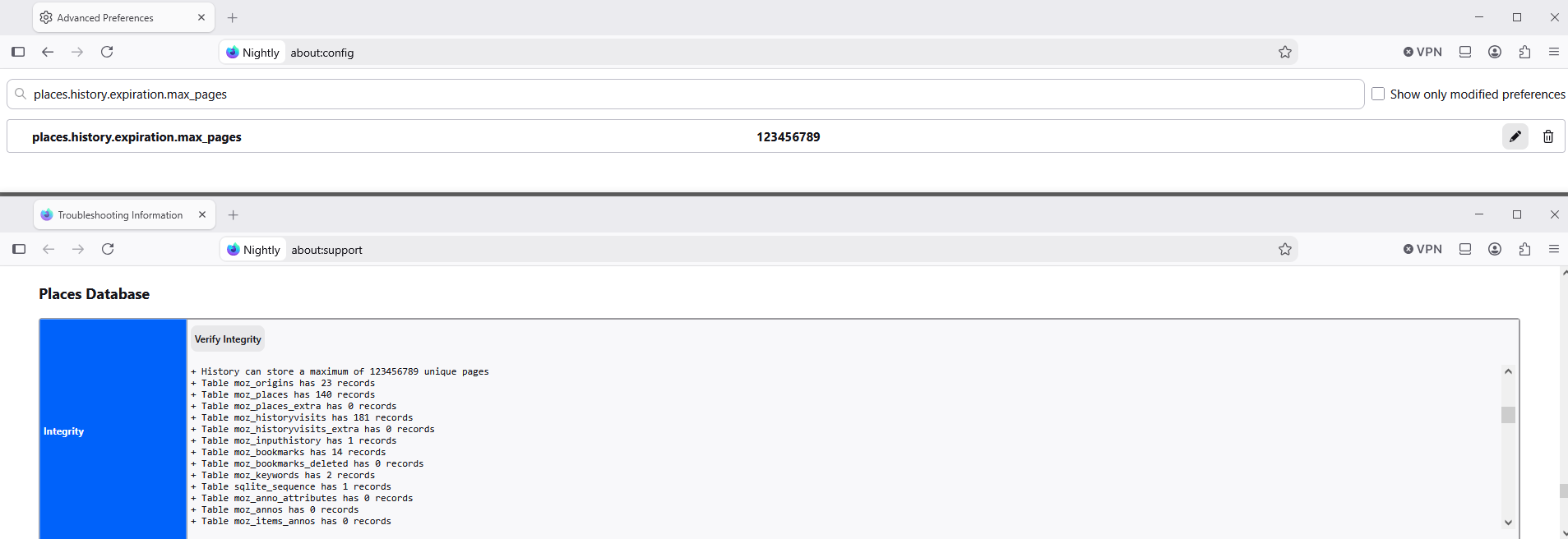
Ah, now I see! When I did Verify it showed me 14 lines of text. But just now, after reading your (somewhat cryptic) reply, I looked again, and I saw a few pixels below that, and I realized it was the top of a 15th row of text! So I clicked in the area and then I was able to scroll down, and sure enough it says that. Thanks.
Hi Eric,
As a moderator, I've marked Agent virtuel's reply as a solution to highlight it for other users. If you disagree, you can unmark it by clicking Undo solution under the reply.