


Youtube freezes constantly and irreversably
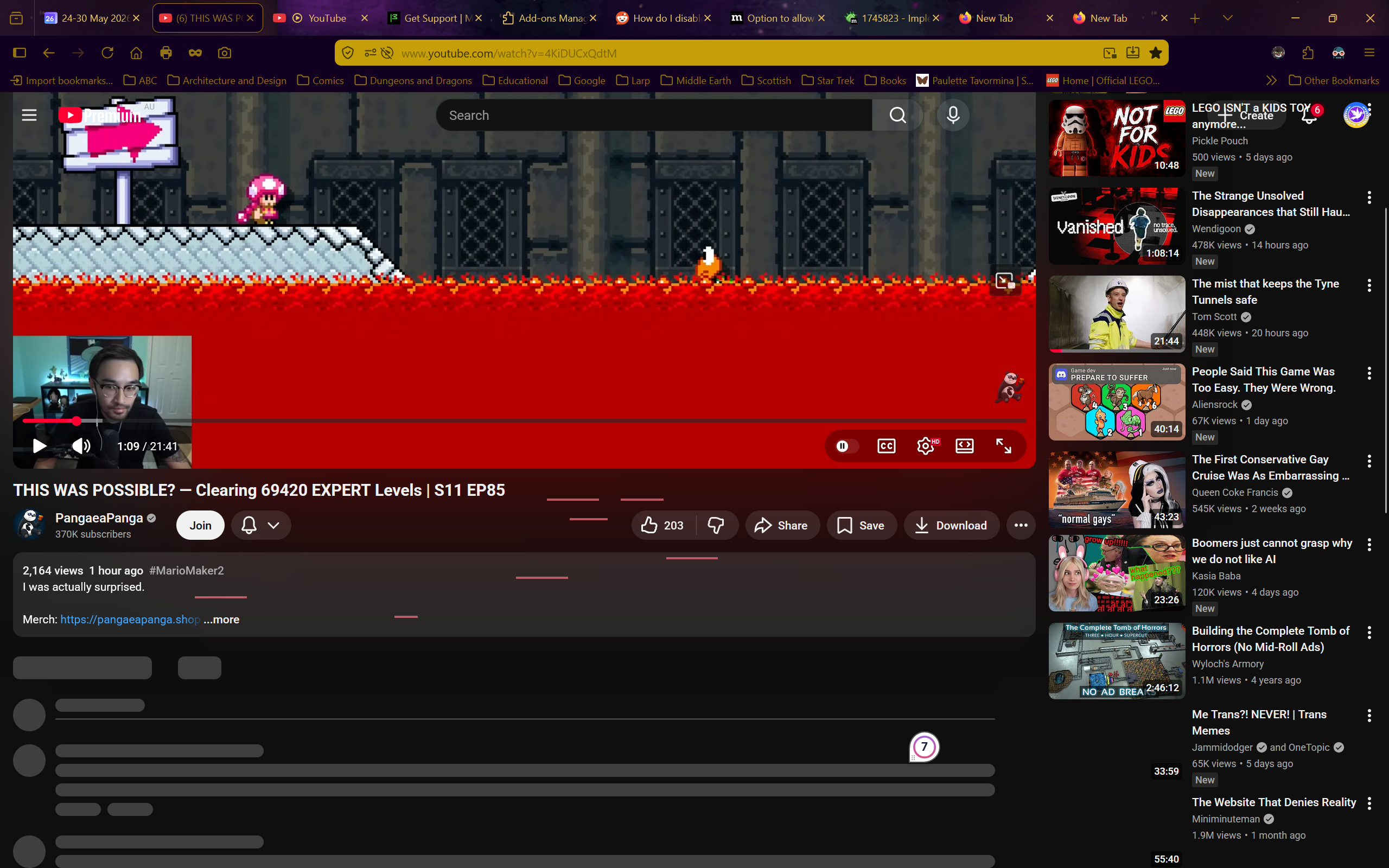
I have no idea what is happening. Whenever I try to use youtube on firefox the site just freezes. I can still scroll up and down, but nothing that wasn't already loaded loads, I can't click on anything, and nothing except scrolling does anything.
The reload, home, and even screenshot buttons don't work in these frozen youtube tabs. The only way to do anything is to open a new tab and close the frozen youtube one.
Youtube is completely unusable because of this.
I turned off every single addon, I restarted firefox, I restarted the entire computer, I tried in a private tab. It still freezes every time.
I don't have a VPN, I do not have the problem on any other website (even other media-players), and I don't have a clue what is happening.
I do have youtube premium.
Any help would be appreciated. I need to watch stuff for my studies but I just can't
Operating system: Windows 11

Tất cả các câu trả lời (11)
This still looks like some antivirus or security software interfering honestly, but you've disabled anything like Malwarebytes or Kaspersky and such?
Ok, I haven't tried turning off my antivirus, but I will now. (If you suggested so in a prior message than I missed it) However, I do know that it is not connected with my account as the same issue also happens in a private window, which I use frequently for youtube (to prevent my algorithm being overtaken by current news)
Because this is not a site leak, like it would start ramping up the resources consumed etc. …
It's more of this bad loading state, like some async scripted lazy load of additional content never fires… breaking scripts, meaning chats are stuck, scrolling does nothing, events around keyboard, pasteboard, changing window modes etc. all of these APIs are handled in JS, and this looks like some of the loading sequence just breaks apart, so JS breaks, lazy loading breaks, … the screenshots show a lot of those placeholder items that never end up getting the real deferred content loaded by the site JS.
That's usually something on the line… with the actual connection, a DNS tweak, a VPN, or some anti–(virus, malware, phishing) protection that then interfere in the loading of the biggest sites' assets and resources.
Turning off my antivirus seems to have worked, but I will wait a few days to make sure
If that solves the problems please do share what antivirus you're using, and whether tweaking some prefs (excluding Firefox executable, disabling some web filtering functionality, or other features that snoop into the traffic) allowed you to let it running, but stabilized the site loads. Thanks.

Starfleet, I don't know the solution, but a possible workaround to try is to not open a Youtube video link directly in the current tab. To always open any video bookmark or link in a new tab.
For this to work, in Tools / Settings you might also need to have the option "When you open a link, image or media in a new tab, switch to it immediately" unchecked?
I don't know why, in some cases, this helps prevent a Youtube freeze. Possibly the freeze may happen if all page elements are loaded all at once, as this might overwhelm something? Whereas opening a link in a new tab sees only some elements initially loaded in the background, and the rest are loaded after when the new tab is focused?
Of course this is not ideal, and may not even help in your specific circumstances. Just something that could be tried.
Được chỉnh sửa bởi TechHorse vào
Jbr, so far so good. The antivirus is Avast, but I'm not at all confident in messing around with its settings.
Techhorse, that was exactly what I was doing. Unless I want to start a playlist, I always open video links in new tabs, because there are usually a couple videos I want to watch but I don't know what order I may want to watch them in, so I use that to more easily jump between them. It actually made it worse as some tabs wouldn't even load at all and would just freeze as a blank tab.
Starfleet, in that case perhaps you could try the opposite? Always load a Youtube video directly in the current tab?
If you right-click a link and choose "Copy Link", then you could open a new tab and paste the URL into the address bar. Might be worth a test if nothing else works.
I do remember one report of YouTube hangs with Avast. Never found the culprit (if a feature can be flipped or excluded from its settings). Good luck with the results over the next day or two.
TechHorse, I also tried that lol. Jbr's suggestion of turning off my antivirus seems to be working for now. Now I think of it, my antivirus had a weird thing a while ago where it would kill my internet if I visited the DM's Guild website, so I think they are likely right
Jbr, thank you. I'll report back soon
Starfleet, fair enough! Hope that you can either find the culprit, or at least find a way to reduce the freezes by, say, replicating the Troubleshoot Mode changes in normal mode.