Cannot get into a web site

I was browsing for vacant jobs in LinkedIn and ended up on this page: https://www.linkedin.com/jobs/view/4400116024/?trackingId=&refId=&midToken=AQHkKqfITpiwdw&midSig=2f8JsuceFtMYc1&trk=eml-email_jobs_application_rejected_01-similar_jobs-0-similar_job&trkEmail=eml-email_jobs_application_rejected_01-similar_jobs-0-similar_job-null-g3nlj~mo2hn6z8~of-null-null&eid=g3nlj-mo2hn6z8-of&otpToken=MTAwMjFlZTQxNjJhYzljM2JlMmYwMmVkNDAxYWU3YjA4NmNiZDQ0MzlkYWQ4NTZjNzljMTAxNjg0ZjU4NWZmM2YzZGZiN2JjNTVjNWZjZTc3YjhmZDg3ZWQ5YTExZWUyMDg1N2Q1YzI4OGNjNDU0MjU3YTEsMSwx But pressing the Apply button, did not take me to the application page, but instead a page that was saying: "Be careful. Something doesn’t look right. Firefox spotted a potentially serious security issue with jobs.tuvsud.com. Someone pretending to be the site could try to steal things like credit card info, passwords, or emails." And there was no option to ignore this and just go to the site??? I needed to open MS Edge instead, to be able to apply for the job???
Tất cả các câu trả lời (4)
Hello
Troubleshoot security error codes on secure websites https://support.mozilla.org/en-US/kb/error-codes-secure-websites
If the error occurs on one site only, test it using SSL Labs https://www.ssllabs.com/ssltest
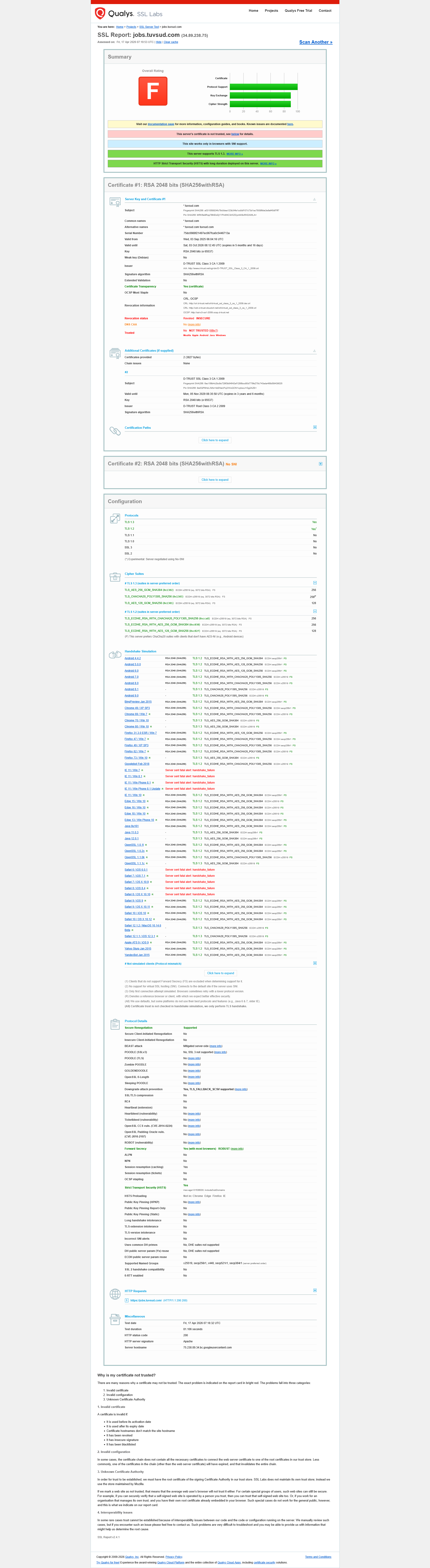
https://www.ssllabs.com/ssltest/analyze.html?d=jobs.tuvsud.com, Overall Rating F, analyze at instant .
This does not help anything. I still cannot get in the desired web page still.
The Problem "Peer’s Certificate has been revoked"
The error message you are seeing in Firefox it means that the security certificate for the TÜV SÜD website has been officially cancelled (revoked) by the issuing authority (D-Trust). click Advance and > Error Code: SEC_ERROR_REVOKED_CERTIFICATE for details.
A certificate is usually revoked maybe from Security Breach or Replacement ot Administrative Error
Why does Chrome work while Firefox blocks it?
Firefox check's the status of a certificate in real-time. If the issuing authority says "this certificate is revoked," Firefox will block the connection immediately to protect you.
Chrome (and Edge) to save time and speed up browsing,doesn't always check the status of every single certificate in real-time. If that list hasn't been updated yet on your computer, Chrome will let you in, unaware that the certificate is actually invalid.
I suggest do not ignore the warning
There is nothing wrong with your computer or your Firefox settings. This is a server-side configuration error by TÜV SÜD.
I think their IT department (a large organization like TÜV SÜD) will fix it within a few hours by installing the correct, updated certificate.
This is a job portal where you upload sensitive personal data (CVs, address, phone number), I would advise to wait until the error disappears from Firefox. Using a browser that ignores a revoked certificate is technically a security risk.
Υou can contact the staff who posted the job advertisement for more information
Use it at your own risk
Được chỉnh sửa bởi George Kitsoukakis vào
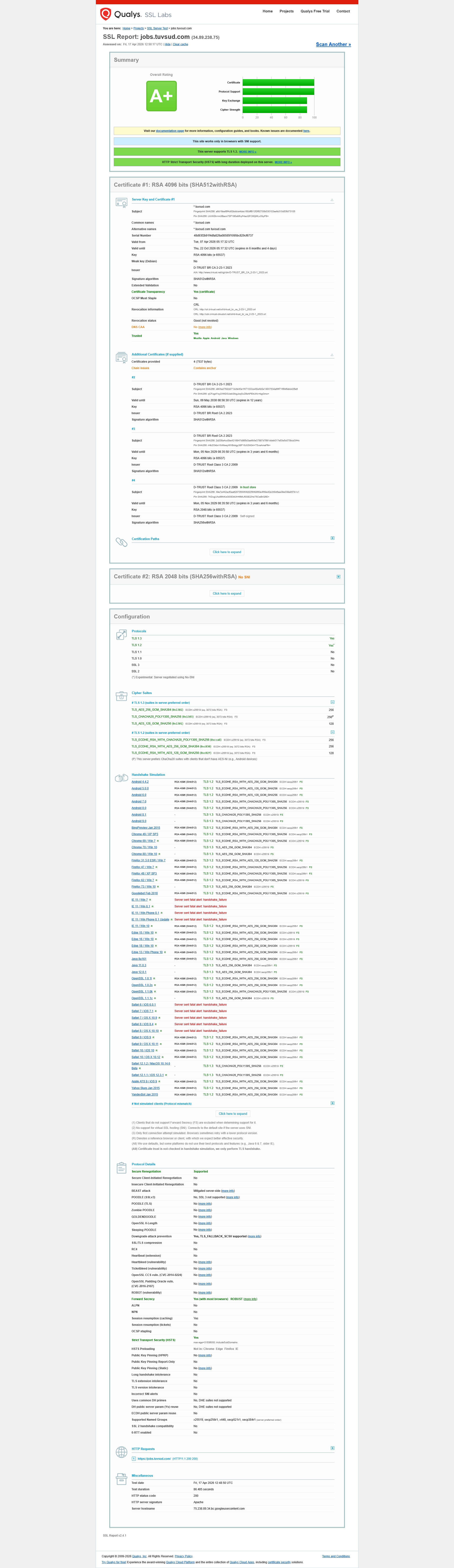
New analyze https://www.ssllabs.com/ssltest/analyze.html?d=jobs.tuvsud.com Overall Rating A+