


I deleted the VPN button after the latest update and would like to get it back. Any thoughts?
I deleted the VPN button after the latest update and would like to get it back. I found VPN in the Settings but the VPN button is disabled, and nothing happens. Need suggestions -- thanks.
Tất cả các câu trả lời (3)

Giải pháp được chọn
FXP, sometimes removed UI buttons can be restored from the Customise page.
To open the page right-click any of the UI buttons near the top of the screen until one offers the option "Customise Toolbar".
If you find the VPN button on the Customise page then you can either drag it to a desired location, or right-click it and choosse a pin option.
Được chỉnh sửa bởi TechHorse vào
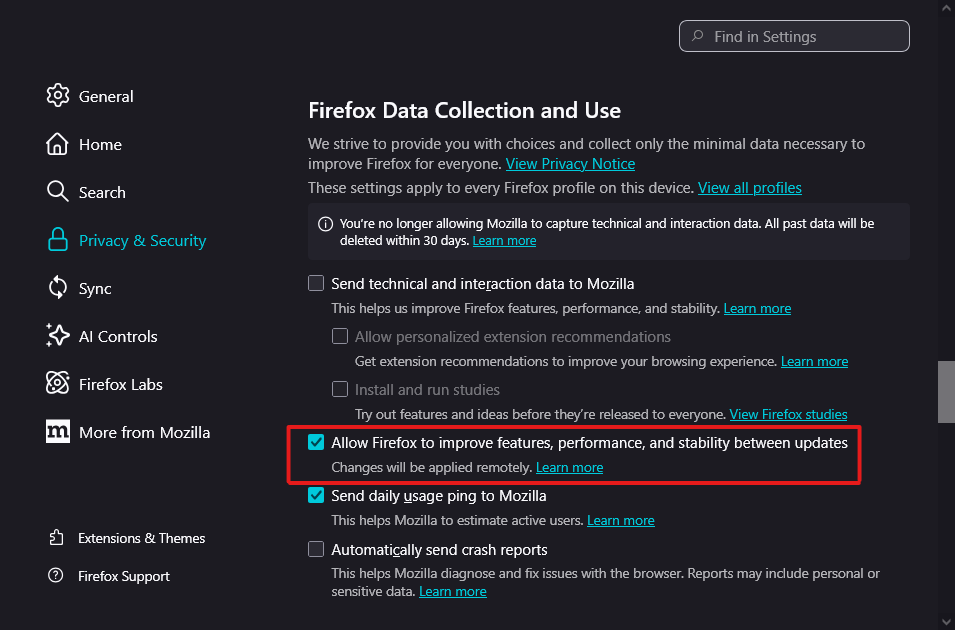
There is no VPN button on the Customise page if you dont have this option enabled (screenshot).
Hello
https://support.mozilla.org/en-US/questions/1577633#answer-1812889 ?
Check, browser.ipProtection.enabled