How can I always show the translation icon in desktop Firefox?
Is there a setting to always show the translation icon in the Firefox desktop address bar?
- Scenario
I'm visiting a website that is not in my native language. For example, I natively speak English, and the website contains Spanish text.
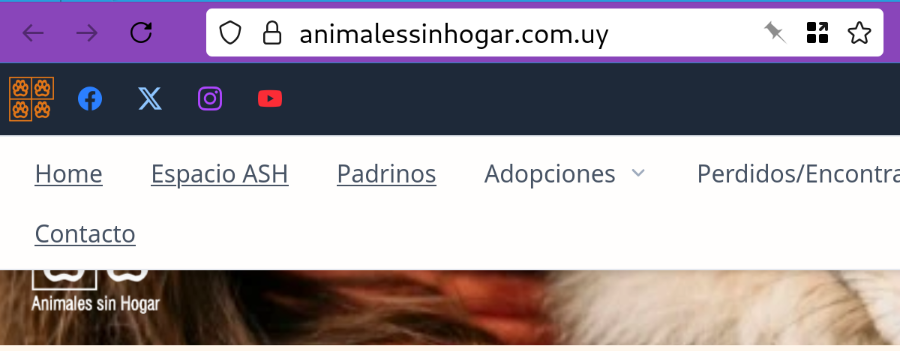
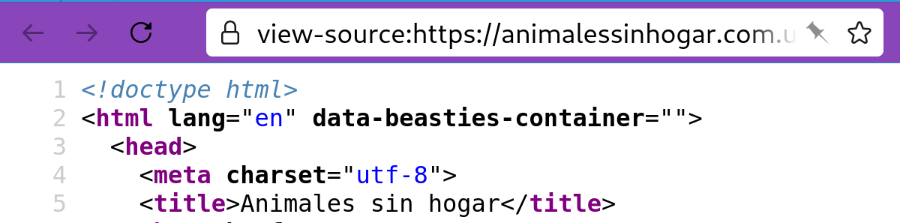
The Spanish website incorrectly sets lang="en" in the HTML. Here's an example: https://animalessinhogar.com.uy/
My browser's default language is set to US English. When Firefox sees the Spanish webpage declaring the lang="en" tag, it assumes the webpage is in English, and hides the translation icon from the address bar.
- Issue
The end result is I see this website in Spanish, there's no translation icon in the address bar, and also no way to force a full page translation. The best I can do is select parts of the text, right click, and ask for "Translation Selection to English". This gets very tedious, especially when I have automatic translations for Spanish websites already turned on (browser.translations.alwaysTranslateLanguages = es).
- Proposed solution
To work around these websites which mis-declare their language, is there a way to always show the translation icon in the address bar?
I had also thought of removing my browser's default language, so that the translation icon would always appear on every webpage. However, that would mean that websites that present different versions based on browser language wouldn't display my native language at first, or might not work at all? So this seems like a less good solution.
- Firefox details
140.4.0esr (64-bit) running on Debian Linux 13 (Trixie)
Here's some related Firefox config options for translations, and their settings on my browser. I think I've only changed the configuration option to always translate Spanish webpages.
browser.translation.neverForLanguages browser.translations.alwaysTranslateLanguages es browser.translations.automaticallyPopup true browser.translations.chaos.errors false browser.translations.chaos.timeoutMS 0 browser.translations.enable true browser.translations.logLevel Error browser.translations.mostRecentTargetLanguages en browser.translations.neverTranslateLanguages browser.translations.newSettingsUI.enable false browser.translations.panelShown true browser.translations.select.enable true browser.translations.simulateUnsupportedEngine false browser.translations.useHTML false browser.translations.useLexicalShortlist false gfx.canvas.remote.use-canvas-translator-event true services.settings.main.translations-models.last_check 1773722950 services.settings.main.translations-wasm.last_check 1773722950 toolkit.telemetry.translations.logLevel Error
Tất cả các câu trả lời (2)
Giải pháp được chọn
Hello
Firefox Translations, to see it in operation, you can type about:translations into your address bar to see a list of available languages' model
A similar idea https://connect.mozilla.org/t5/ideas/make-translation-button-always-visible/idi-p/118105
If you wish https://support.mozilla.org/en-US/kb/file-bug-report-or-feature-request-mozilla You can send your comment, file a bug report
Component: Translations https://bugzilla.mozilla.org/buglist.cgi?product=Firefox&component=Translations
About translations log, for information purposes https://connect.mozilla.org/t5/discussions/feedback-regarding-the-translate-feature-on-ff/m-p/102185/highlight/true#M39741 A iilustration, browser.translations.mostRecentTargetLanguages https://support.mozilla.org/en-US/questions/1535724
Firefox Translations https://support.mozilla.org/en-US/kb/website-translation
When you visit a webpage in a supported language, the translation panel will open automatically. If it does not open, click the translation icon in the toolbar. Or select the Translate icon from the Hamburguer menu.
Have you tried, select the Translate icon from the Hamburguer menu
Được chỉnh sửa bởi Agent virtuel vào
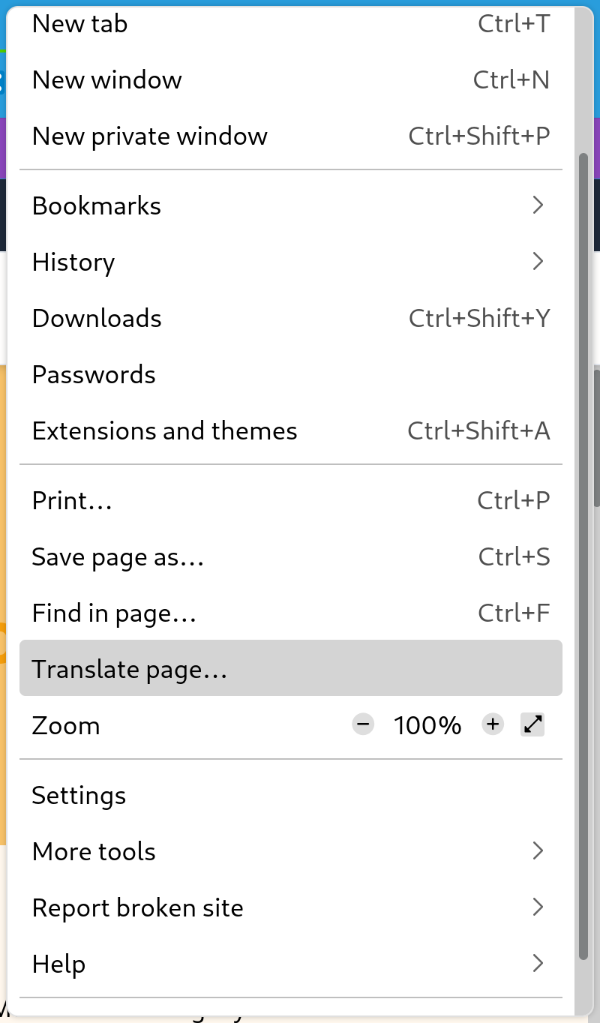
Yes, I can translate the full text of the page by selecting 'Translate page' from the hamburger menu.
I didn't even know this menu existed! It is in the top right of the address bar. Since it is directly next to my add-on icons, I had assumed the hamburger menu was for an add-on. I added a screen shot of the menu location and translate page menu option for anyone else stumbling across this UX bug.
I totally missed the hamburger menu in my search through the standard Firefox top-level menus. Perhaps the 'Translate page' needs to also be under a top-level menu like 'Tools'?