


How can I stop a "request for signature" box taking over my screen at each new website?

For the last 2-3 day I have been experiencing a box that asks for my signature each time I go to a new website. I can't move the box. I can't screenshot it. Does anyone know how I can get rid of it?
Giải pháp được chọn
Tất cả các câu trả lời (10)
Hey Paul, when you have the time, we are looking to understand if this happens every time you open a new PDF or not. In order to do so please do the following:
- open a PDF
- see the callout popup
- click the Dismiss button
- close the PDF and reopen it
do you still see the callout popup?
Thanks a lot
On the lower part of the pop up that asks you to sign, you should see a dismiss button. Is that not the case with you?
No, I have never seen the bottom of the pop up. I can't drag it. I can't resize it (changing magnification has no effect on the pop up just on the image behind it). So I haven't found a way to get to the dismiss button. But this suggests the originator of the button knows it is something that the user may not want to see?
Users might want or not want to use the feature, dismiss is there for users like you that don't want it. What you experience sounds like a bug and the engineers are looking into it. I know you said you couldn't screenshot this before, but can you try to screenshot using Windows tool? You can use PrtScn and then paste the image from your clipboard, or use Win+Shift+S to use the snipping tool.
Now I have learnt something, there is actually a "screenshots" folder! Never knew that.
Image attached. As you will see it is only part of the superimposed advert - I have never found a way to see the whole thing.
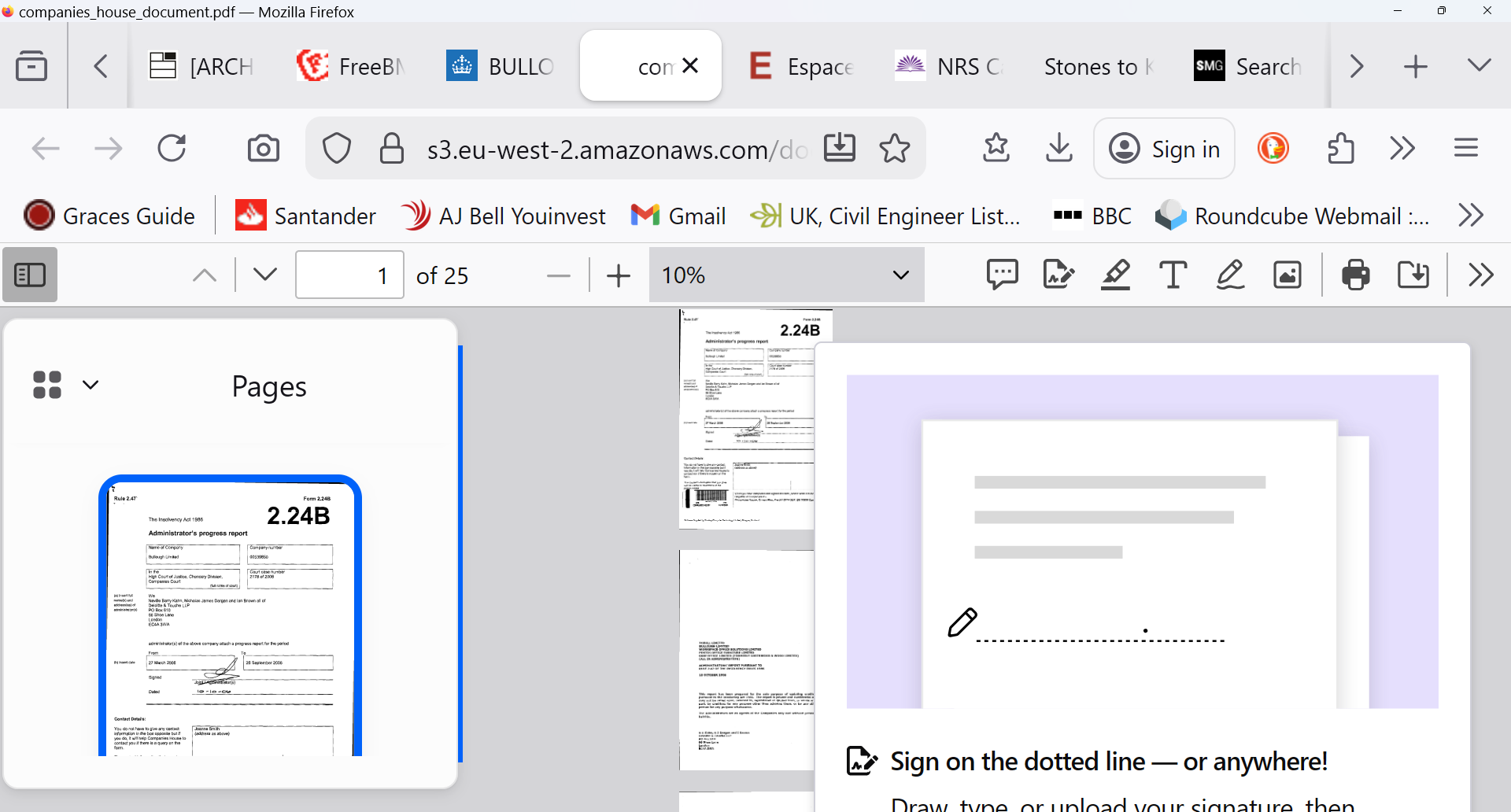
Thank you Paul. I have reported it to our engineers and will get back to you.
Does it make a difference if you disable recommendations?