


Windows 10 reached EOS (end of support) on October 14, 2025. If you are on Windows 10, see this article.

Tìm kiếm hỗ trợ

Tránh các lừa đảo về hỗ trợ. Chúng tôi sẽ không bao giờ yêu cầu bạn gọi hoặc nhắn tin đến số điện thoại hoặc chia sẻ thông tin cá nhân. Vui lòng báo cáo hoạt động đáng ngờ bằng cách sử dụng tùy chọn "Báo cáo lạm dụng".

Tìm hiểu thêm

Too-tiny type after monitor upgrade

  • Không có trả lời
  • 0 gặp vấn đề này
  • 52 lượt xem

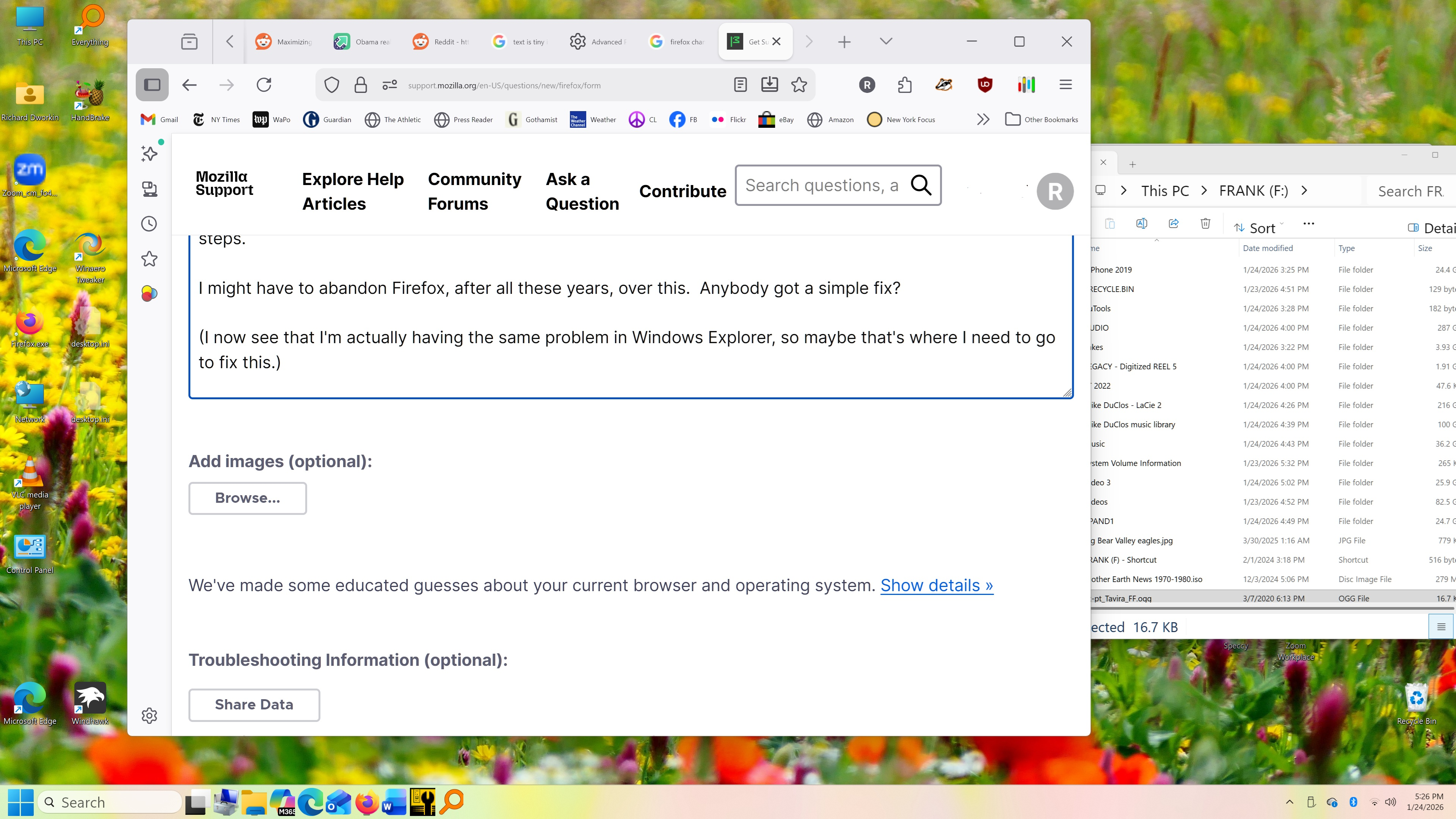
I recently got a large (30") 4k monitor because I have been having trouble reading text. But Firefox has become practically unusable.

Some sites display with giant text, and I have to press ctrl-minus several times to fit them on the screen.

Meanwhile, the text in the Bookmarks bar, tabs, and URL window are unreadably small.

I tried about:config and layout.css.devPixelsPerPx, which currently seems to have a NEGATIVE value of -1.5. Per directions, I changed it to 1.5. NOTHING. NO CHANGE.

Then I found an endless series of possible fixes, all involving similarly opaque and obscure and user-unfriendly steps.

I might have to abandon Firefox, after all these years, over this. Anybody got a simple fix?

(I now see that I'm actually having the same problem in Windows Explorer, so maybe that's where I need to go to fix this.)

Thanks!
I recently got a large (30") 4k monitor because I have been having trouble reading text. But Firefox has become practically unusable. Some sites display with giant text, and I have to press ctrl-minus several times to fit them on the screen. Meanwhile, the text in the Bookmarks bar, tabs, and URL window are unreadably small. I tried about:config and layout.css.devPixelsPerPx, which currently seems to have a NEGATIVE value of -1.5. Per directions, I changed it to 1.5. NOTHING. NO CHANGE. Then I found an endless series of possible fixes, all involving similarly opaque and obscure and user-unfriendly steps. I might have to abandon Firefox, after all these years, over this. Anybody got a simple fix? (I now see that I'm actually having the same problem in Windows Explorer, so maybe that's where I need to go to fix this.) Thanks!
Đính kèm ảnh chụp màn hình

Bạn phải đăng nhập vào tài khoản của bạn để trả lời bài viết. Vui lòng bắt đầu một câu hỏi mới, nếu bạn chưa có tài khoản.