


Can't log-in to synchronize
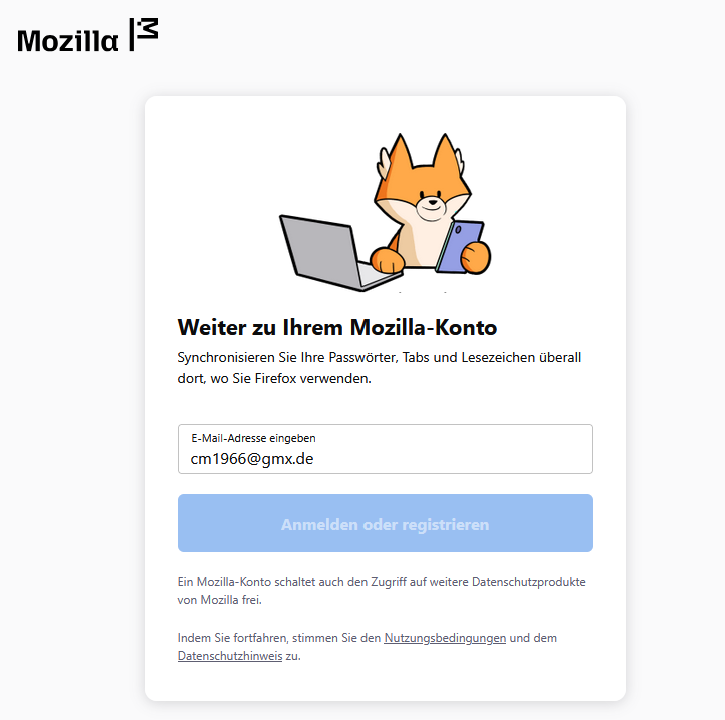
Yesterday I only change the photo in my Firefox profile. Today I can't log-in to synchronize my account. When I click on "Anmelden" (German for "log-in") at the top right corner, a new tab opens, I can enter my e-mail adress, klick onto the button "Anmelden oder registrieren" (German for "log-in or register") it fades out and nothing else happens. I can access my account here as I logged in to send this message. What is the issue? How can I start synchronizing my account again? My Firefox version is 146.0 Thanks in advance, Chris
Tất cả các câu trả lời (3)
Problem solved. For no (understandable) reason my standard profile got a folder - and this folder was empty or just a new standard folder. With a new profile using my old profile folder it works again.

That’s strange, especially since you can log in on the website but not from Firefox itself. It could be a cookie or cache issue after the profile photo change I’d try clearing cookies for Mozilla accounts or signing out and back in. Also worth checking if any extensions are blocking the login flow. Hope that helps.
Thanks for your answer. I could solve the problem. For no known reason the folder of my profile was changed. After I changed the profile folder to the version before, everything is okay again 👍